Congratulations!
You have just been invited to purchase Tower — a Git client with Superpowers — at a very special price!
What happens next?
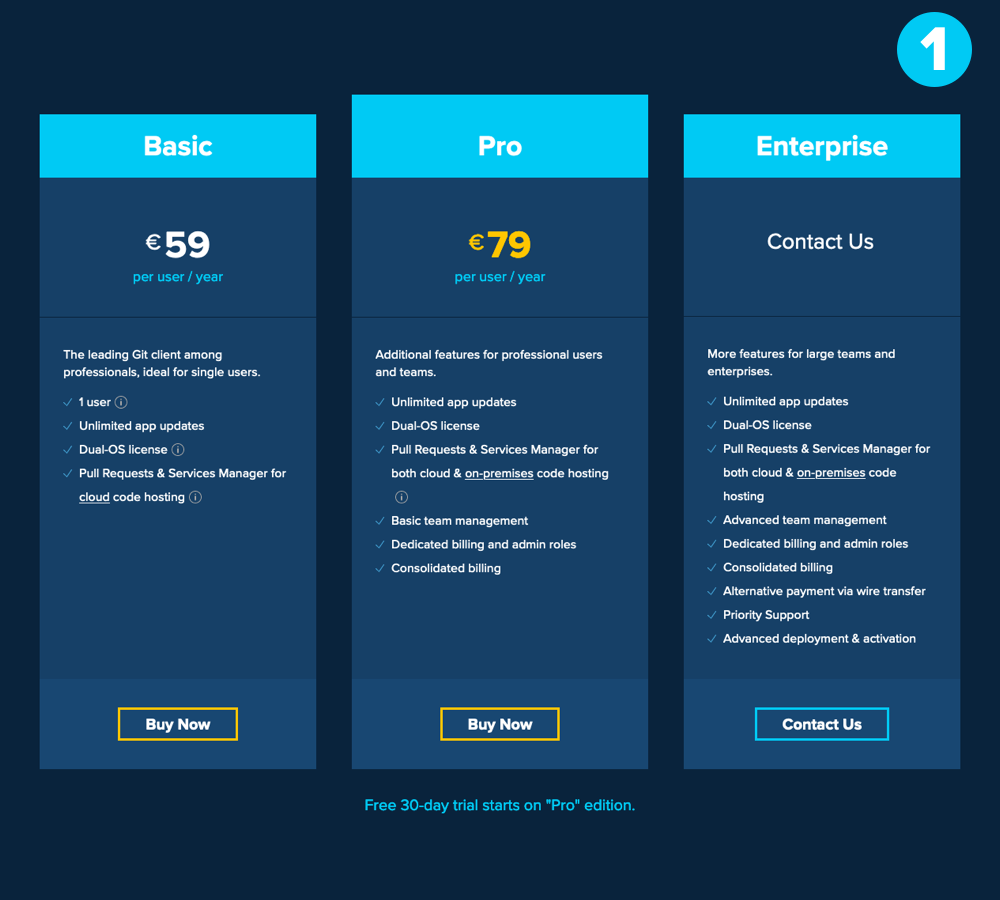
You'll be taken to our "Plans" page. You can choose between Basic, Pro, and Enterprise plans.
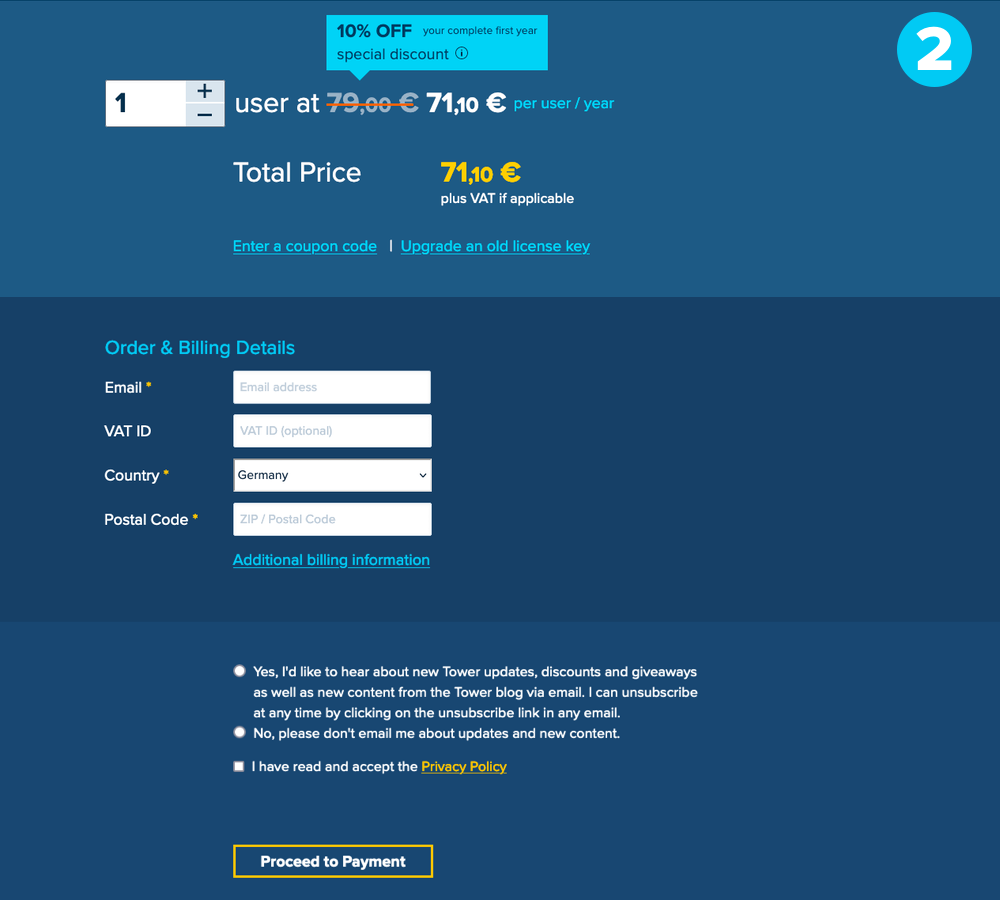
You won't see the discount reflected on that page, but don't worry: your special discount will automatically be applied during the checkout process.
New to Tower?
Here's a 30-second video.
3 Powerful Features That Set Tower Apart
While Tower has many other advanced features, these 3 represent what drives us forward: making Git easy, powerful and productive for everyone.
1. Undo Anything in Git (committing, branching, merging, rebasing) by pressing ⌘ + Z
2. Drag & Drop to perform actions like Merging, Cherry-Picking, and Moving Revisions
3. Create, merge, close, comment, and inspect Pull Requests right from within Tower
I can't even tell you how much I love Tower. It's easily my favorite development tool, and I depend on it every single day.
I utilize Git in both design and development environments - and Tower is the only tool that empowers me in both.
As a designer, contributing to code is fundamental to building beautiful products. Tower takes the pain of working with Git out of the equation.
Tower is by far my favorite Git client and an essential tool in my everyday work.
Tower is a solid Git client, a beautiful, native app that does exactly what it should.