Get Early Access to the New Tower
Join our Beta Channel to preview the latest Tower improvements for Mac and Windows.
You'll automatically receive new builds before they become available to the general public.
AI Commits
Coming in 16.0
Tower 16 for Mac introduces AI Commits, allowing you to generate commit messages and descriptions with the help of AI. Simply stage your changes, click the new "✨ Generate" button in the Working Copy view, and Tower will craft a commit message for you in seconds.
A preset prompt dropdown lets you switch between styles on the fly, and you can create your own custom prompts to match your team's conventions. Choose between Claude Code and Codex as your AI provider, and configure everything in the new "AI" tab in Settings.
Release Notes
No beta release notes available for this product at this time.
Improved
AI Commit Messages: The AI setup button in the commit view can now be hidden. Use its dropdown menu or toggle it in Preferences → AI.
AI Commit Messages: The AI generate button menu now opens below the button, consistent with standard macOS behavior.
Fixed
Interactive rebase: Fixed a stale commit message being shown when resolving sequential conflicts during an interactive rebase with squash or fixup.
Working copy: Removed the "Generate Commit Message" item from the Working Copy menu where it was unavailable and non-functional.
Working copy: The commit templates button in the action bar now correctly respects the "Show commit templates button" preference and reacts to changes immediately without requiring a restart.
New
AI Commit Messages: Generate commit messages using AI directly from the Working Copy. Choose from different AI agents and prompts, manage them in Preferences, and assign them per repository or globally.
Commit Action Bar: A new action bar in the commit message area provides quick access to commit templates, a hard line wrap toggle, AI message generation, and a resize handle — all in a redesigned layout with rounded text views and refined styling.
Commit Body: You can now pin the commit message body to keep it permanently expanded.
Partial Stash: You can now drag individual files from the Working Copy onto Stashes to create a partial stash, including untracked files.
Improved
Graphite: Performance with large numbers of branches has been significantly improved.
Diff/Merge Tools: Tower now validates the tool configuration before launching and provides better error feedback on failure.
License View: URLs in the license window are now clickable.
Working Copy: Show File and Blame actions are now correctly disabled for untracked files.
Workflows: The Git Flow tab in repository settings is now hidden when a non-Git-Flow workflow is active.
Workflows: Updated icon for branch workflows.
Fixed
Fixed a crash related to the sidebar in tabbed windows on macOS 26.
Fixed a crash that could occur when reloading history.
Fixed a crash during app initialization that could prevent users from registering or using Tower.
The fully merged badge and history banner now update correctly after fetch.
Fixed an issue where worktree repositories could lose their connection to the main repository.
Fixed unnecessary UI updates in repositories with Graphite or worktrees that could cause sluggish performance.
macOS 26: Fixed an incorrect separator being drawn at the second split view divider in the toolbar. A proper tracking separator has been added for that divider.
macOS 26: Disabled full size content scrolling for list and detail views to work around a system bug.
How to Get Access
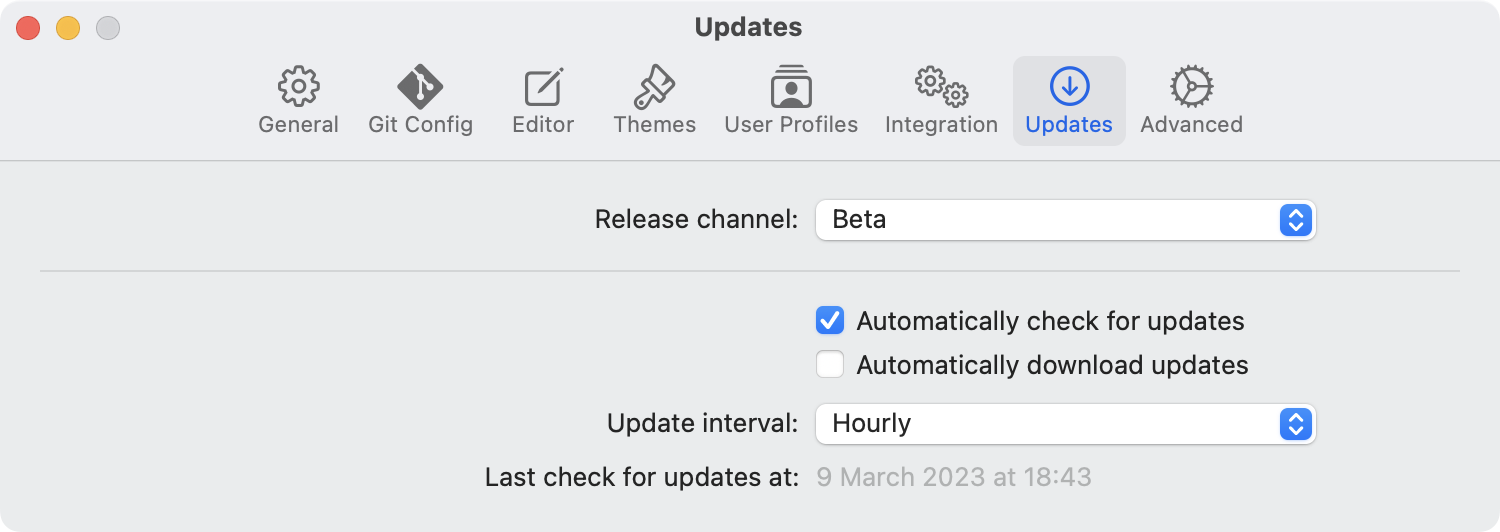
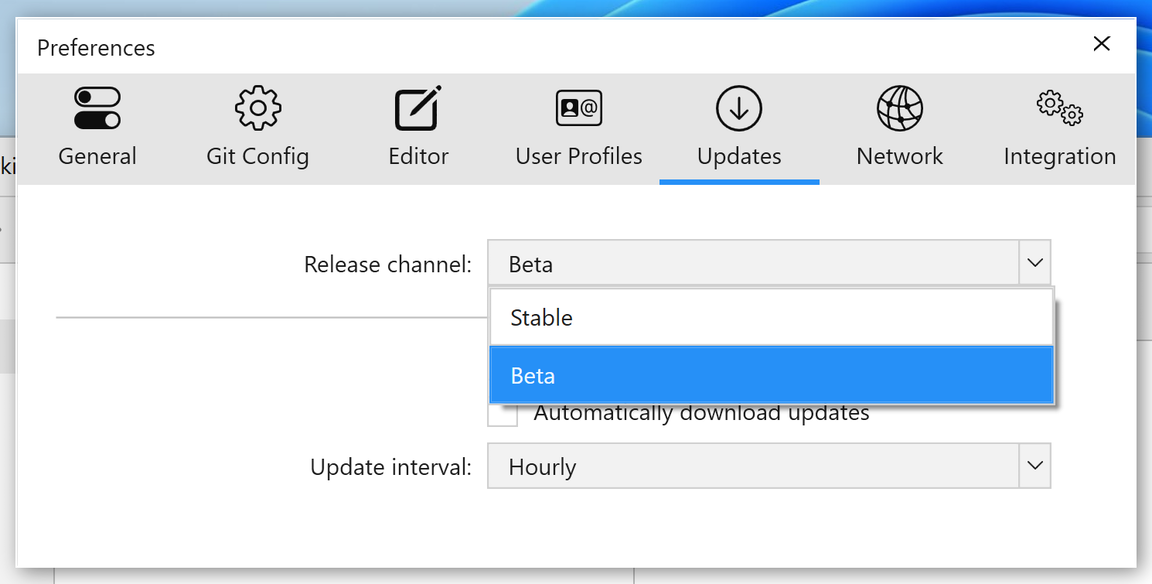
Head over to "Preferences > Updates" to join our Beta Channel.