Pro Feature

Stacked Branches

Work on dependent features in parallel. Restack your entire branch chain with a single action to keep everything in sync.
Stacked Branches Stacked Branches
Why you'll want it

Built for the Way You Actually Ship.

Stacked Branches isn't another Git abstraction. It's the same branches, commits, and merges you already use — just with the plumbing for dependent branches done right.

Small, Reviewable PRs

Break a sprawling change into a chain of focused branches. Reviewers can land pieces independently instead of drowning in a 1,000-line diff.

The Stack Rebases Itself

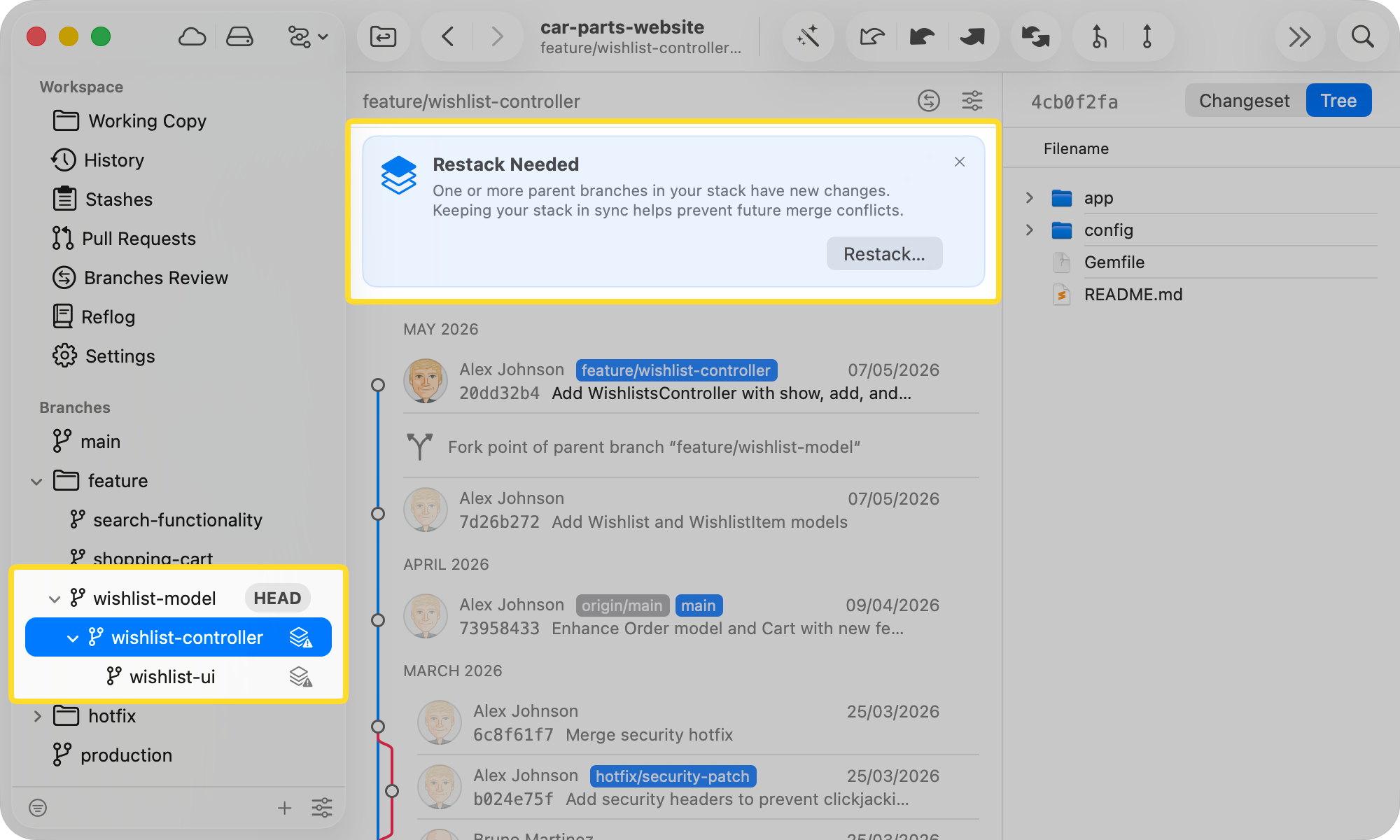
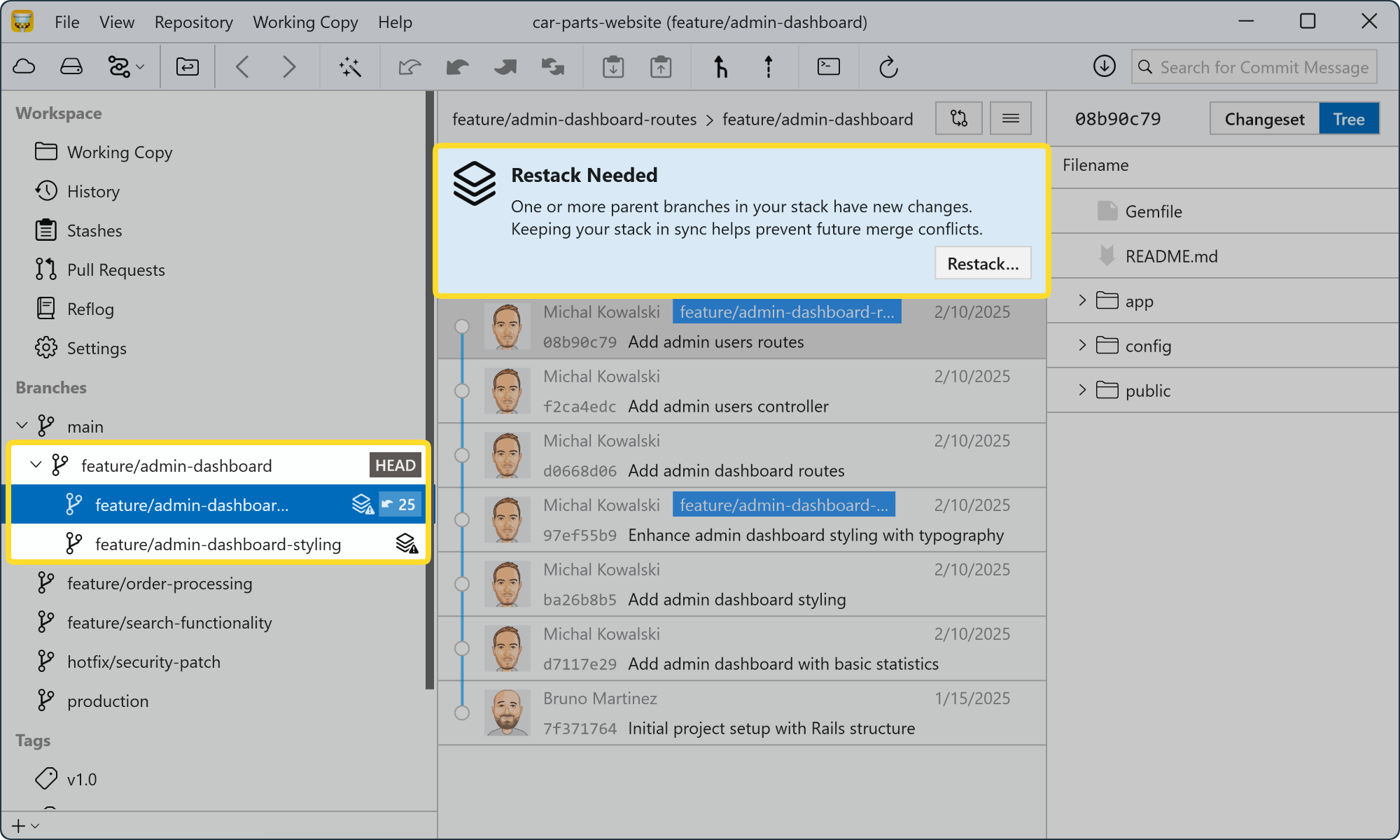
When a base branch gets new commits, Tower detects the change, flags the affected child branches, and allows you to restack any child branch with a single click.

Keep Moving While You Wait

Start the next branch on top of the one still in review. No more blocking on code review to write the next 200 lines.

Built for Stacked PR Workflows

Each branch in the stack represents one logical change that can be reviewed and merged independently — the foundation of a clean Stacked Pull Requests workflow.

How it works

From First Commit to Merged Stack.

  1. 01

    Create Branches That Build on Each Other

    Start a new stacked branch on top of any open branch. Tower tracks the parent-child relationship and groups child branches visually under their parent in the sidebar — no extra tooling required.

  2. 02

    Restack When a Branch Changes

    When a base branch gets new commits, Tower marks the affected child branches with a restack indicator and allows for easy synchronization of any child branch with a single click.

    It will also warn you if you encounter any merge conflicts during the process.

  3. 03

    Change the Parent Branch Anytime

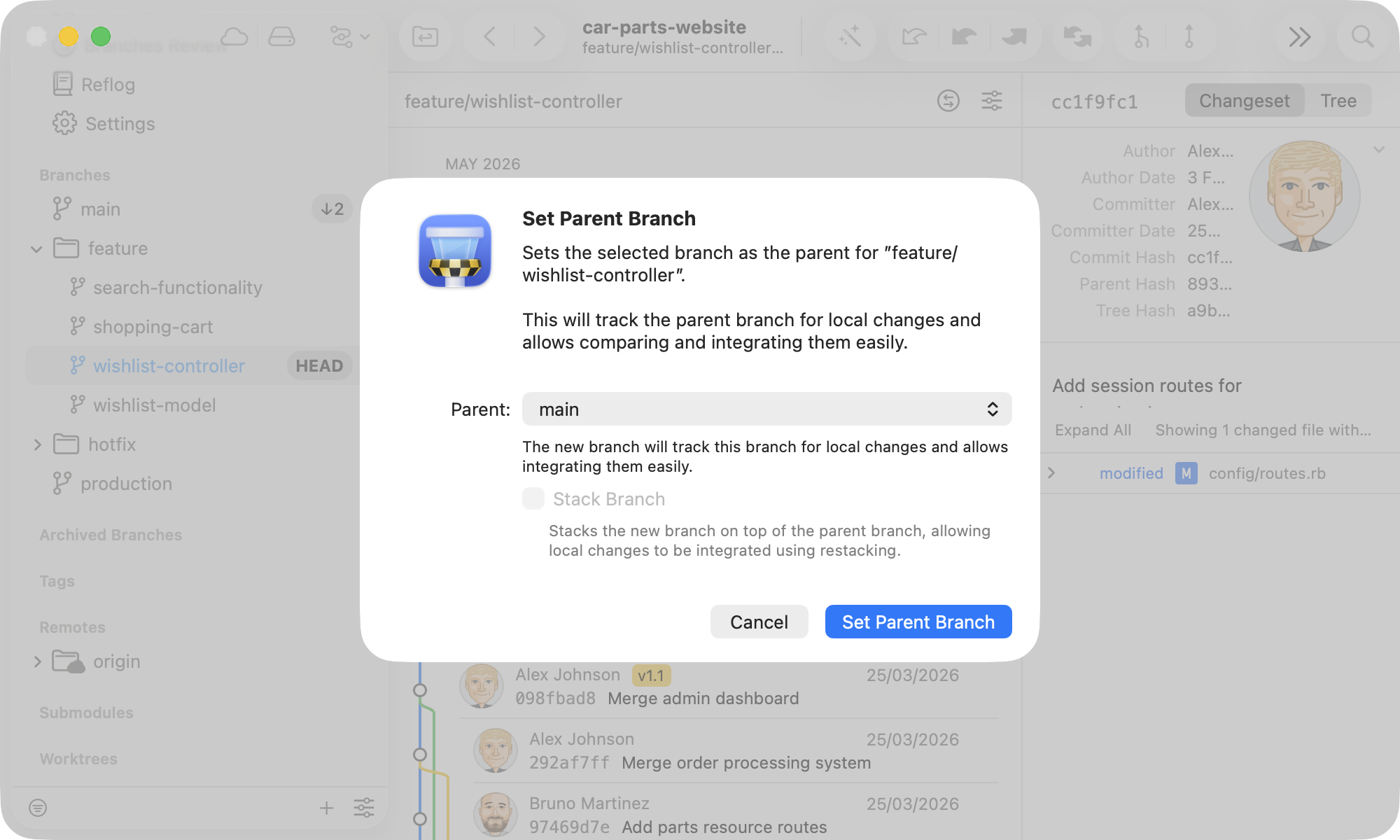
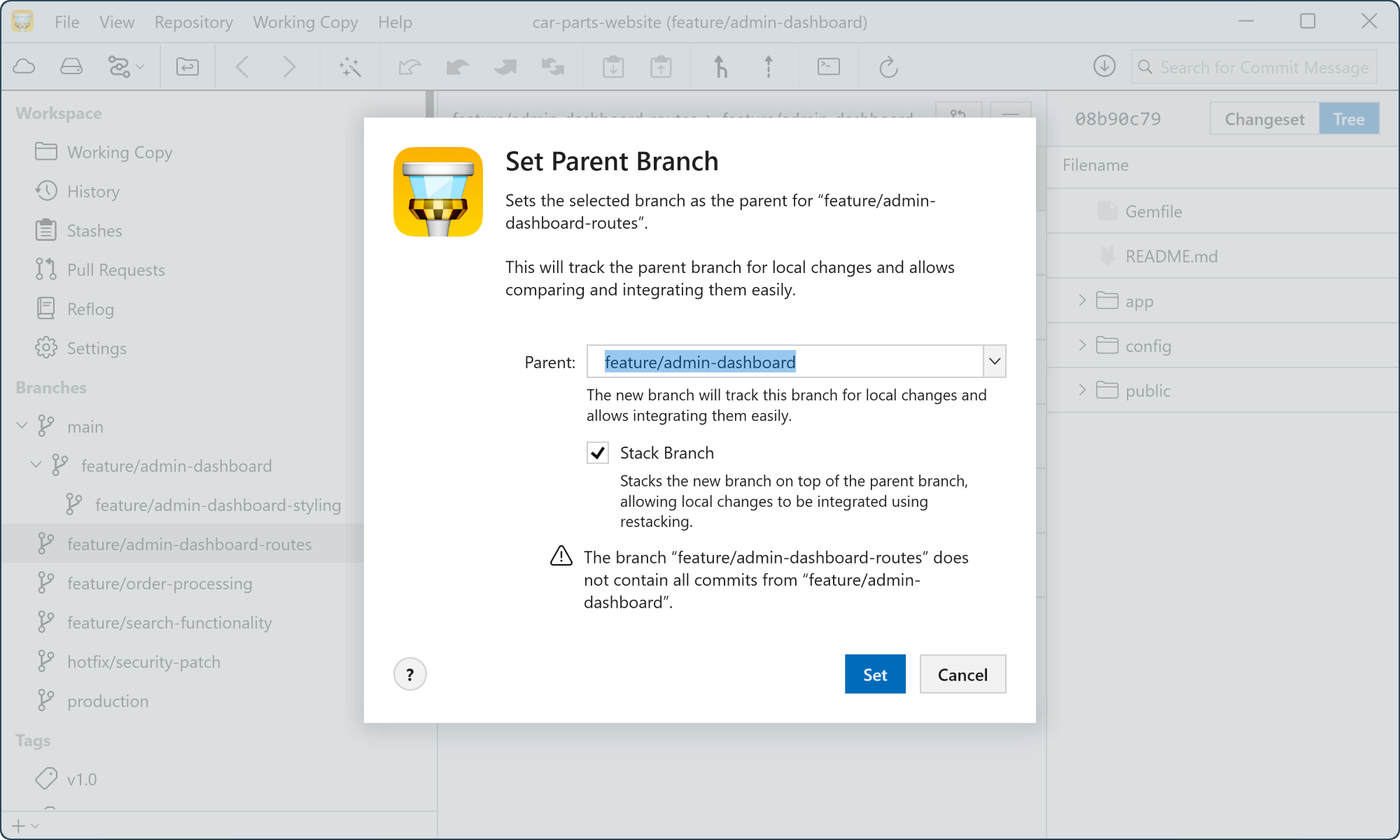
    Right-click any branch in the sidebar to reassign its parent. Tower updates the dependency chain immediately.
    Change the Parent Branch Anytime Change the Parent Branch Anytime

Unlock All Pro Features

Upgrade to Tower Pro and get access to this and every other exclusive Pro feature.
Need to know

Frequently Asked Questions

What are stacked branches?
Stacked branches are chains of dependent branches where each branch is built on top of another open branch. Instead of waiting for a parent PR to merge before starting follow-up work, you create a child branch on top of it — Tower tracks the parent-child relationship for you and visualizes the full chain in a dedicated stack view.
Do I need Graphite to use this feature?
No. Stacked branches support is built into Tower Pro and works with any Git hosting service — GitHub, GitLab, Bitbucket, and more. The Graphite workflow integration is a separate Pro feature for teams that are already using the Graphite platform.
What happens when a parent branch is merged?
Tower detects the merge and automatically rebases all child branches in the stack onto the new base. The dependency relationships are preserved throughout, so you don't have to manually update each branch in the chain after an upstream merge.
Can I open pull requests for stacked branches?
Yes. Stacked branches are designed to support Stacked Pull Request workflows, where each branch in the stack becomes its own PR. Reviewers can focus on one logical change at a time and merge pieces independently as they're approved.
Is there a limit on stack depth?
There is no hard limit. Tower handles stacks of any depth. In practice, most teams keep stacks to 3–6 branches for easier review, but Tower will manage and visualize whatever depth you need.
Is this available on both Mac and Windows?
Yes. Stacked branches support is fully available in Tower Pro on both macOS and Windows. Your Pro license covers both platforms at no extra cost.