Pro Feature

Advanced Custom Workflows

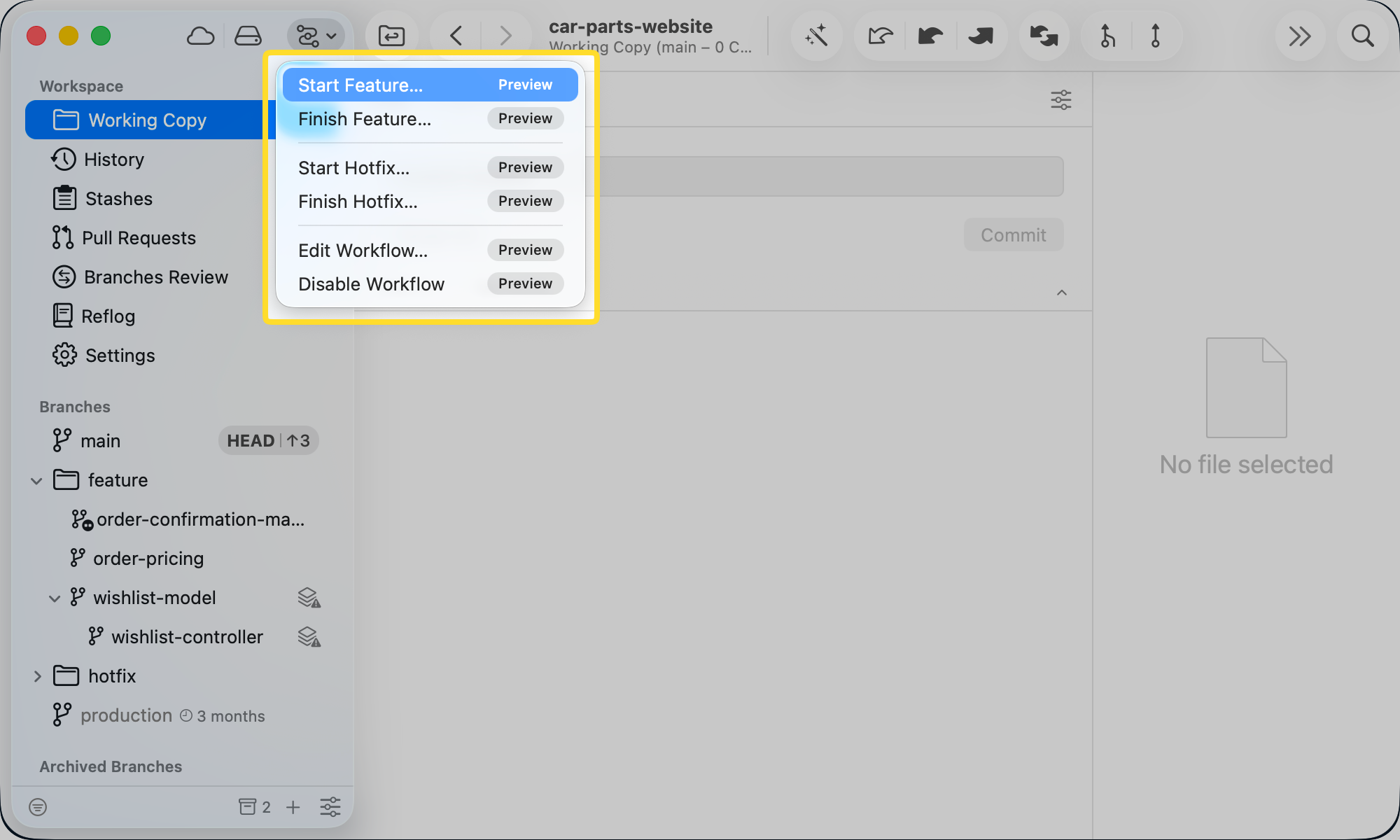
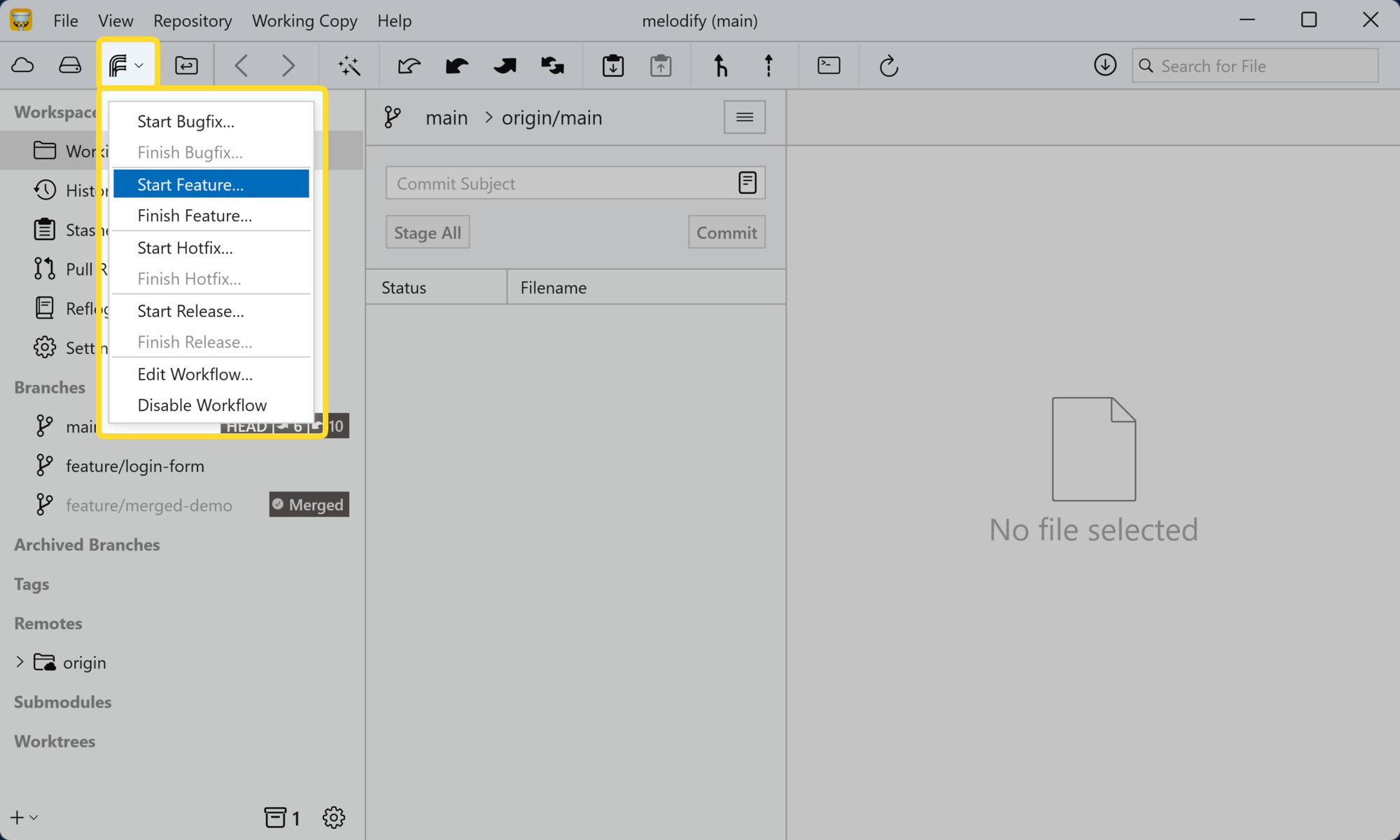
Start and finish topic branches in a single step. Tower branches off the right base and, when you're done, merges back with your configured strategy and tidies up.
Advanced Custom Workflows Advanced Custom Workflows
Why you'll want it

From Topic Branch Naming to Cleanup, Automated.

Tower Pro adds "Start" and "Finish" actions on top of Custom Workflows, automating the branch creation, checkout, merge, and cleanup steps for you.

Start Branches Instantly

Starting a topic branch creates it with the correct name for its type and checks it out immediately — no manual typing, no switching branches by hand.

Finish in One Click

Finishing a topic branch merges it straight into its parent and deletes the fully-merged branch right away. No leftovers.

Built on Workflow Awareness

Start and Finish rely on the parent-child relationships and branch types you've defined in Custom Workflows (available in Tower Basic).

Nothing Deleted by Accident

Tower only deletes a branch once it can confirm it's fully merged into its parent, so cleanup never risks losing work.

How it works

From First Commit to Cleaned-Up Branch.

  1. 01

    Start a Topic Branch

    Pick a workflow branch type and Tower creates a new branch that follows its naming convention, then checks it out immediately.

  2. 02

    Keep Everything in Sync

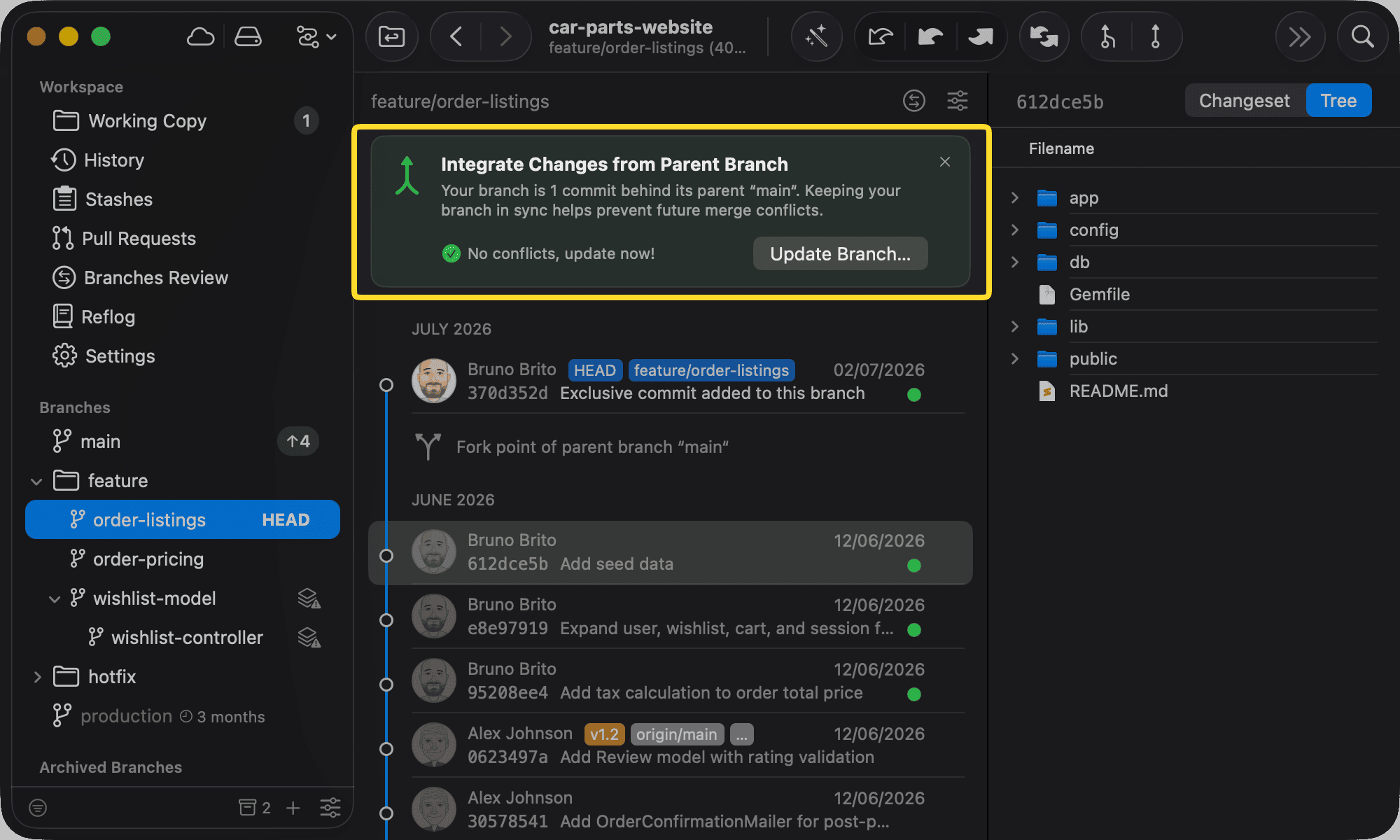
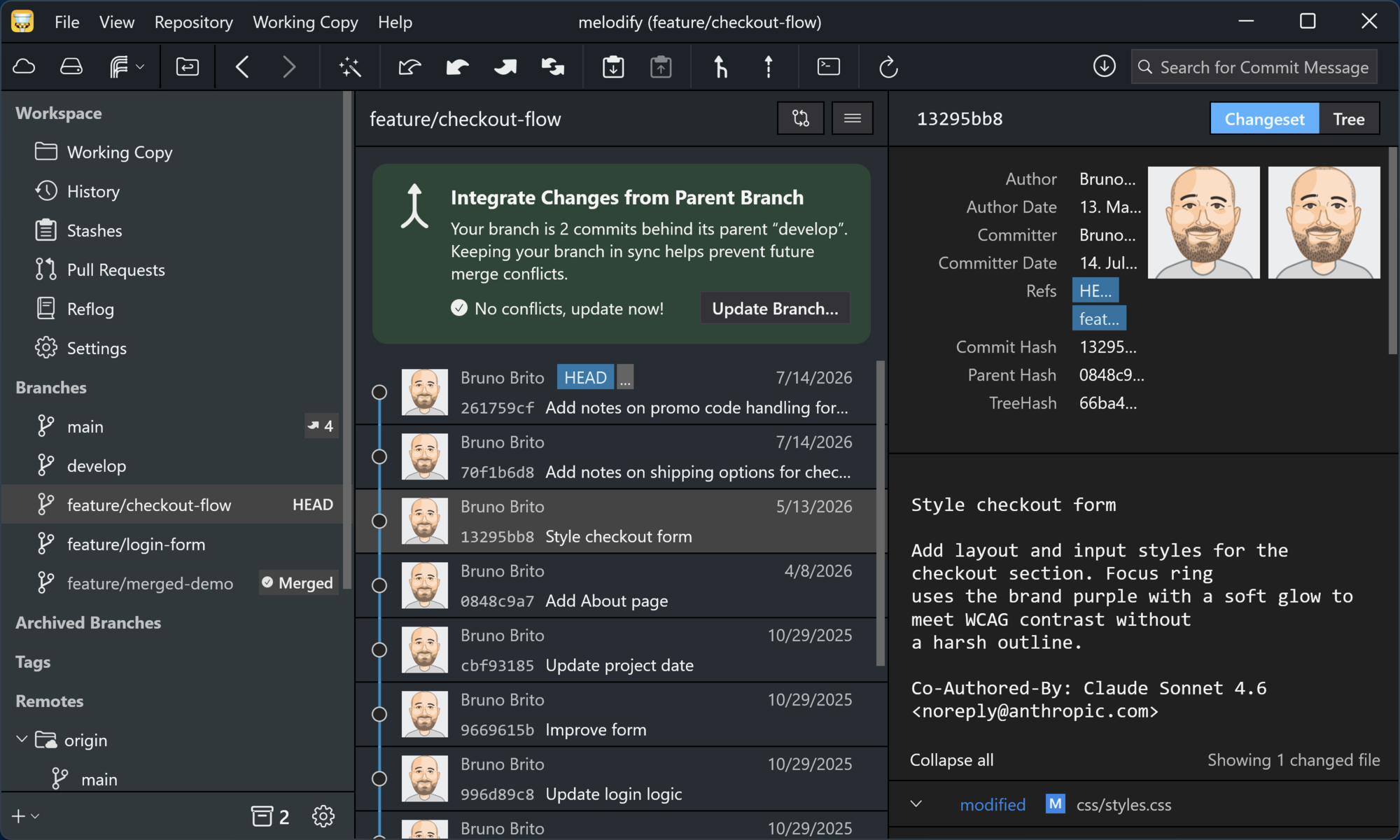
    Tower monitors the branch's parent in the background and notifies you of any changes, allowing you to easily keep your topic branch up to date.
    Keep Everything in Sync Keep Everything in Sync
  3. 03

    Finish With One Click

    When work is complete, "Finish" merges it into its parent and deletes the fully-merged branch immediately.

Unlock All Pro Features

Upgrade to Tower Pro and get access to this and every other exclusive Pro feature.
Need to know

Frequently Asked Questions

What is Advanced Custom Workflows?
It's the Pro layer on top of Tower's Custom Workflows. The base — configuring workflow and branch types, tracking parent-child relationships, changing a branch's parent, and behind-parent detection — is available in Tower Basic. Pro adds "Start" and "Finish" actions that automate branch creation, checkout, merging, and cleanup.
Do I need to set up Custom Workflows first?
Yes. Advanced Custom Workflows relies on the branch types you define in Custom Workflows. Once a workflow is configured, the guided Start and Finish actions become available for its branch types.
What exactly does "Start" do?
It creates a new branch following the naming convention of the selected branch type (e.g., "feature/feature-branch-name") and immediately checks it out, eliminating the need for manual typing or switching branches.
What exactly does "Finish" do?
It merges the topic branch into its parent branch and deletes the fully-merged branch right away, so your branch list stays clean without extra steps.
Will Finish ever delete a branch that isn't fully merged?
No. Tower only deletes a branch once it can confirm the merge into its parent is complete. If it isn't, Tower will not delete it.
Is this available on both Mac and Windows?
Yes. Advanced Custom Workflows is fully available in Tower Pro on both macOS and Windows. Your Pro license covers both platforms at no extra cost.