Pro Feature

Graphite Workflow

The full Graphite stacking flow inside Tower — create, restack, and submit linked PRs without touching the CLI.
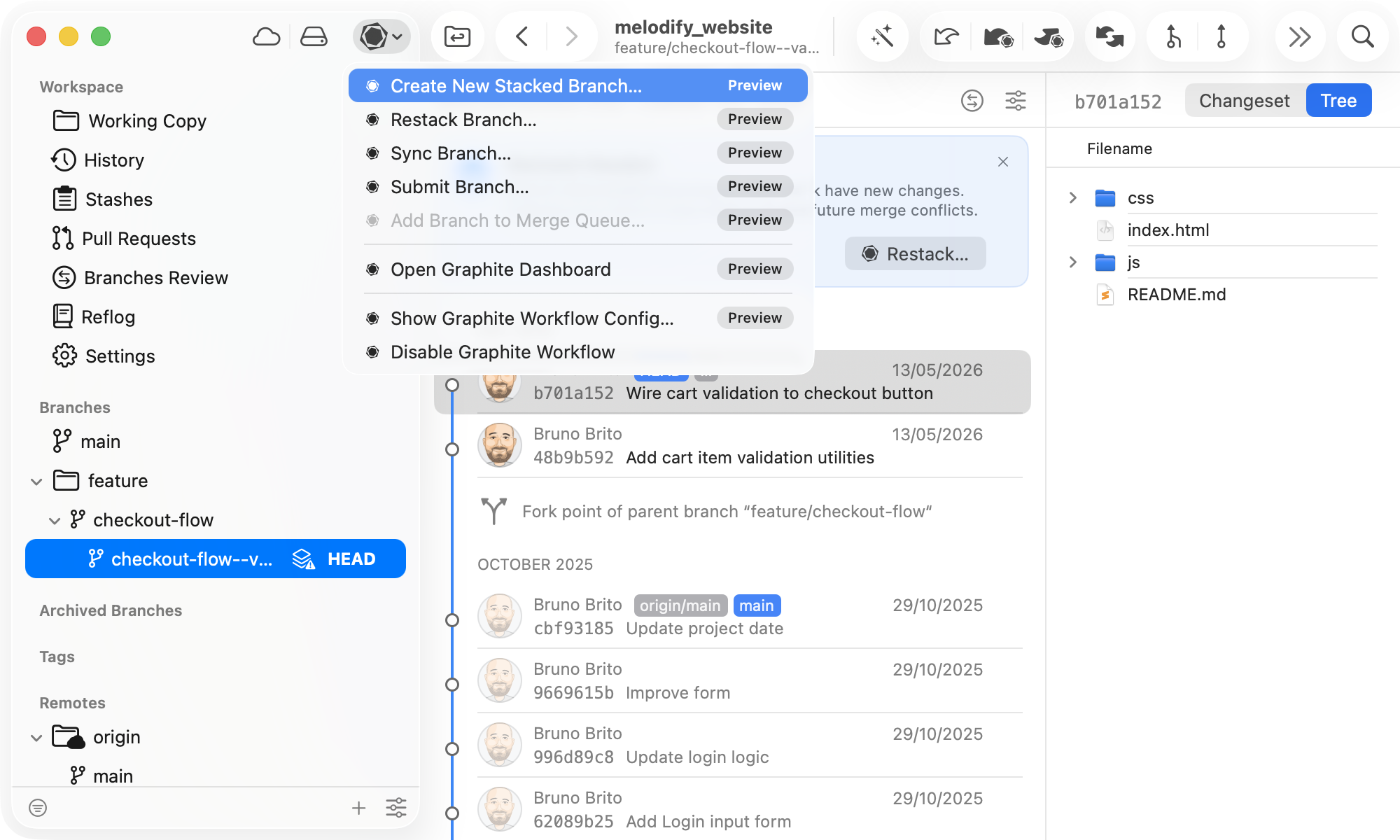
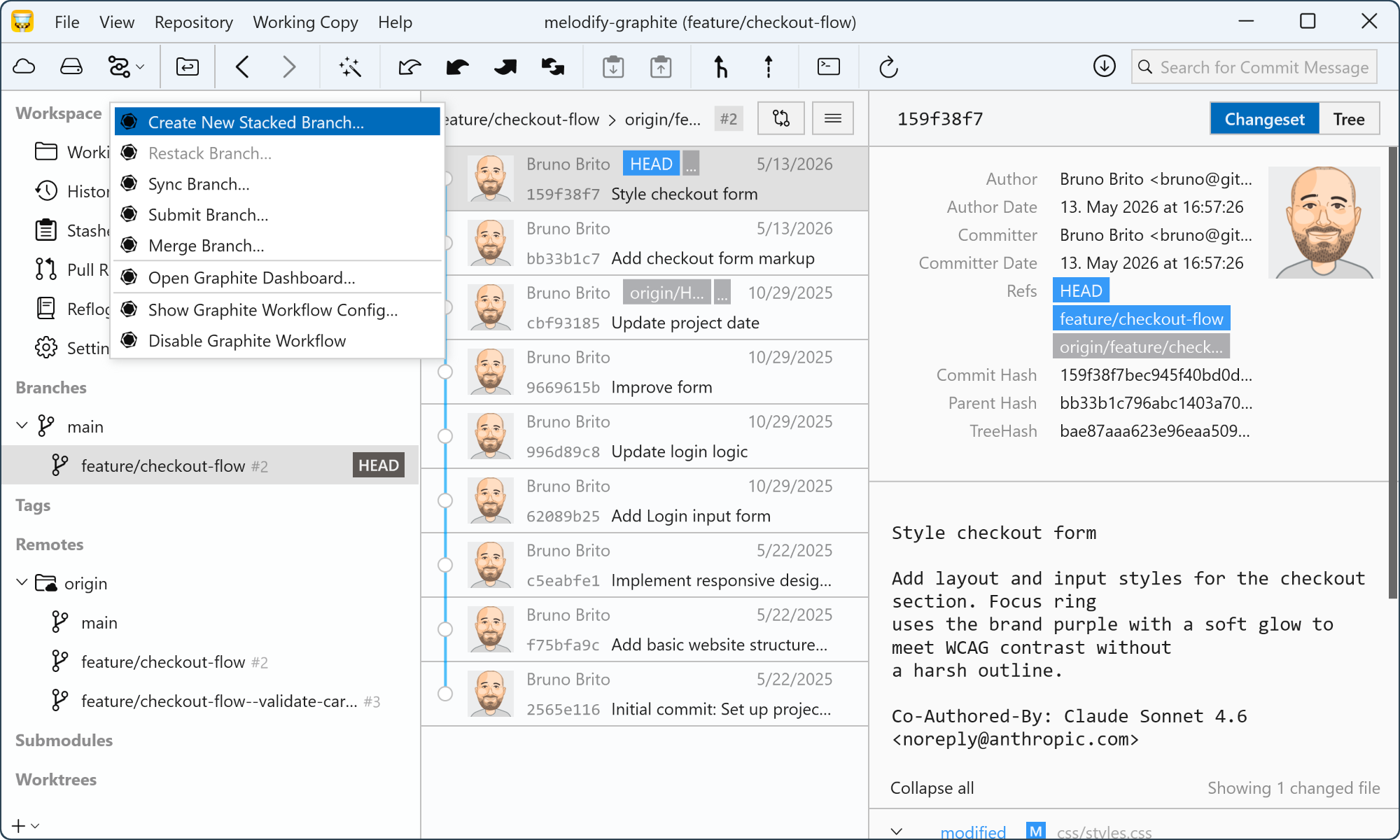
Graphite Workflow Graphite Workflow
Why you'll want it

Stacked PRs. No Command Line Required.

Graphite's stacked PR workflow means smaller diffs, faster reviews, and cleaner integrations. Tower brings it all into a visual interface — so you get the full benefit of stacking without living in the terminal.

Build Stacks without the Terminal

Create a stacked branch right from Tower's working copy. Pick your parent branch, name your feature, and start coding.

Submit Pull Requests in One Click

When your branch is ready, submit it to Graphite directly from Tower. A pull request is created or updated automatically.

Restack with a Click, Not a Command

When a parent branch changes, Tower highlights the branches that need restacking. Pick "Restack" from the context menu to keep your child branches in sync.

Review and Merge PRs inside Tower

Tower's dedicated PR sidebar shows every open pull request. Inspect, comment, merge, or add to Graphite's Merge Queue — all without leaving the app.

How it works

From First Commit to Merged Stack.

  1. 01

    Connect Graphite to Tower

    Enter your Graphite token in Tower's settings and enable the Graphite workflow by clicking the "Workflows" button. The Graphite icon will appear, confirming the integration is active and ready to use.
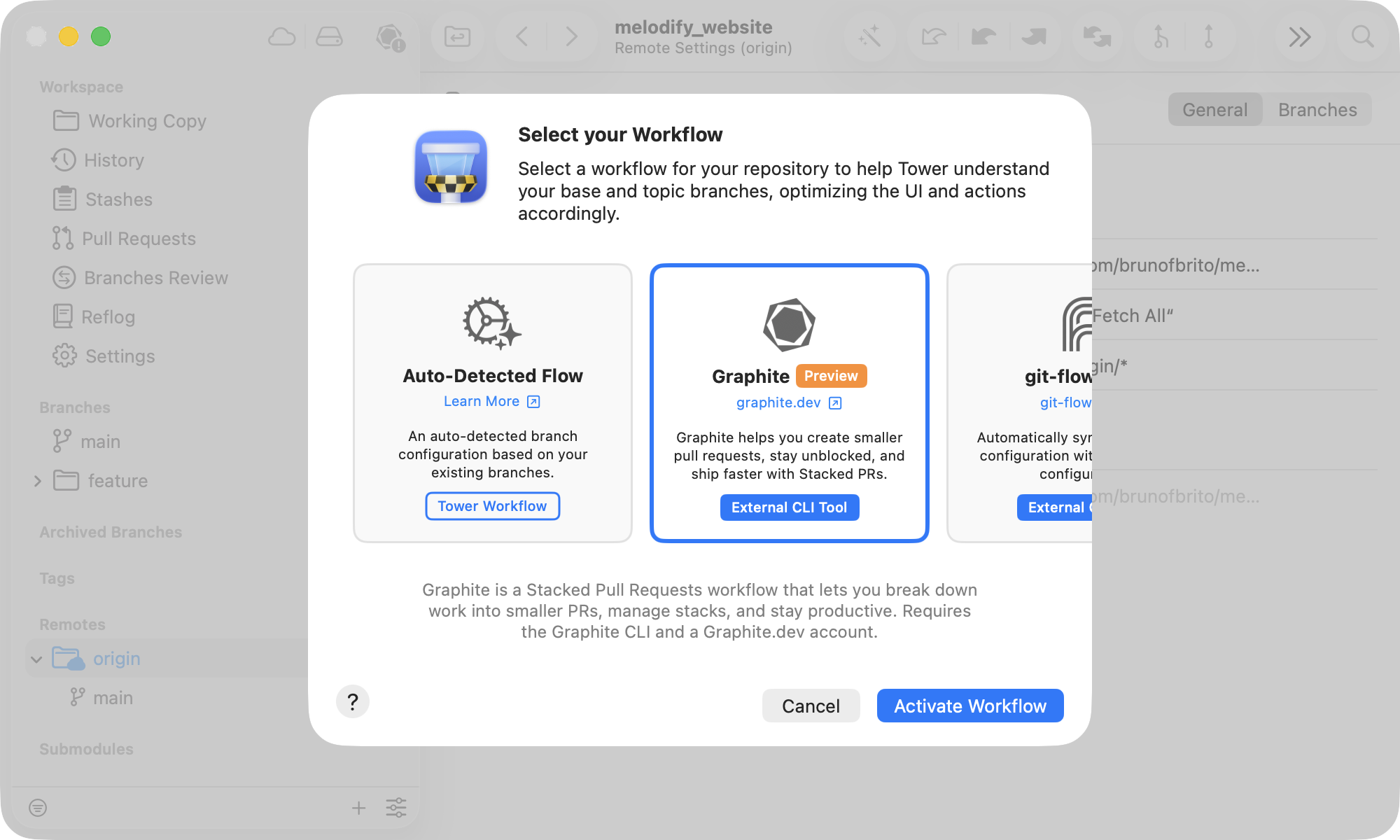
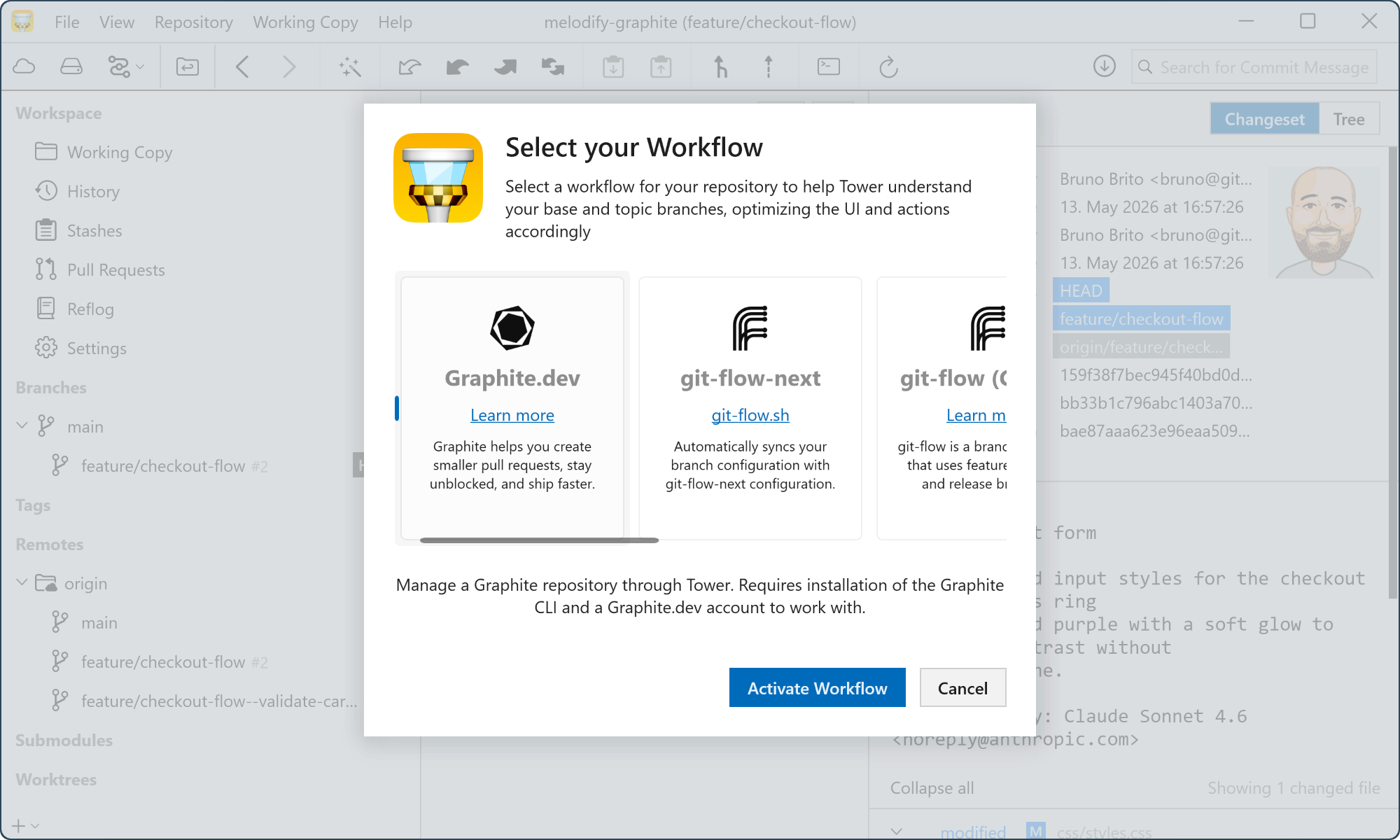
    Connect Graphite to Tower Connect Graphite to Tower
  2. 02

    Stack Branches and Restack in One Click

    Create branches on top of each other directly in Tower. When a parent branch changes, Tower flags the affected children and a single "Restack" action rebases the entire chain.

  3. 03

    Submit Branches as Pull Requests

    When your branch is ready, submit it to Graphite directly from Tower. A browser window will open with your PR ready to be published.

Unlock All Pro Features

Upgrade to Tower Pro and get access to this and every other exclusive Pro feature.
Need to know

Frequently Asked Questions

What is Graphite, and do I need an account?
Graphite is a stacked-PR platform built on top of GitHub. It lets teams chain incremental pull requests so each one is smaller, easier to review, and less likely to cause merge conflicts. You need a Graphite account and the Graphite CLI (version 1.5.3 or newer) installed to use Tower's Graphite integration.
Does my whole team need to use Graphite?
No. Tower's Graphite integration works for individual developers regardless of whether the rest of the team uses Graphite. You can adopt the stacked-PR workflow at your own pace without requiring any changes from your teammates.
What's the difference between a stacked branch and a regular branch?
A stacked branch is built on top of another feature branch rather than directly on main. This lets you keep working on the next piece of a feature while the first PR is still in review. Graphite tracks the parent-child relationship so that when the parent merges, the child can be automatically rebased.
What does "restacking" mean?
Restacking is the process of rebasing a child branch onto its updated parent. When a parent branch gets new commits — for example, after a PR is merged — the branches built on top of it need to be updated to include those changes. Tower lets you restack one branch or an entire stack in a single action.
Is Graphite support available on both Mac and Windows?
Yes. Graphite support is available in Tower Pro on both macOS and Windows. Your Pro license covers both platforms.