Release Notes

New features, improvements, and fixes. Here are the latest Tower updates!

Tower 14

Tower 14 allows you to create custom Git workflows, enabling you to establish and enforce the exact workflow that meets your project's needs.

Watch this 5-minute video to learn all about this release!

What's New in Tower 14

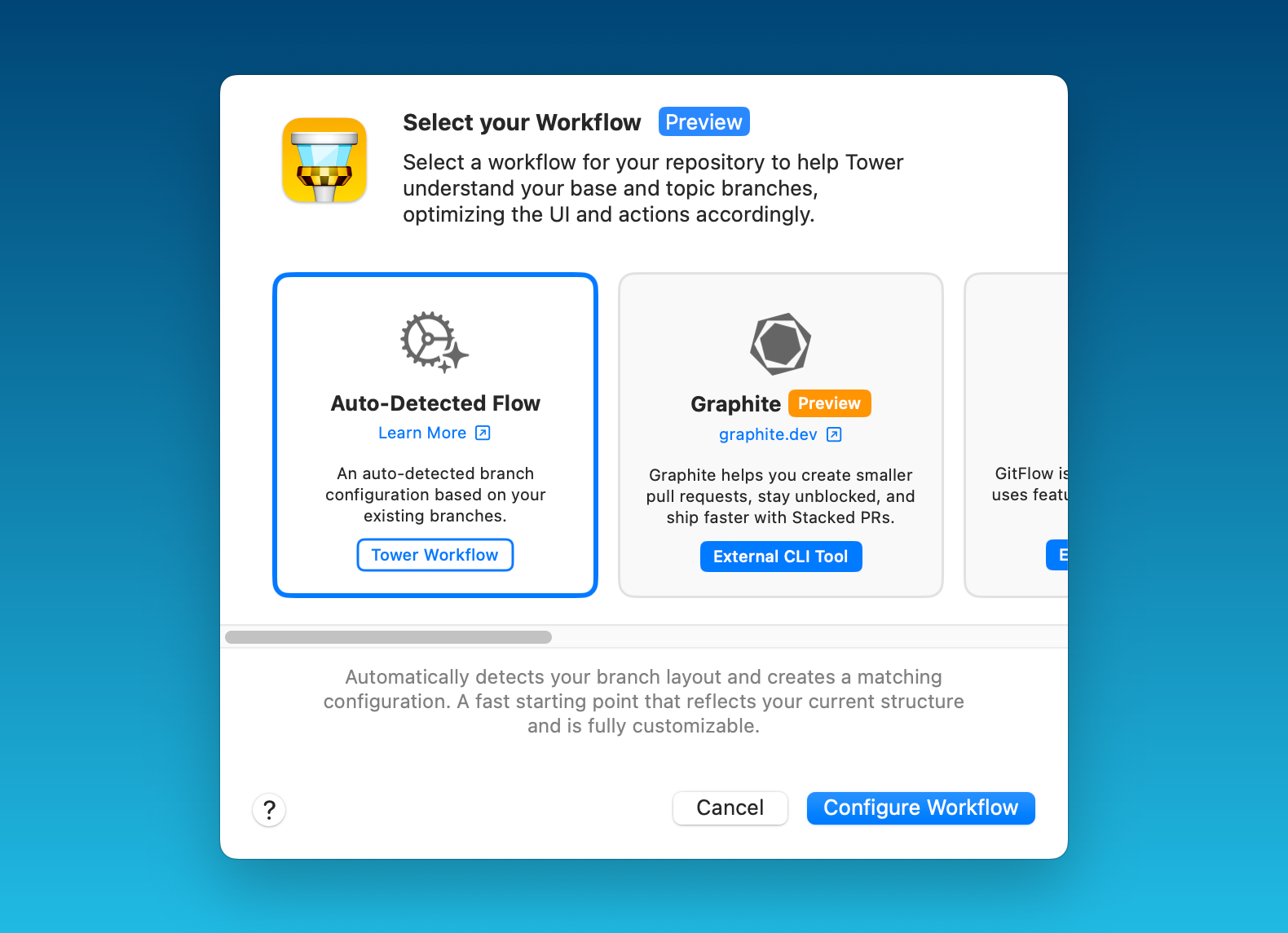
  1. Select your Workflow

    Select your Workflow

    Choose from predefined options such as git-flow or GitHub/GitLab Flow, other workflows like Graphite or GitFlow CLI, or create any custom Git workflow entirely from scratch.

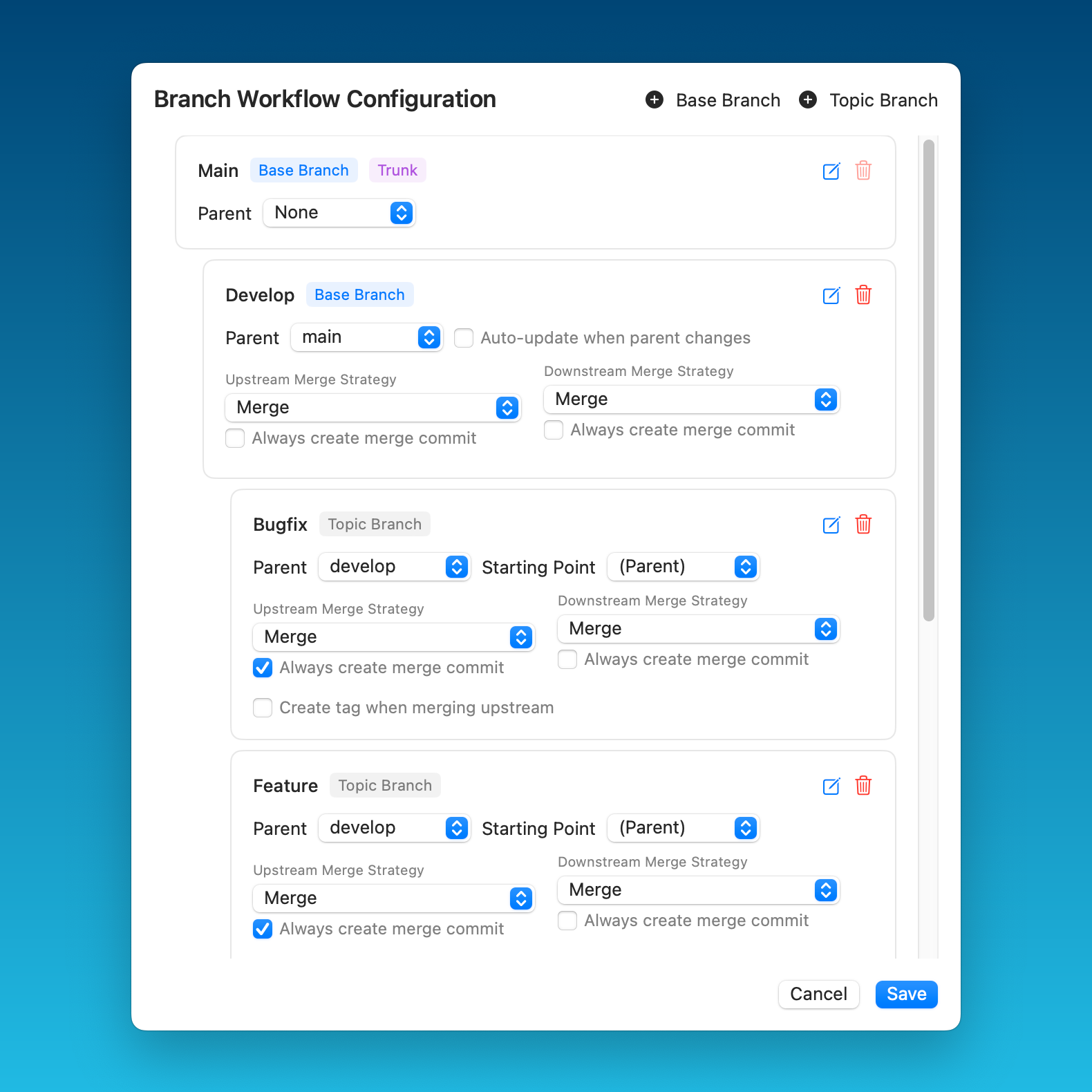
  2. Branch Workflow Configuration

    Branch Workflow Configuration

    You can define trunk, base, and topic branches, as well as set upstream/downstream merge strategies and various other options.

14.5

New

  • git-flow-next: Added support for git-flow-next, our very own open source evolution of git-flow (see git-flow.sh)! git-flow-next is a modern reimplementation of the popular branching model with added flexibility and customization. You can now select it directly from the workflow dialog and start using it in Tower today!

14.4

Improved

  • Services: Added support for the new Bitbucket API tokens required for authentication starting September 9th. Be sure to generate a token and update your Bitbucket account in Tower.

  • Bundled Git: Updated to version 2.51.

  • Fixed

  • Toolbar: The overflow menu for the workflow toolbar item now works correctly.

  • History: Fixed a crash that could occur in certain cases when comparing revisions.

14.3

Fixed

  • git-flow: Fixed an issue where the workflow was not automatically enabled when it should have been.

  • Commit Messages: Fixed an issue where undoing repository actions could become inaccessible in certain situations.

14.2

Improved

  • Repository Stats: Added a threshold to reduce unnecessary updates, improving performance.

  • git-flow: Standardized naming for starting topic branches.

  • Workflow Picker: Increased width for better usability.

Fixed

  • Graphite: Prevented state reload unless the workflow is enabled.

  • Update Branch Dialog: Corrected title case in the dialog title.

  • git-flow: Added a warning badge to the workflow button if enabled but missing configuration.

  • git-flow: Fixed branch context menu to display the correct git-flow image.

  • git-flow: Restricted branch context menu entries to appear only when the git-flow workflow is enabled.

  • Workflow Picker: Updated Help button URLs to point to the correct documentation.

14.1

Improved

  • Workflow Config Dialog: Added a checkbox to select the starting branch for topic branches.

  • Custom Workflow Config Dialog: Improved layout with better paddings, row background colors, and clearer trunk branch labels.

  • Custom Workflow Config Dialog: Added contextual help text and a Help button linking to documentation.

  • Workflows: Git Flow workflow is now automatically enabled when a configuration is detected.

Fixed

  • Branch Checkout: Fixed an issue where switching to a branch prevented returning to the previously checked-out branch.

  • Workflow Config Dialog: Fixed filtering of duplicate and empty entries in the parent/starting branch list.

14.0

  • New

  • Custom Workflows: Introducing a powerful new way to define and automate your Git branching strategy. Tower's Custom Workflows lets you create fully customizable workflows with smart parent-child branch relationships, automated updates, and precise merge configurations. Whether you're using git-flow or designing your own system, Tower Workflows brings consistency, automation, and clarity to your entire team’s Git process.

  • Improved

  • Stacked Branches can now be used seamlessly with any Custom Workflow, enabling greater flexibility and integration with your team's branching strategy.

  • Working Copy: Merge conflict states are now presented using the new notification style.

Fixed

  • Create Branch: Branches are only stacked on their parents by default now if the parent is stacked as well. Before they were also automatically stacked on base branches.

  • Various minor fixes and improvements.