
Release Notes

New features, improvements, and fixes. Here are the latest Tower updates!

Tower 3

Version 3 is the biggest update for Tower in 4 years. We implemented countless new features like Pull Requests, Interactive Rebase, Quick Actions, Image Diffing, and Reflog. But we also delivered a huge amount of improvements and enhancements for existing features like File History, Blame, Commit Details, and Search. Last but not least, a beautiful "Dark Mode" appearance also made its way into Tower.

What's New in Tower 3

  1. GPG Support

    GPG support has now come to Tower: you can connect GPG keys with your User Profiles in Tower, sign commits automatically and see which commits have been signed - and by who. All of that right from within Tower!

  2. Performance

    Performance

    If you're often working with big repositories (i.e. thousands of remote branches, tags, etc.), then this update might be for you: opening such a repository, displaying the working copy, loading changesets, and many other actions are now up to 5x faster than before!

  3. Dark Mode

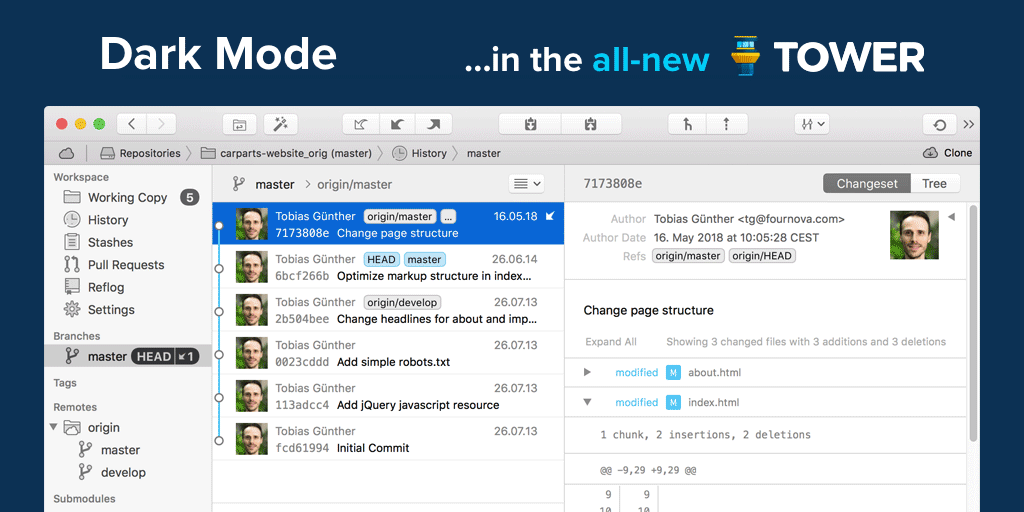
    Dark Mode

    Along with Apple's introduction of a "Dark Mode" in macOS 10.14, we implemented a dark theme in Tower, too.

  4. Image Diffing

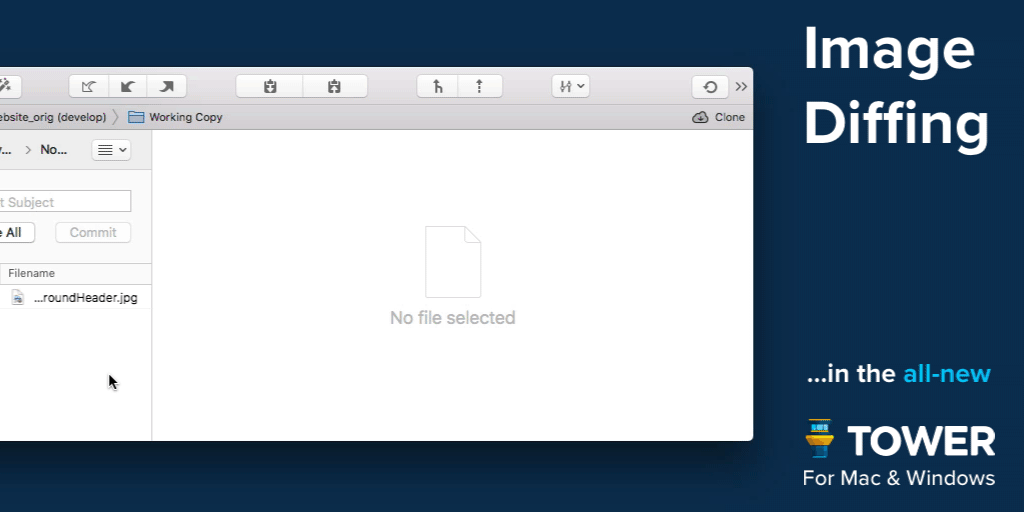
    Image Diffing

    Tower now supports image diffs for a variety of formats (PNG, JPG, GIF, BMP, TIFF, JPEG2000, HEIC), in both the Working Copy and various history / changeset views. In future updates, we will further extend and improve this feature.

  5. Pull Requests

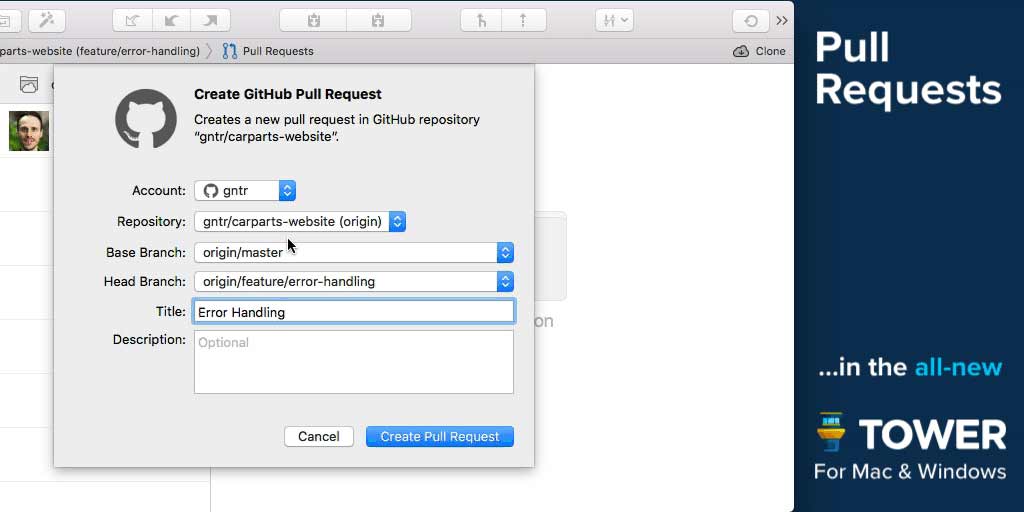
    Pull Requests

    Create, merge, close, comment and inspect Pull Requests right from within Tower! Integrated into our clear, responsive, and powerful desktop interface, Pull Requests become so much more useful.

  6. Interactive Rebase

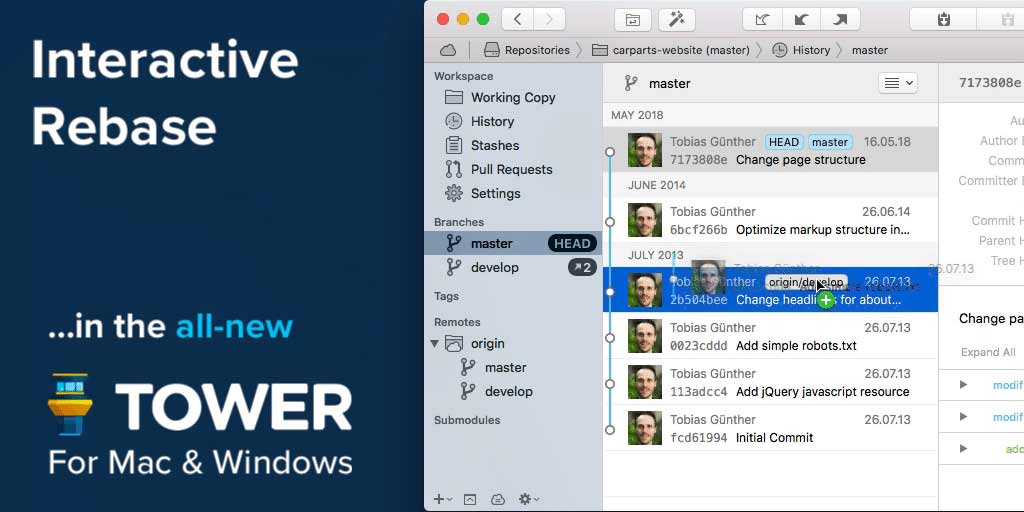
    Interactive Rebase

    Interactive Rebase is an incredibly powerful tool - but also quite awkward to use on the command line. But now, in Tower, it has become as easy as drag and drop!

  7. Quick Actions

    Quick Actions

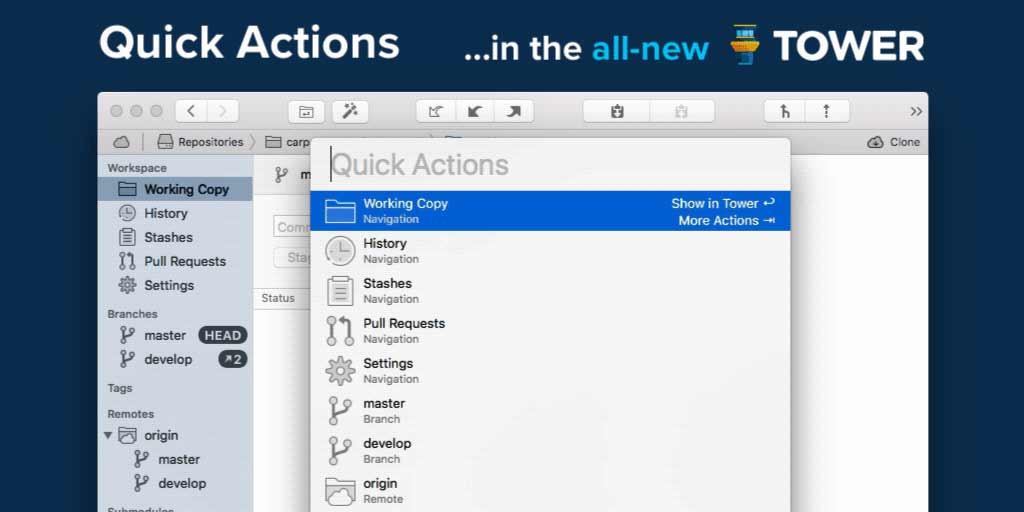
    The brand new Quick Actions dialog gives you superpowers: Give it a branch name and it will offer a checkout. Give it a file name and it will present the file's history. Give it a commit hash and it will show it in the commit history. Fast as lightning, easy as pie.

  8. Navigation

    Navigation

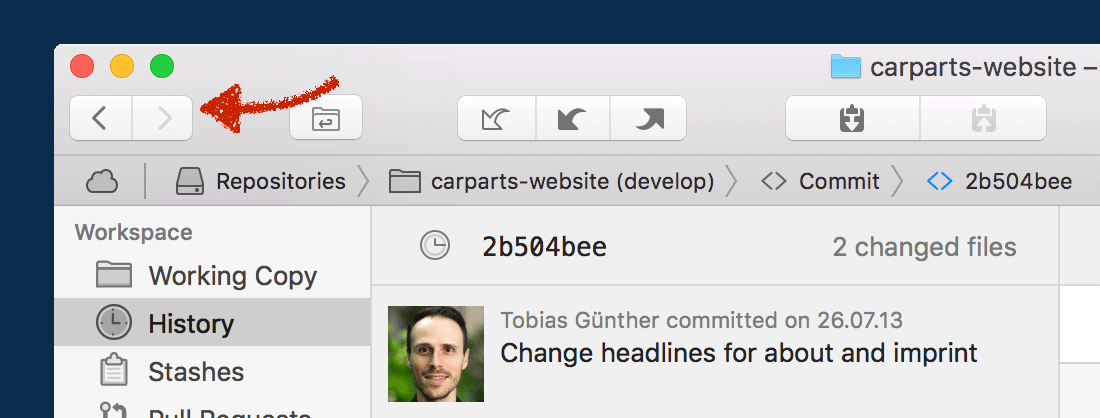
    We've added so many new levels of detail in the new Tower. And at the same time, navigating Tower is now as simple as browsing the web: with the new "back" and "forth" buttons and the improved "Navigation Bar".

  9. Commit Details

    Commit Details

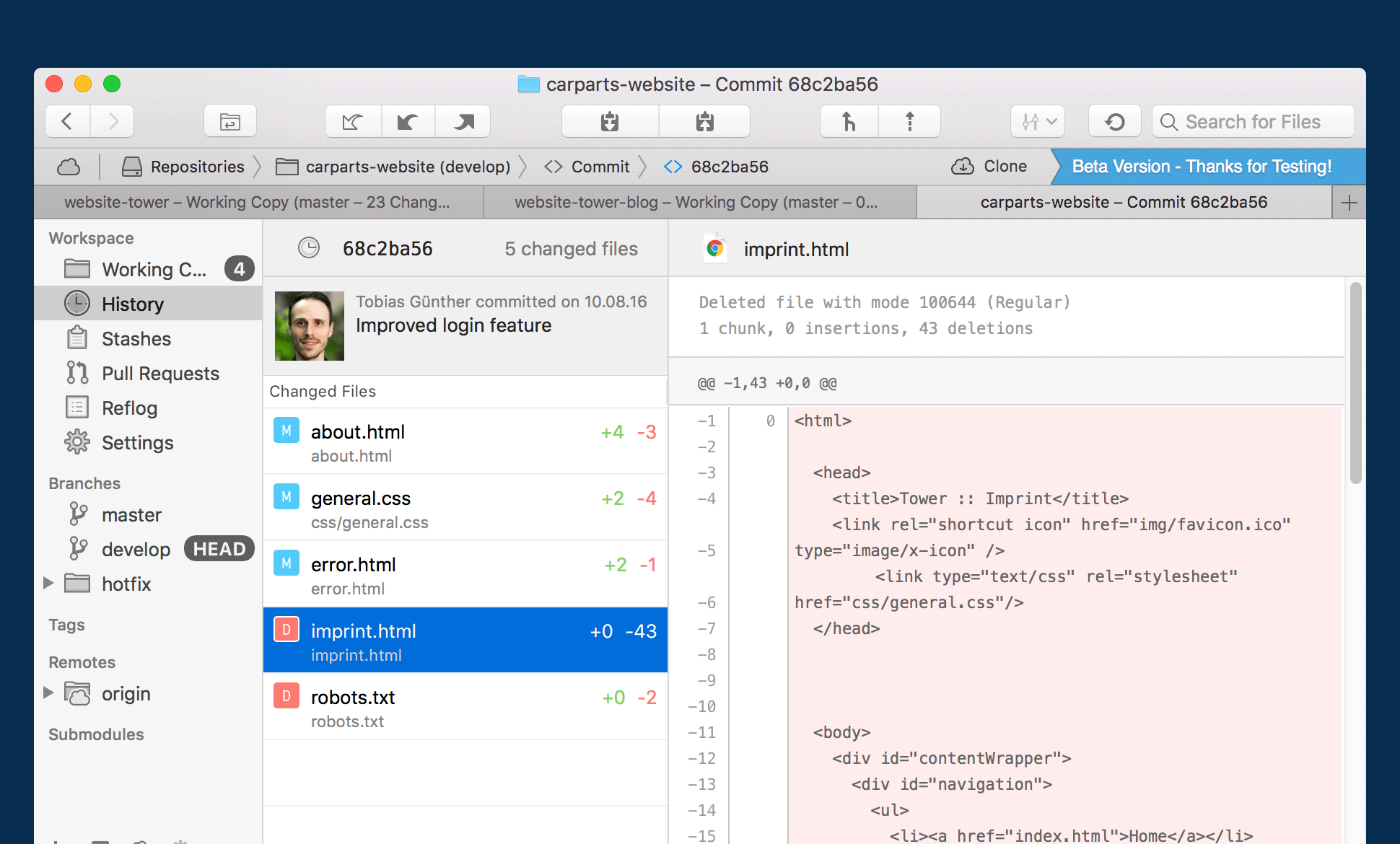
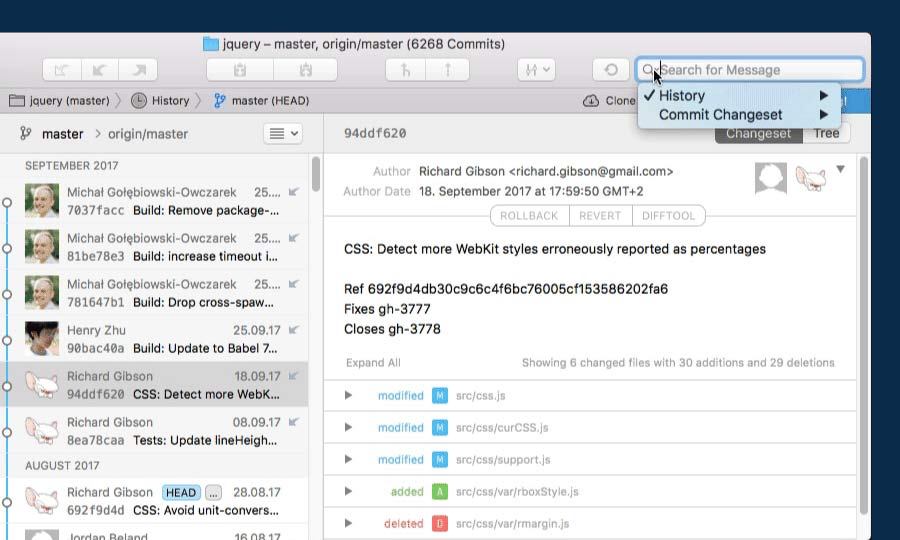
    We've reworked countless areas in the new Tower. Let's take the brand new "Commit Details" view as an example: with the changeset on the left and lots of space for the diff on the right, you can inspect and review a commit in a more focused manner.

  10. Reflog

    Reflog

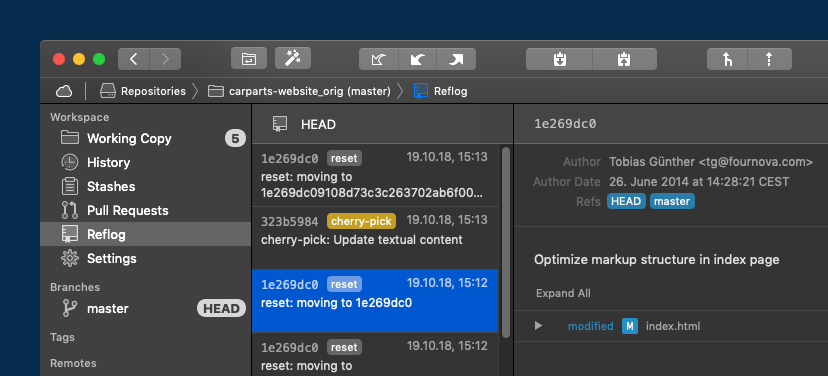
    A little-known feature, but one with enormous power: Reflog can restore lost commits or branches, move back to a rolled back state, undo a cherry-pick or commit... and is now available in Tower!

  11. File History & Blame

    File History & Blame

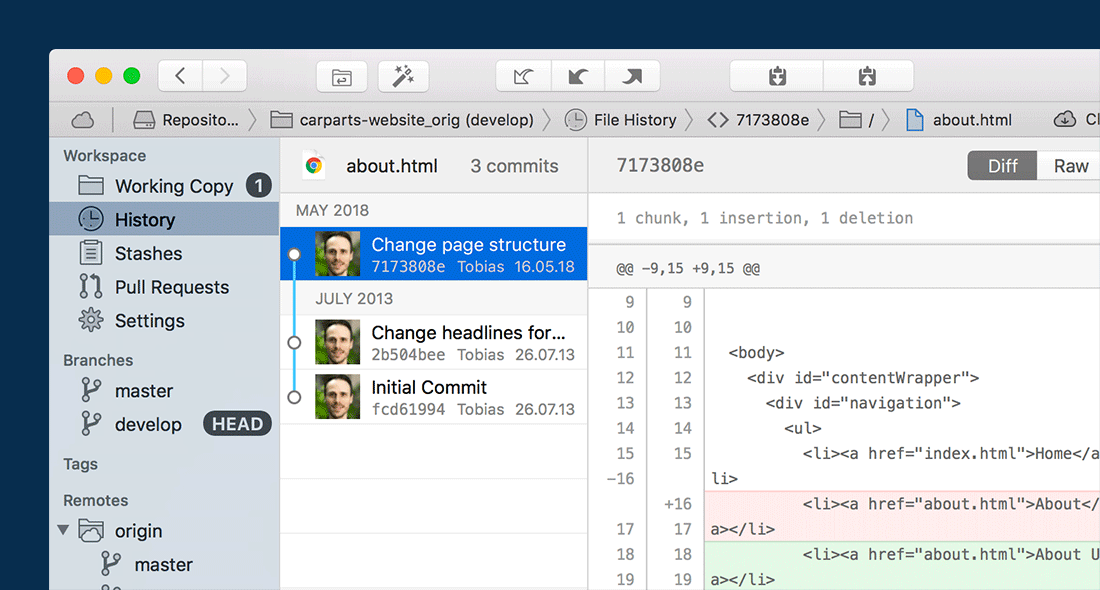
    We have redesigned both the "File History" and "Blame" views from scratch. They have become much more useful and informative.

  12. Search

    Search

    Search functionality in the new Tower has become much more powerful. You can now search for files almost anywhere: in the Working Copy, in a historic file tree, or even inside the changeset of a commit!

3.6.0

New

  • Check Out Pull Requests: This update makes it very easy and convenient to check out a Pull Request as a local branch.

Improved

  • Quick Actions Navigation: Opening and closing the "more actions" interface for a Quick Action item is now more fluent and intelligent.

  • GPG Email Settings: Tower now displays a warning message in cases where the committer email and GPG key email do not match.

  • Commit Area UI: When the "commit compose area" is expanded (showing both the "Subject" and the "Description" textfields), it is now possible to click-select a changed file from the list before the UI changes.

Fixed

  • Commit Changeset Drag and Drop: Dragging an item from a commit's changeset to Finder.app failed in some situations.

  • Diff Tool Shortcut: The keyboard shortcut to open the diff tool didn't work reliably in the Pull Requests view.

  • Toolbar Buttons Glitch: On some installations, toolbar buttons were misplaced by 1 pixel between groups.

  • Empty View for Pull Requests: When deselecting a Pull Request item, the appropriate "empty view" is now displayed.

  • Crash in Pull Requests: When Tower tried to update a Pull Request item with an invalid/empty username, the app could crash.

  • File Selection: In certain scenarios, when a file in the Working Copy view was selected, Tower could hang when that file was included in a commit.

  • Loading Commit Diffs: Fixed a potential crash when loading commits diffs.

  • Mouse Wheel in Services List: When using a mouse wheel to scroll, some users reported problems in the list of repositories in the "Services" view.

  • Keyboard Shortcuts: Some keyboard shortcuts and menu actions failed to be available in some scenarios.

  • Drag and Drop in History: Dragging a commit in the history table views sometimes did not work as smoothly as expected.

  • Support for "log.showSignature": Users that had the Git config setting "log.showSignature" set to true experienced problems when loading commits in Tower. This has been fixed.

3.5.1

Improved

  • Branches: We improved the workflow for deleting branches with unmerged changes without the “Force deletion” option being selected. Tower now asks for confirmation to delete any branches with unmerged changes and then deletes them in one go.

  • Window Restoration: Window restoration now works smoothly even when an update requires the migration of application data. The internal repository identifiers remain identical after migration and therefore no longer affect window restoration.

  • Repository Sidebar: We improved the user experience for selecting items in the sidebar and the change of first responder.

  • Stashes: Selecting and deleting one or more stashes now resets the selection to the first stash.

  • Push HEAD: The “Push HEAD” dialogue now includes the current HEAD branch in the description.

  • AppleScript: We replaced an AppleScript with a native API implementation, stopping an access control dialogue to appear.

  • Diff and Merge Tools: Tower now reloads the diff and merge tools each time the preferences pane is opened.

  • Action Dialogues: Using various actions such as “Push to…”, “Merge…”, “Rebase…” etc. now correctly preselects the action dialogues independent of the first responder status.

  • Working Copy: We significantly improved the loading time of the “Open With” submenu entries in the working tree entry context menu.

  • Performance: We optimized the background execution of Git processes to improve repository loading times.

Fixed

  • Working Copy: During a merge, the action buttons to continue or abort a merge are now properly re-enabled in all cases.

  • Working Copy: A directory entry replaced with a file entry of the same name, or vice versa, could cause a crash in tree view mode.

  • Working Copy: When switching branches using auto-stashing, the working copy sometimes did not correctly refresh its file list.

  • Repository Sidebar: Toggling ref grouping for the repository sidebar no longer leads to erroneous branch information.

  • Pull Requests: In some cases, the “Merge” button in the pull request detail view was incorrectly disabled.

  • Window Restoration: The current repository view is now stored for window restoration in all cases.

  • git-flow: Tower now validates Ref names entered by the user.

  • Navigation Bar: After switching or renaming branches, the path component is now immediately updated.

  • Stashes: Saving stashes now works again for older Git versions (<2.13.2).

  • User Preferences: We’ve made sure that opening the integration preferences pane no longer causes high CPU usage.

3.4.2

New

  • App Notarization: Tower builds are now signed using the "Apple notary service", providing an additional layer of security.

Improved

  • Better License Information: Opening the "License..." dialog from the main menu now provides more information about your license.

Fixed

  • Default Avatar for User Profile: In our new "User Profiles", we now also show a "default" avatar image if none is connected with the entered email address.

  • Group Repositories in Services View: For users with multiple GitLab accounts, it could happen that a repository was listed under the wrong account / group.

  • Commit Message Editing: When editing a commit message and starting it with a "#" character, Tower wasn't always able to correctly save the message.

  • Reflog Crash: On older macOS versions, opening an item from the "Reflog" could result in a crash.

3.4.1

New

  • Check Out Remote Branch: You can now double-click a remote branch in the sidebar to perform a checkout.

  • Check Out Tags: Also, you can now double-click on a tag in the sidebar to check out a corresponding branch.

  • Gender Neutral Avatars: If no avatar image can be loaded, Tower now uses the user's initials instead of a placeholder image.

  • Refresh Expiring OAuth Tokens: On some code hosting platforms (e.g. bitbucket.org), OAuth tokens expire very quickly. Tower now refreshes expiring OAuth tokens periodically in the background for you. This makes Git remote operations over HTTPS work much more smoothly.

Improved

  • Azure DevOps Rebranding: Microsoft's VSTS and VSTFS products were rebranded to "Azure DevOps", which is now reflected in Tower, too.

  • Bitbucket API: The service API calls for bitbucket.org are now updated to work with their upcoming API changes.

  • Submodule Improvements: We improved and fine-tuned many details in Tower's Submodule handling (e.g. when changing shared Submodule URLs).

Fixed

  • Commit Composing View: When the "Sign-Off" option was checked while composing a commit message, the view could become wider as desired.

  • Cherry-Pick Dialog: You can now combine the "--no-commit" option and the "--ff" option when performing a cherry-pick.

  • Git Submodule Status: In this update, we're working around several regressions in recent Git versions that incorrectly regard Submodules as “clean”.

  • Toolbar Refresh: A couple of users reported that the toolbar wasn't always up to date (in terms of enabled / disabled buttons), which should now be improved.

3.4.0

New

  • User Profiles: In Tower's preferences, you can now add "user profiles". These can be used to quickly switch between different Git committer identities (e.g. one for work and others for private coding).

  • Copy Ref Names: You can now copy ref names from local branches, remote branches and tags to the clipboard via contextual menu or Quick Actions.

Fixed

  • History: Ctrl + Click now correctly opens the contextual menu when performed over the graph or ref badges.

3.3.0

Improved

  • Performance: We were able to speed up opening and navigating repositories once more, for all types of repositories.

  • Performance: Loading commit changesets is significantly faster now.

  • Performance: The "edit commit message" dialog during an interactive rebase operation is now loading faster.

Fixed

  • Working Copy: The staging checkboxes could become disabled when the progress view was shown. This has been fixed.

  • Working Copy: The background color of the subject and descriptions fields is now white again (when having Tower in "Light Mode").

  • Image Diff: Images with a width smaller than 20px don't lead to UI layout issues anymore.

  • Image Diff: Fixed loading image data for deleted and staged working tree entries.

  • History: When branch tracking information changes while viewing the branch's history, the commit list is now correctly updated.

  • Navigation: Navigating back/forward between refs (branches, tags) does not lead to the back/forward buttons becoming inactive anymore.

  • Services: A crash when unexpected data was received from a service API has been fixed.

  • Services: Fixed sorting of organization and collaborator service repositories.

  • Services: Fixed an issue with the “Edit Account” button not working in some cases.

  • Repository Window: Fixed updating represented URL of main window.

  • Touch Bar: The "Quick Open" item can now be removed permanently.

  • Window Restoration: Tower correctly restores the last window now if it was quit while being minimized or hidden.

  • Activity Window: Clicking the "clear" button does not remove running repository or service activities anymore.

3.2.1

New

  • Quick Actions: You can now use the "Quick Actions" dialog to merge and rebase remote branches.

Fixed

  • Fixed an issue with invoking “Open in Terminal” scripts.

  • Fixed a crash when opening the Activity window.

  • Fixed visual glitches in the “Merge” view.

  • Fixed an issue with refreshing images in the Image Diff view when changing files in some cases.

3.2.0

New

  • Dark Mode: Users on macOS 10.14 can now enjoy Tower in our new "Dark Mode"!

  • Updates for Mojave: Many code updates to improve compatibility with the new macOS 10.14.

3.1.2

Fixed

  • Image Diffing: Images with different aspect ratios are displayed correctly now.

  • Services: Service accounts that are members and collaborators of an organization at the same time do not cause Tower to crash anymore.

  • CLI Tool: The CLI tool can now be updated from within the Tower preferences.

3.1.1

Fixed

  • Image Diffing: A crash if no image data can be loaded has been fixed.

  • Pull Requests: Remote URLs are not required to have a .git suffix anymore.

  • Services: A crash when clicking on an organization that invited the user as a collaborator has been fixed.

  • Services: A crash when clicking on a VSTS project has been fixed.

  • Services: A crash when listing repositories on older GitLab instances has been fixed.

3.1.0

New

  • Image Diffing: Tower now supports image diffs for a variety of formats (PNG, JPG, GIF, BMP, TIFF, JPEG2000, HEIC), in both the Working Copy and various history / changeset views. In future updates, we will further extend and improve this feature.

Improved

  • Reflog: The Reflog list loads faster now.

Fixed

  • Services: GitLab CE/EE integration now works as intended for servers with a directory install.

  • Services: Bitbucket Server integration now works as intended if account names contain uppercase characters.

  • Services: Tower crashed in some cases when clicking on an organization account or subgroup. This has been fixed.

  • Services: Service repositories of configured accounts were not displayed correctly in some cases.

3.0.2

Improved

  • GitLab Subgroups: Subgroups are integrated in the service view.

  • Pull Requests: Your GitLab subgroup repositories work with the new Pull Requests view.

Fixed

  • Pull Requests: Pull Requests work with older GitLab instances using API v3.

3.0.1

Fixed

  • Activation now works indepedent of the configured system locale