
Release Notes

New features, improvements, and fixes. Here are the latest Tower updates!

Tower 3

Version 3 is packed with powerful new features, a gorgeous new look, and a massive performance boost.

What's New in Tower 3

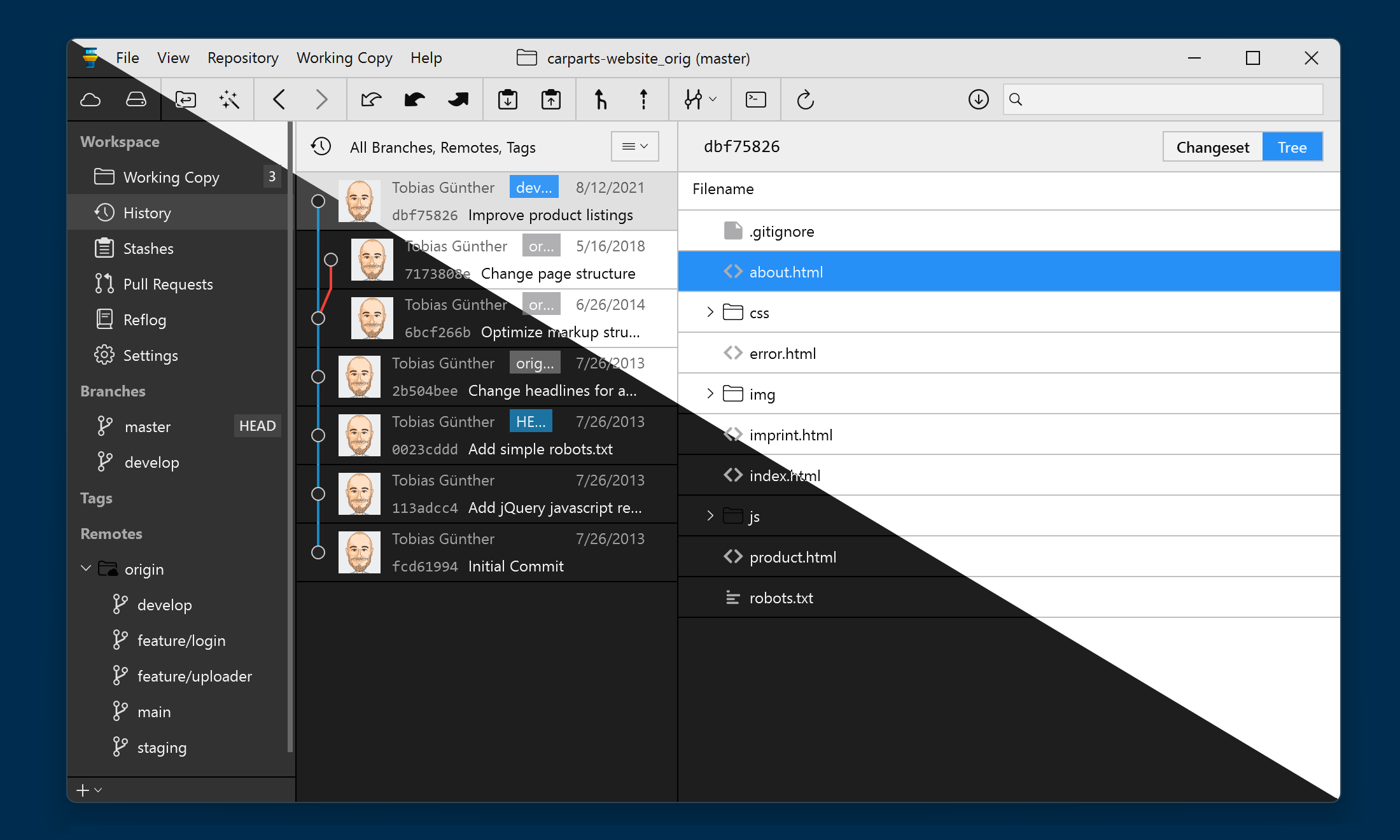
  1. Dark Mode & Visual Overhaul

    Dark Mode & Visual Overhaul

    Version 3 comes with a fresh, new look and a beautiful dark mode.

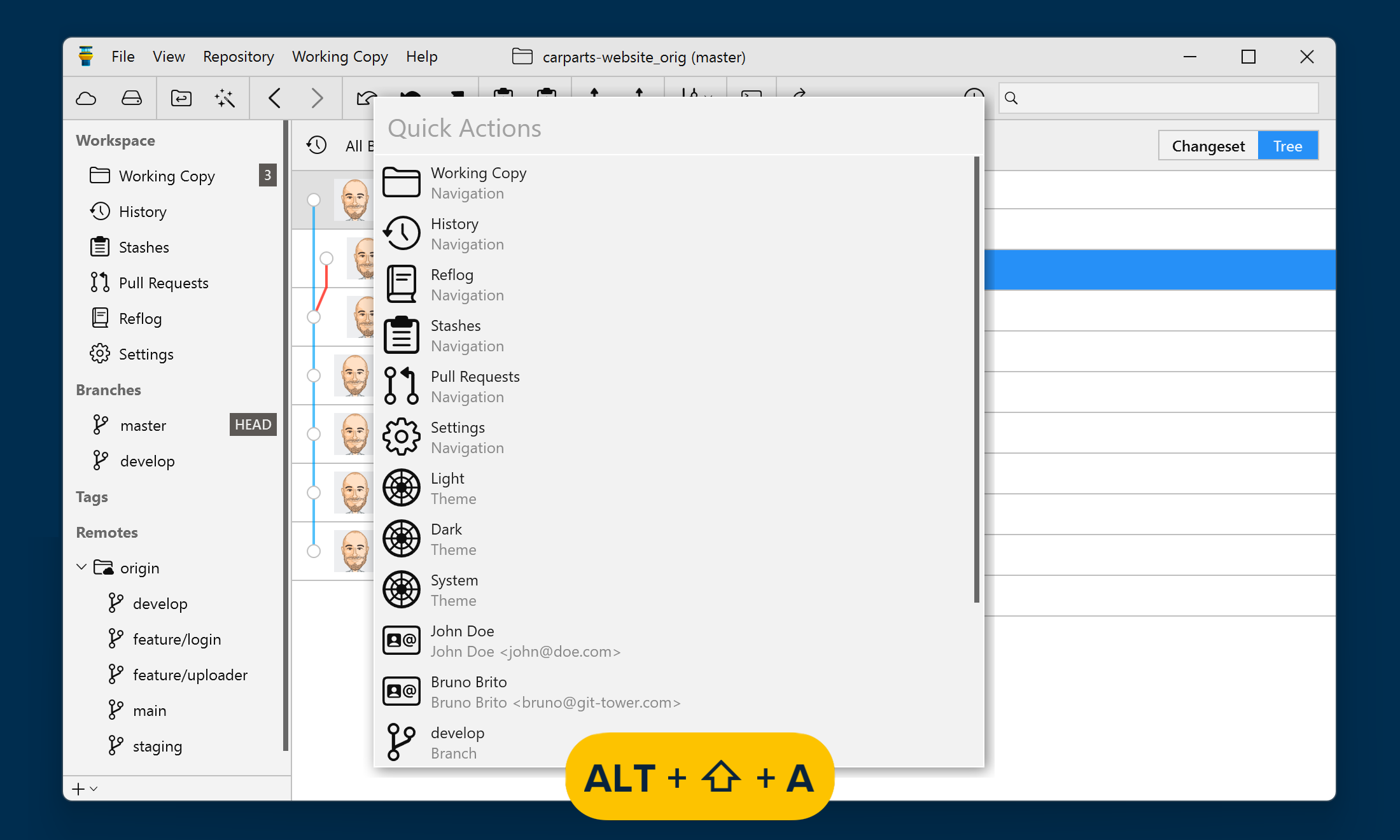
  2. Quick Actions

    Quick Actions

    One of Tower’s most popular features is now available on Windows. Quick Actions gives you superpowers: it’s easily accessible with a simple keyboard shortcut (Alt + Shift + A) and gives you instant access to a wide range of actions.

  3. History Search

    You can filter all the relevant commits by commit message, author, and committer. You can also search for a file name to see all the commits that affected that specific file.

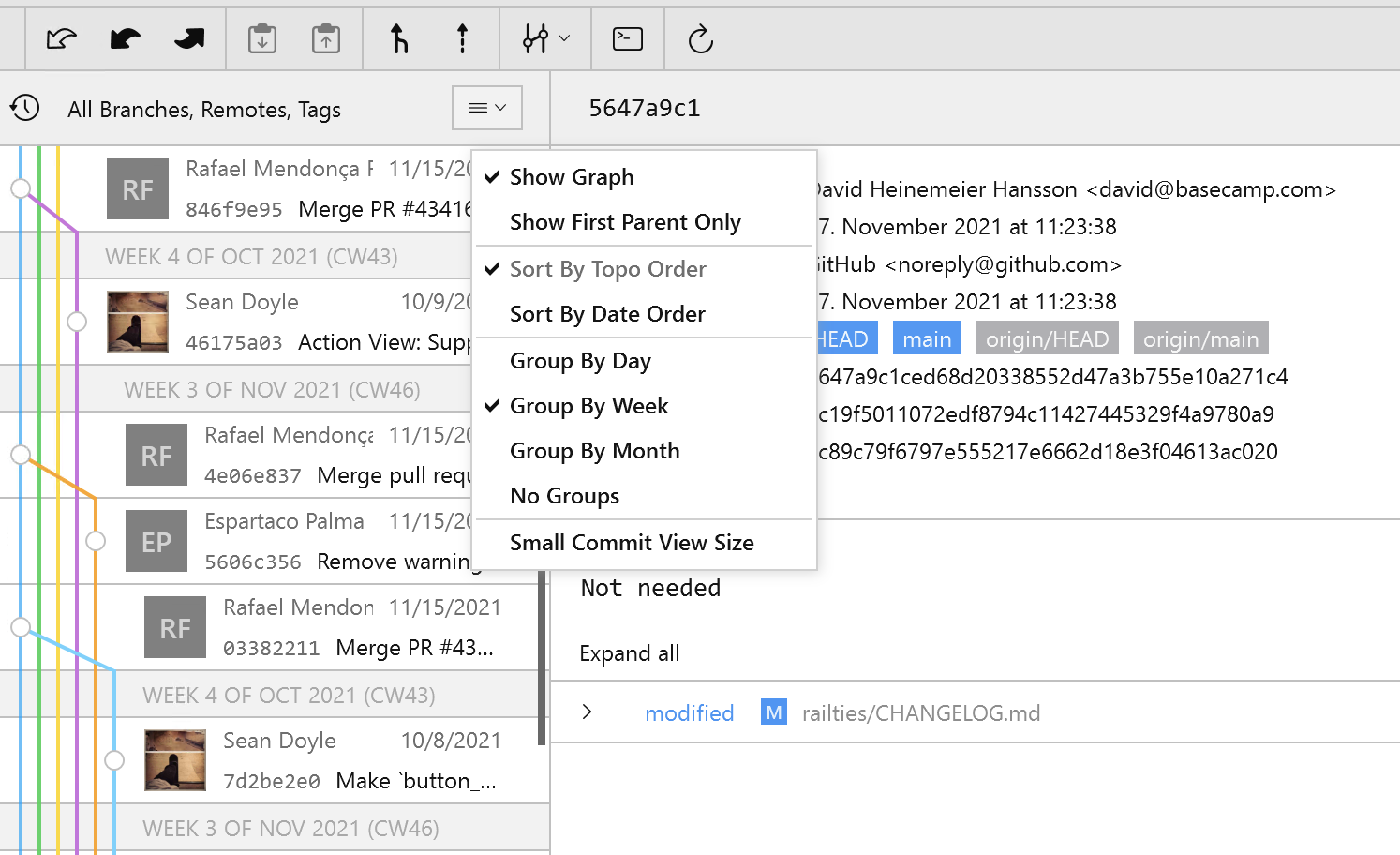
  4. Grouping by Date (History View)

    Grouping by Date (History View)

    You can now group your repository's commit history by day, week, or month, to easily find the commit(s) you are looking for.

  5. Navigation between Views

    Navigation between Views

    We've added the possibility to navigate back and forth between the different views available in the Workspace.

  6. Performance

    Faster, snappier, smoother - version 3 ships with significant performance improvements across the board.

3.4

New

  • Publish Repository: Publishing a local repository on a selected service such as GitHub or GitLab has become a lot easier in Tower! You can now do this without having to leave the app.

Fixed

  • Search. The search field now behaves as expected when clicked.

  • Crashes: We fixed a number of uncommon crashes that occurred during certain processes.

3.4

New

  • Publish Repository: Publishing a local repository on a selected service such as GitHub or GitLab has become a lot easier in Tower! You can now do this without having to leave the app.

Fixed

  • Search. The search field now behaves as expected when clicked.

  • Crashes: We fixed a number of uncommon crashes that occurred during certain processes.

3.3

Fixed

  • Full Screen View: Maximising the app window should now work as expected.

  • Crashes: We fixed a number of uncommon crashes that occurred during certain processes.

3.2

New

  • Force Push with Lease: Tower now supports the --force-with-lease flag for the git push command. Force Push with Lease is a safer option that can be used as an alternative to the --force flag: you can now force push in Tower without the risk of unintentionally overwriting someone else’s work.

Fixed

  • Crashes: We fixed a number of uncommon crashes that occurred during certain processes.

3.1

New

Fixed

  • Notifications: Tower notifications now work as expected.

  • Crashes: We fixed a crash that occurred when creating a Pull Request on GitHub.

  • Crashes: We fixed a potential crash that occurred when retrieving stashes.

3.0

New

  • Quick Actions: The Quick Actions dialog is now available in Tower for Windows. This handy feature allows you to quickly find actionable items in your repository (such as branches, tags, commits and files) and invoke certain actions on them (like checking out a branch or showing a file in the history). The dialog can be opened by pressing "Alt + Shift + A". Learn more about this new feature here.

  • Dark Mode: Tower Windows users can now enjoy the gorgeous new dark theme! Dark and light mode can also be set independently from the system settings.

  • History Search: The new Tower allows you to search the commit history by commit message, author and committer name. You can also use the search feature to find specific files in commit changesets.

  • Navigation: You can now navigate the different views in Tower back and forward, just like you’d do using a web browser. The navigation state is saved, so after reopening Tower you will see the same view that you had open when the application was closed.

  • New Installer: We have replaced the old installer / updater with a more efficient option. New updates will now only take seconds to install, without having to click through multiple dialogs.

Improved

  • Performance: We have significantly improved performance across the whole app, as well as stability.

  • UI/UX: Tower 3 boasts an improved user interface and a more polished design for a better user experience.

  • Title Bar: We combined the title and menu bar in order to improve visual consistency across the Mac and Windows apps.

  • History View: Commits in the history can now be grouped by date.

  • Avatars: If no avatar image can be loaded, Tower now uses the user’s initials instead of a placeholder image.

  • Avatars: Avatar images are now loaded in a higher resolution.

  • Toolbar: Tooltips are now shown for all items immediately.

  • Toolbar: Visibility of toolbar item labels can now be enabled/disabled from the preferences or the view menu.

  • Scrollbars: Scrollbars across the app have been made less obtrusive.

  • Sidebars: We increased the vertical spacing for all sidebar items and also the padding to the scrollbar.

Fixed

  • History View: The branch history is now correctly shown when the remote tracking branch does not exist anymore.

  • Working Copy: Refreshing the UI while reverting a commit will no longer reset the commit subject.

  • Working Copy: We’ve fixed an issue with unstaging files when the branch has a detached HEAD and improved performance for unstaging operations.

  • Working Copy: Files are no longer being opened when double-clicking the staging / unstaging checkbox in the Working Copy.

  • *Working Copy: The working tree was not refreshed after applying a stash which resulted in merge conflicts.

  • Pull Requests: Pull Request comments are now being sorted in the correct order.

  • Stashing: We’ve fixed the refresh behavior for stashing operations.

  • Stashes: The stash list is now correctly refreshed after making changes.

  • Clone Dialog: We fixed an issue with the Clone button not being enabled after filling in the input fields.

  • GitFlow: The GitFlow toolbar button now works as expected.

  • History View: The commit history now loads correctly when scrolling down to the bottom of the commit list.

  • View Menu: The View -> Show Repositories & Show Services menu items now behave as expected.

  • Crashes: We fixed a number of less common crashes occurring in different situations.

  • Assorted Bug Fixes: We fixed several smaller issues reported by users on earlier versions.