Release Notes

New features, improvements, and fixes. Here are the latest Tower updates!

Tower 9

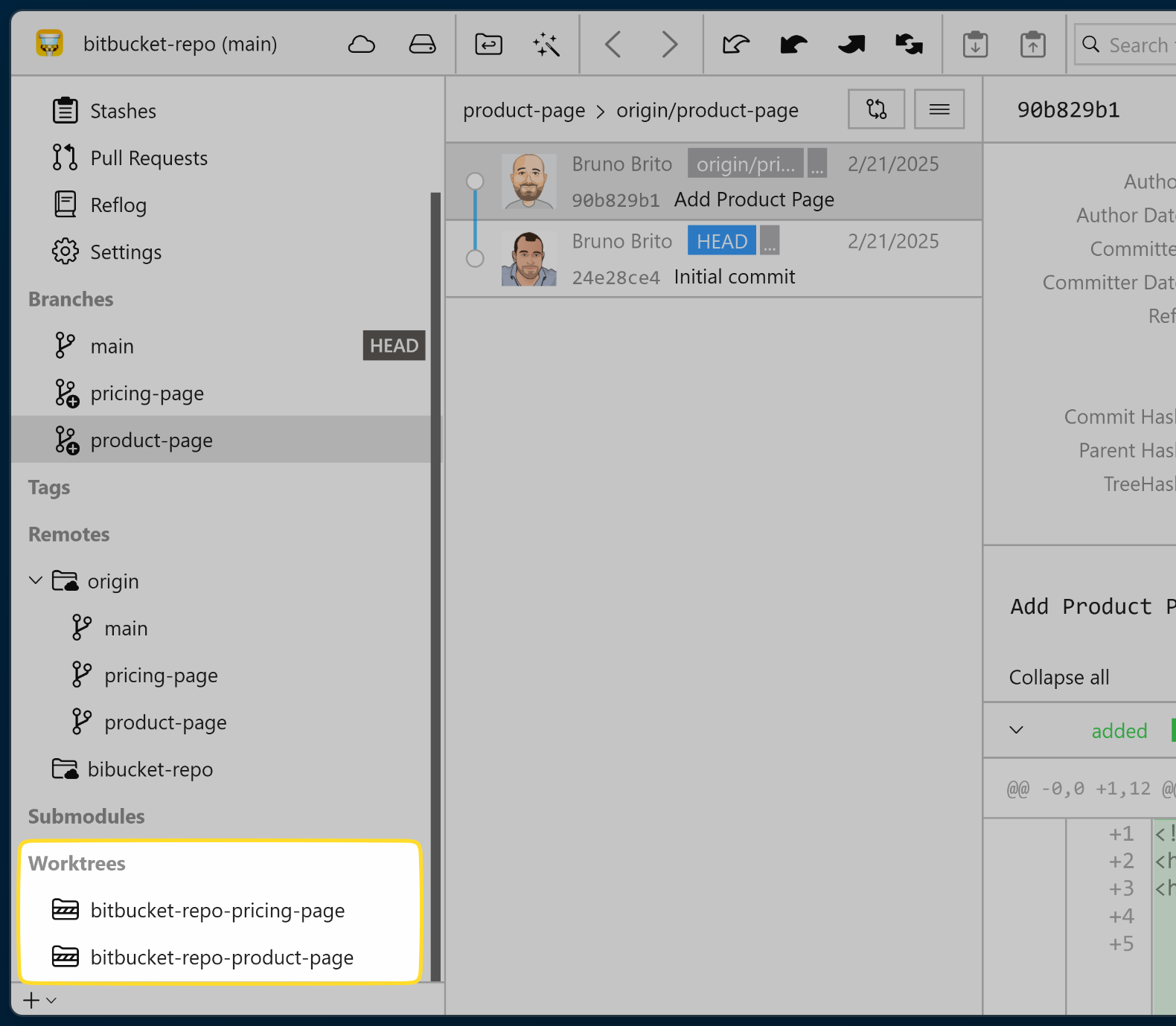
Tower 9.0 for Windows introduces full Git Worktree support, allowing you to easily create, check out, and manage Worktrees directly from the Git client.

This release also features a new compact top bar layout for a more streamlined appearance.

Version 9.1 features complete Gitea integration, enabling you to manage your repositories and pull requests, and Gitmoji support.

What's New in Tower 9

  1. Git Worktree support

    Git Worktree support

    Worktrees allow you to simultaneously work on different branches without the usual conflicts and disruptions. Say goodbye to stashing and incomplete commits!

  2. Gitea support

    Gitea support

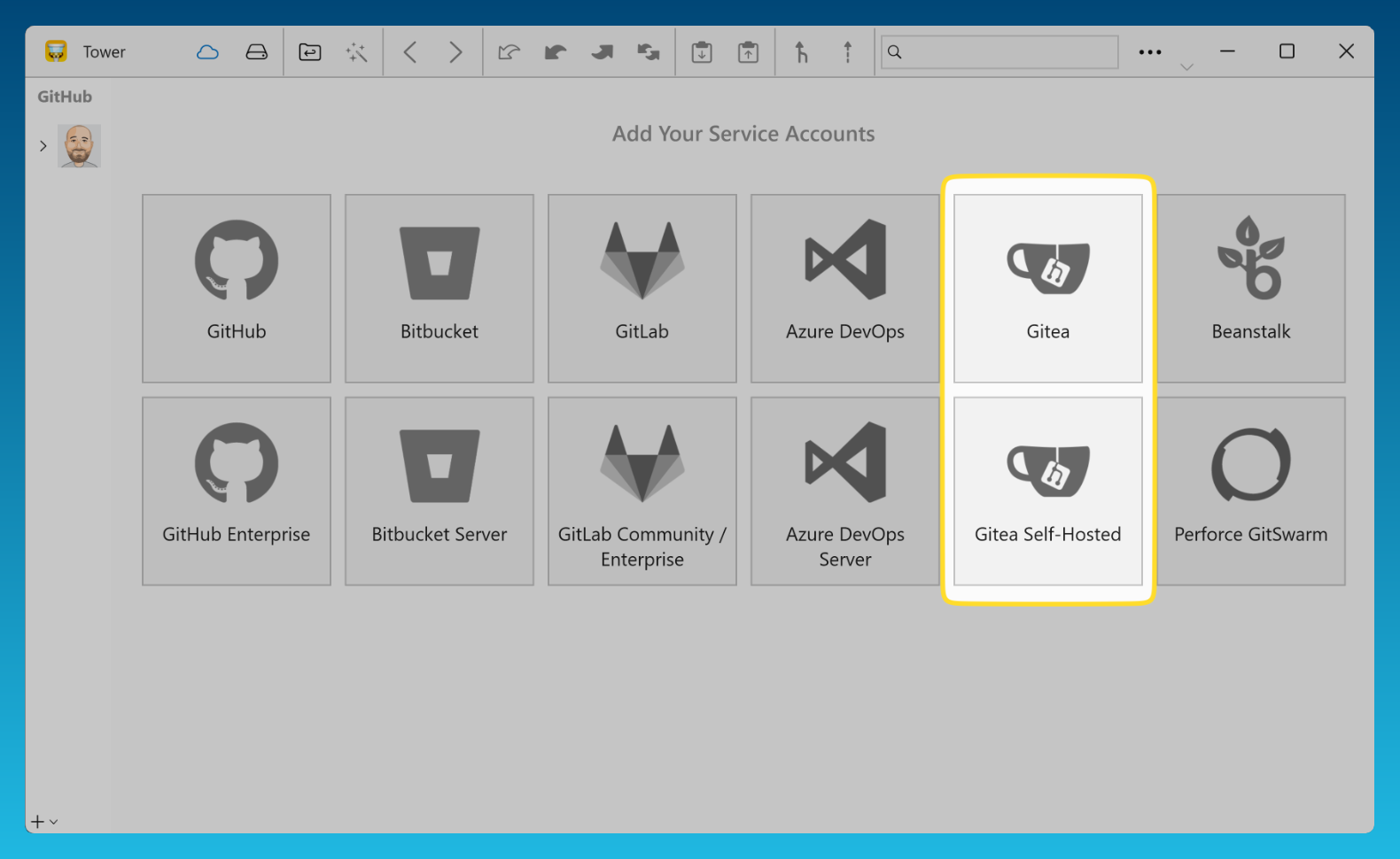
    "Gitea" and "Gitea Self-Hosted" have been added to the "Services" view, allowing you to manage and clone your Gitea repositories and review Pull Requests directly from within Tower.

  3. Gitmoji support

    Gitmoji support

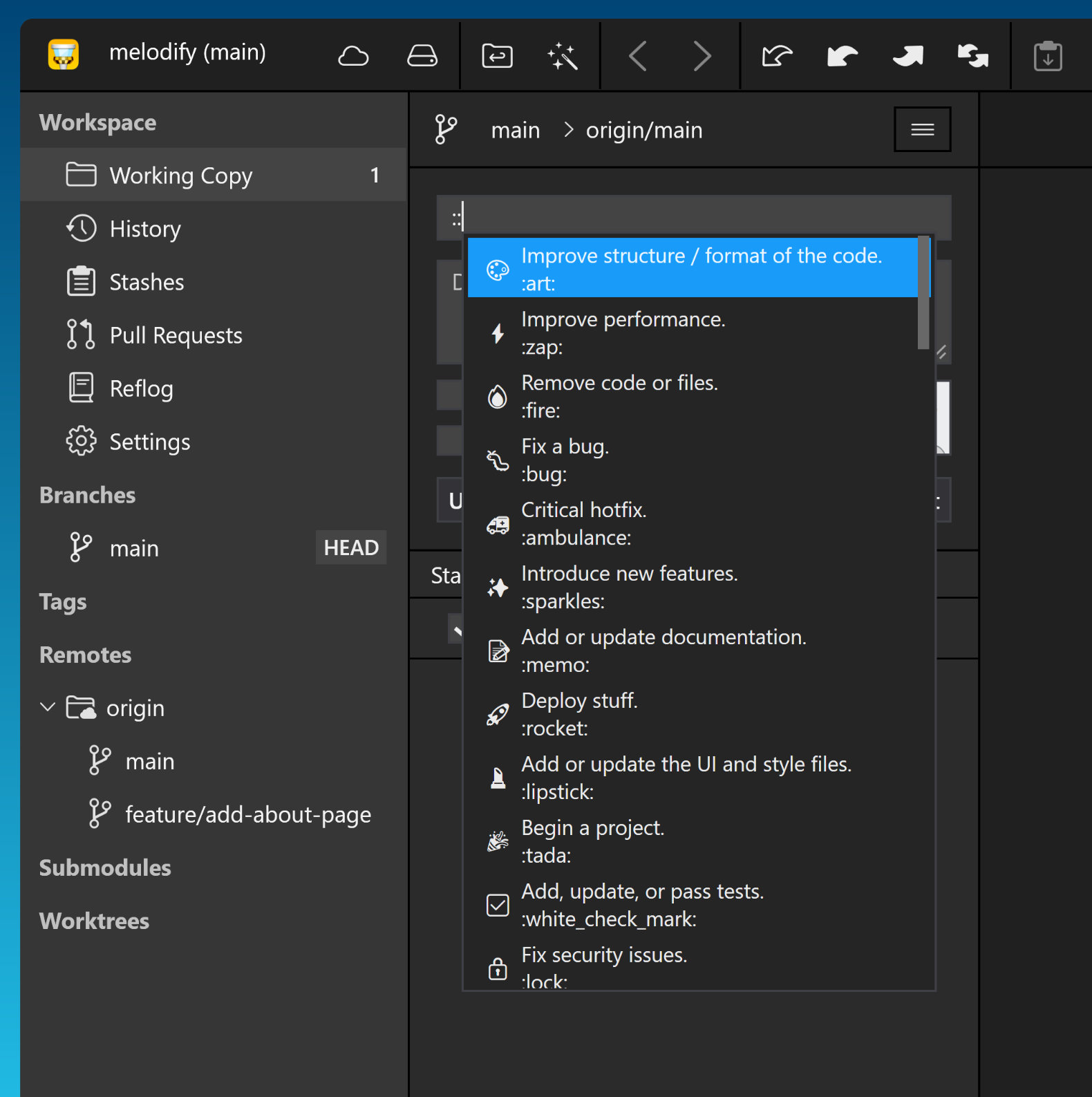
    Include emojis in your commit messages by simply typing "::" in the "Commit Subject" field.

9.3

Improved

  • Portable Git: Updated to version 2.51.0 for improved compatibility and performance.

Fixed

  • Working Copy: Changed the quick-amend shortcut from Ctrl+Shift to Ctrl+Left Alt to prevent conflicts with common text editing shortcuts while preserving AltGr functionality.

9.2

New

  • Services: Added support for Bitbucket API Tokens.

  • Services: Removed support for Bitbucket App Passwords.

Improved

  • Repository Creation: The default folder now follows the location set in preferences.

  • Logging: Crash diagnostics have been enhanced for better troubleshooting.

  • Working Copy: The quick-amend shortcut has changed from Ctrl+Alt to Ctrl+Shift to avoid conflicts with AltGr on certain keyboard layouts.

  • Authentication: Integration with Git Credential Manager has been improved.

  • Rebase: The default branch is now set to the selected branch instead of HEAD.

Fixed

  • Services: Repository icons for Gitea now display correctly.

  • SSH: Fixed a potential crash related to SSH authentication.

  • Auto-Stash: Re-applying stashes now works as expected.

  • UI: Error messages in the branch delete dialog are now displayed correctly.

  • Services: Fetching pull requests from Azure DevOps now works reliably.

  • Terminal: Fixed an issue where Git commands weren’t resolved properly when using the embedded Git.

  • Corrected detection of application and OS architecture.

  • Crash when editing a service account.

9.1

New

  • Services: Added support for the Gitea service, allowing you to easily manage Gitea repositories within Tower.

  • Gitmoji: Tower now supports Gitmoji when writing and viewing commit messages.

Improved

  • Portable Git: Updated to version 2.50.0 for improved compatibility and performance.

  • Portable Git Installer: Upgraded the zip utility to support the latest compression formats.

  • Shortcuts: Reassigned the Ctrl+Shift+Backspace shortcut to the Reset action and removed it from Discard All Changes, ensuring more intuitive shortcut behavior.

  • Services: Enhanced logic for matching repositories to their configured services.

  • UI: Improved visualization of parent–child branch relationships.

  • Preferences: The default option for "Show Diffs For Merge Commits" has been changed from "None" to "First Parent".

Fixed

  • UI: Increased separator visibility in Dark Mode.

  • Network Paths: Fixed a potential crash when handling network paths.

  • LFS: Pulling LFS repositories now works as expected.

  • Stacked Branches: Fixed an issue where the "Restack" context menu item was incorrectly enabled.

  • Stacked Branches: Fixed an issue where, under certain conditions, restack dialog validation could run indefinitely.

  • Sidebar: Remote names are now accurately updated after renaming.

  • Sidebar: Remote context menu is now accurately updated after renaming.

  • Crash: Potential crash when renaming a remote has been fixed.

9.0

New

  • Git Worktree Support – Tower now fully supports Git Worktrees! Easily create, check out, and manage Worktrees directly within Tower. View existing Worktrees in the repository sidebar, switch between them by double-clicking a branch, and add or remove Worktrees using the branch context menu.

  • UI: Introducing a new compact top bar layout for a cleaner, more streamlined interface. Enable it via Preferences → General → Use compact top bar layout.

  • Help Menu: Added an option to export log files and user settings.

Improved

  • UI: The classic top bar has been improved, with the main menu now positioned on the left for better accessibility.

  • Logging: The current application state is now clearly displayed in the Help menu.

  • Logging: Enhanced for more detailed diagnostics.

  • Portable Git: Updated to version 2.48.1 for improved compatibility and performance.

  • Crash Reporting: Migrated from AppCenter to Sentry due to the retirement of AppCenter, ensuring continued reliability and improved diagnostics.

  • Crash recovery has been enhanced.

  • Pull Requests: Improved service mapping for better accuracy and compatibility.

  • Main Menu: Added the "Repository → Add Submodule" option.

Fixed

  • Ignore & Exclude Files: Fixed an issue where these files did not open correctly. They now function as expected.

  • Services: Fixed issues with adding Custom accounts.

  • Services: Resolved GitLab authentication issues.

  • SSH Keys: Fixed retrieval from 1Password.

  • Rebase: Fixed commit message editing during rebase operations.

  • Cherry-Picking: Fixed the issue where commits were applied in the wrong order, ensuring they now follow the expected sequence.