Performance Improvement Template
Makes performance claims verifiable. It records what was optimized, the conditions of the measurement, and the before and after numbers, so anyone can reproduce the benchmark or spot a regression later.
- The commit's purpose is to make something faster or use fewer resources.
- You measured the effect and want the numbers to stay with the change.
- Future contributors may be tempted to undo the optimization.
Template
Replace each <placeholder> by hand when you write a commit.
Lines starting with # are guidance that Git removes in its default cleanup mode.
Completed example
Faster loading of a large commit history.
Speed up loading of long commit histories

Change:
Load commit metadata in batches of 500 and defer diff statistics
until a row scrolls into view, instead of reading every commit first.

Measurement:
- Environment: M2 MacBook Air, 16 GB, release build, 120k-commit repo
- Method: median of 10 cold launches, time to first rendered row

Results:
- Before: 4.8 s
- After: 0.9 s
Guidance
Rules
- Report results together with the conditions they were measured under.
- Name the metric (median, p95, peak memory) and the number of runs.
- Prefer a reproducible benchmark over a one-off observation.
Optional fields
- Measurement
- If you didn't measure, say so and describe the expected effect instead of inventing numbers.
Common mistakes
- Numbers without units, environment, or method.
- Claiming "much faster" without any measurement.
- Mixing refactoring and optimization so the effect can't be attributed.
How it relates to other templates
With Conventional Commits, use a perf: subject and keep these sections as the body.
Use this template
Use in Tower
Tower for Mac
- Open Tower's Settings and select the Templates tab.
- Create a new template and enter the subject and body below. You can also download the template file and import it from the same tab. After importing, remove the lines that start with
#. They're guidance for Git's editor. - To use it by default, set it as the global Git value in the Templates tab, or pick it as the default commit template in a repository's settings.
- When you write a commit, click the Commit template button below the description field, or type t: or / in the subject field to choose a template.
More details: Commit Templates in the Tower for Mac documentation.
Tower for Windows
- Open Tower's Preferences and select the Templates tab.
- Click + to create a new template and enter the subject and body below.
- To use it by default, set it as the global default template, or pick it as the default in a repository's settings.
- When you write a commit, click the Commit template button in the commit composer, or type t: or / in the subject field to choose a template.
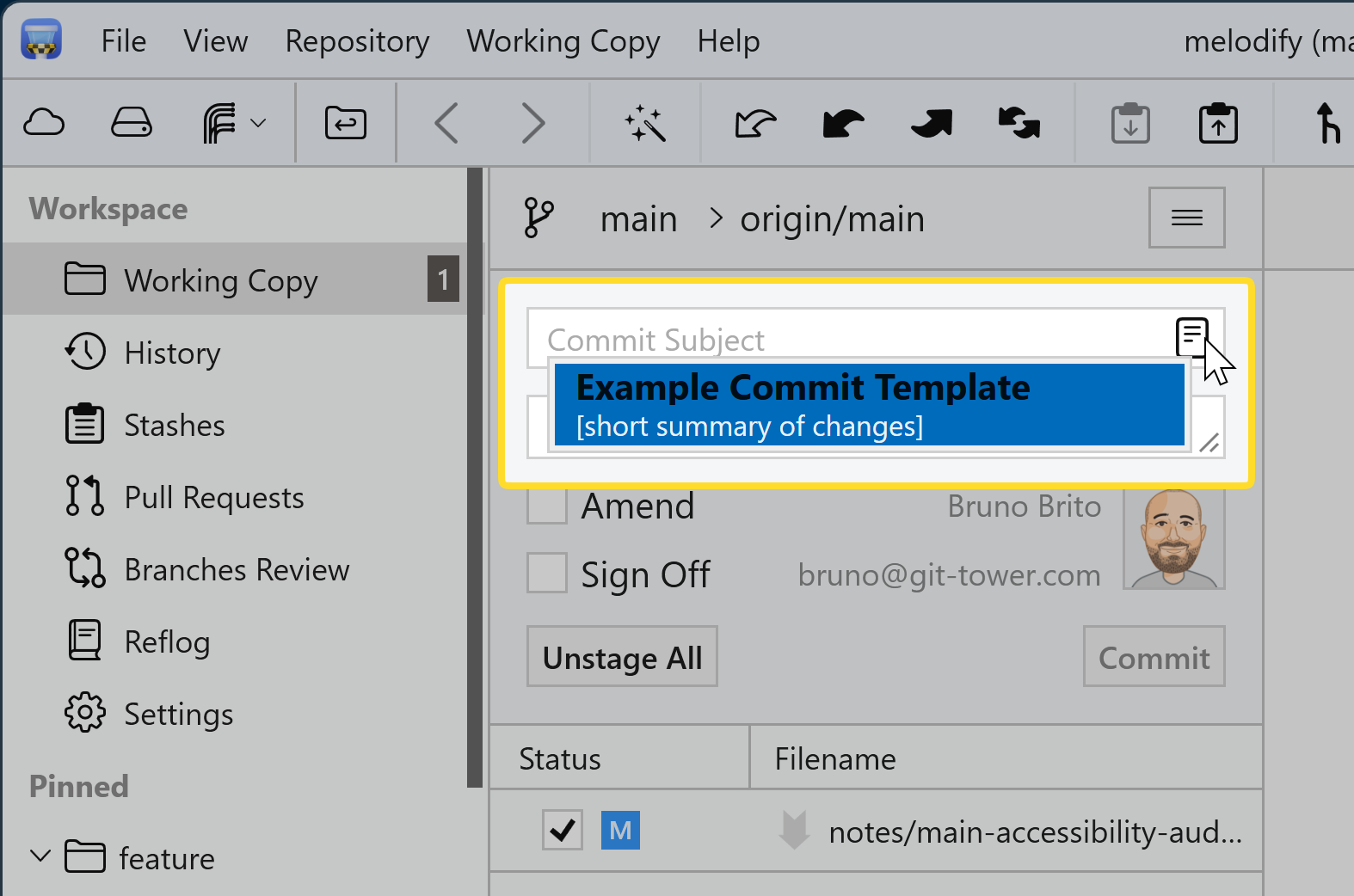
More details: Commit Templates in Tower for Windows.
Template fields for Tower
The library version with Git's # comment lines removed. If you edited the template above, copy your version from the editor instead.
Subject
<Summarize the improvement in imperative mood>Body
Change:
<What was optimized and how>

Measurement:
- Environment: <hardware, OS, data set, build configuration>
- Method: <benchmark or tool, number of runs, metric>

Results:
- Before: <value>
- After: <value>Use with the Git command line
Download gitmessage-performance.txt
The commands below assume the file is in your Downloads folder.
macOS and Linux (Terminal)
Try it once
Run this in a repository with staged changes. Git opens your editor with the template filled in:
git commit --template ~/Downloads/gitmessage-performance.txtMake it the default for one repository
From the repository's root folder, save the file as .gitmessage and point Git to it:
mv ~/Downloads/gitmessage-performance.txt .gitmessage
git config commit.template .gitmessageMake it your global default
Save the file in your home folder and use it for every repository without its own setting:
mv ~/Downloads/gitmessage-performance.txt ~/.gitmessage
git config --global commit.template "~/.gitmessage"Windows (PowerShell)
Try it once
Run this in a repository with staged changes. Git opens your editor with the template filled in:
git commit --template "$HOME\Downloads\gitmessage-performance.txt"Make it the default for one repository
From the repository's root folder, save the file as .gitmessage and point Git to it:
Move-Item "$HOME\Downloads\gitmessage-performance.txt" .gitmessage
git config commit.template .gitmessageMake it your global default
Save the file in your home folder and use it for every repository without its own setting:
Move-Item "$HOME\Downloads\gitmessage-performance.txt" "$HOME\.gitmessage"
git config --global commit.template "~/.gitmessage"Share it with your team
Commit .gitmessage to the repository so everyone has the same file. Sharing the file does not configure anyone's Git: Git never applies settings from a repository automatically, so each teammate runs this once in their clone:
git config commit.template .gitmessageInspect, change, or remove the default
# Show the configured template and where it's set
git config --show-origin --get commit.template

# Point to a different file
git config commit.template path/to/other-template.txt

# Remove the repository or global setting
git config --unset commit.template
git config --global --unset commit.template- Templates guide, hooks enforce. A template only pre-fills the editor. To reject messages that don't follow a convention, add a commit-msg hook.
- Only the editor uses templates.
git commit -mandgit commit -Fbypass the template. - Unchanged templates abort the commit. If you save without editing the template, Git stops with "you did not edit the message".
- Comment removal depends on cleanup. Git strips
#lines under its defaultstripcleanup mode. With--cleanup=verbatim,--cleanup=whitespace, or a matchingcommit.cleanupsetting, they stay in the message. If you changedcore.commentChar,#lines aren't treated as comments. - Other commands write their own messages.
git revertandgit mergedon't loadcommit.template.
Setting up Git from scratch? The Git Config Generator builds a complete .gitconfig for you. See the git commit documentation for all options.
Use with coding agents
This skill teaches your coding agent to draft commit messages in the Performance Improvement format. It uses the library version of the template. Edits you make in the editor above aren't included.
- Follows your repository's instructions and your explicit requests first.
- Reads the staged changes and keeps unstaged work out of the message.
- Never invents motivation, issue numbers, benchmarks, or test results. It leaves placeholders and asks instead.
- Flags breaking changes and unrelated changes that should be split.
- Drafts only. It won't stage, commit, or push unless you ask it to.
Download skill commit-message-performance-v1.0.0.zip · Agent Skills format · MIT-0 license
Contains commit-message-performance/SKILL.md with the instructions, references/REFERENCE.md with the rules and a completed example, and assets/template.txt.
Install in Claude Code
- Unzip the download. It contains a single folder named after the skill.
- Move that folder to
.claude/skills/in your repository to share it with your team, or to~/.claude/skills/to use it in all your projects. - Start a new Claude Code session and ask it to draft a commit message. You can also invoke the skill directly with
/commit-message-performance.
See the Claude Code skills documentation for details.
Other agents
The package uses the open Agent Skills format, but we've only tested the agents listed above. For any other agent, check its documentation for skill support, or add the instructions below to its configuration file, such as AGENTS.md.
Copy the instructions
Add these instructions to your agent's configuration or your repository's AGENTS.md:
## Commit messages

Use the Performance Improvement structure below.

```text
<Summarize the improvement in imperative mood>

Change:
<What was optimized and how>

Measurement:
- Environment: <hardware, OS, data set, build configuration>
- Method: <benchmark or tool, number of runs, metric>

Results:
- Before: <value>
- After: <value>
```

Rules:
- Report results together with the conditions they were measured under.
- Name the metric (median, p95, peak memory) and the number of runs.
- Prefer a reproducible benchmark over a one-off observation.
- Never invent benchmark numbers, environments, or methods. Use only measurements that were run in this session or provided by the user.
- If there are no measurements, keep the placeholders under Measurement and Results, and tell the user what to measure.

When writing a commit message:
- Base it on the staged changes (`git diff --staged`). Don't describe unstaged work as part of the commit.
- If the staged changes are unrelated to each other, suggest splitting the commit.
- Never invent motivation, issue identifiers, benchmark numbers, or test results. Keep a `<placeholder>` and ask instead.
- Call out breaking changes and include migration information supported by the changes.
- Draft the message for review. Don't stage, commit, or push unless explicitly asked.