Release Notes
New features, improvements, and fixes. Here are the latest Tower updates!

Version 14
Tower 14 for Windows brings a bird's-eye view of every branch in your repository with the new Branches Review view, plus a much smarter "Fully Merged" detection that finally catches squash and rebase merges.
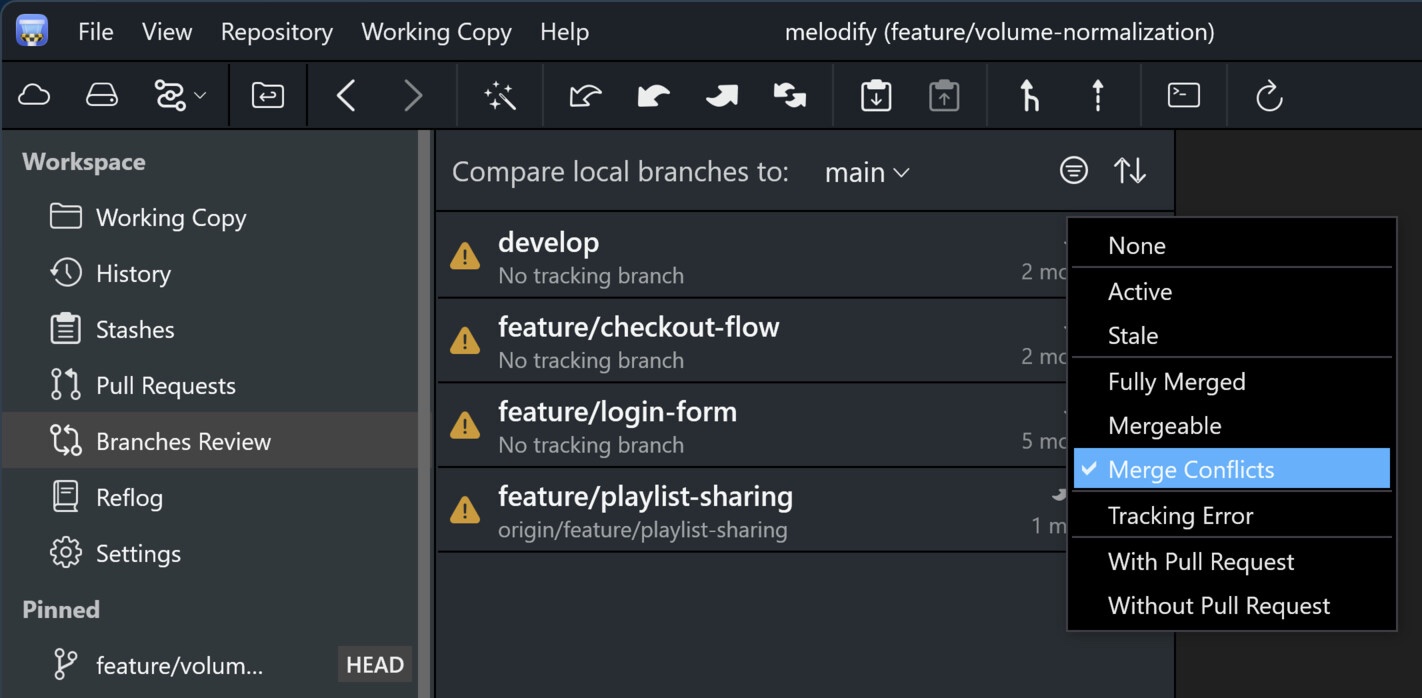
A new "Branches Review" view puts every branch side by side and compares them against a base branch of your choosing. Sort and filter by Active/Stale, Fully Merged/Mergeable/Merge Conflicts, With/Without Pull Requests, and Tracking Errors to build an instant cleanup list.
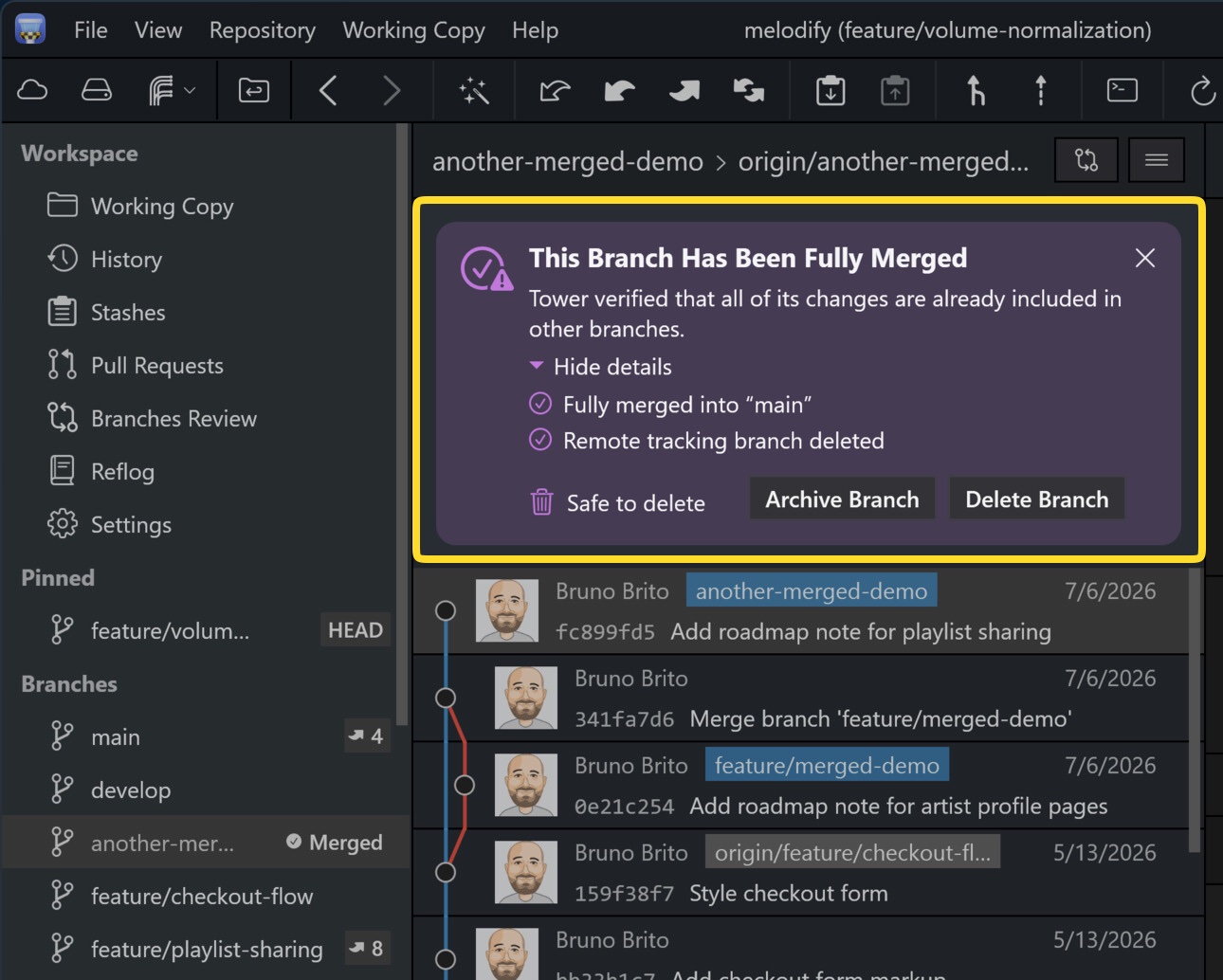
Tower now runs four independent checks — including matching your branches against merged Pull Requests — to reliably detect branches that were integrated via squash or rebase merges. The redesigned "Fully Merged" hint view shows exactly which checks matched, with direct links to the merge commit or pull request.
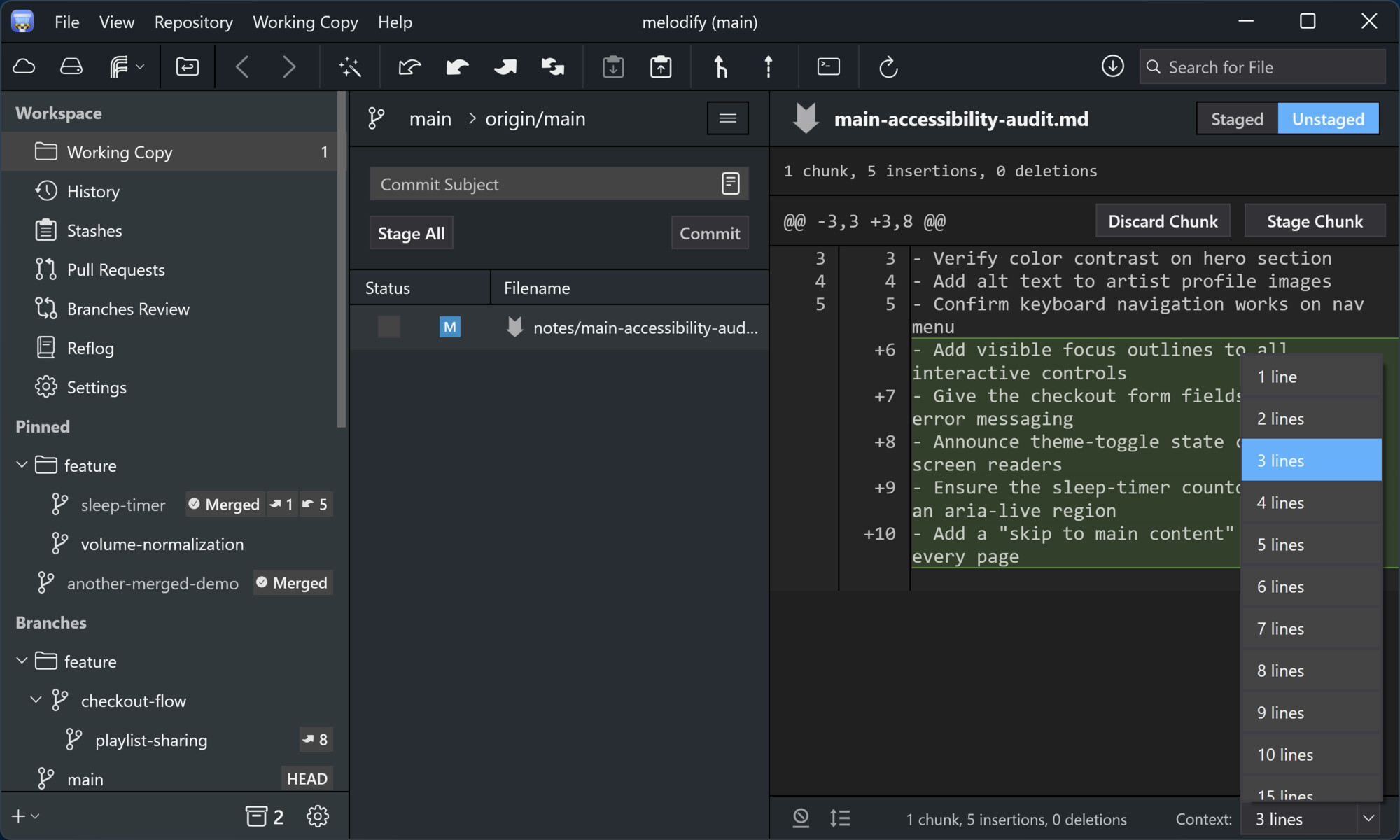
The gear menu in the sidebar footer now collects all its display settings in one place, with dedicated filter settings for remote branches and tags.
While inspecting a file diff, the footer on the right also keeps three controls within reach: the context lines shown around each change, a toggle for whitespace-only changes, and a "Complete File" view.
Version 13
Tower 13 for Windows is all about taking control of your branches! This release brings two features that work hand in hand: Branch Pinning to keep your most important branches front and center, and Automatic Branch Management to clear out the ones you no longer need.
You'll also find new "Fully Merged" and "Stale" badges in the sidebar, making it easy to spot branches that are ready to be cleaned up.
Right-click a branch to pin it. Pinned branches appear in a dedicated "Pinned" section at the top of the sidebar, so your most important branches are always within reach.
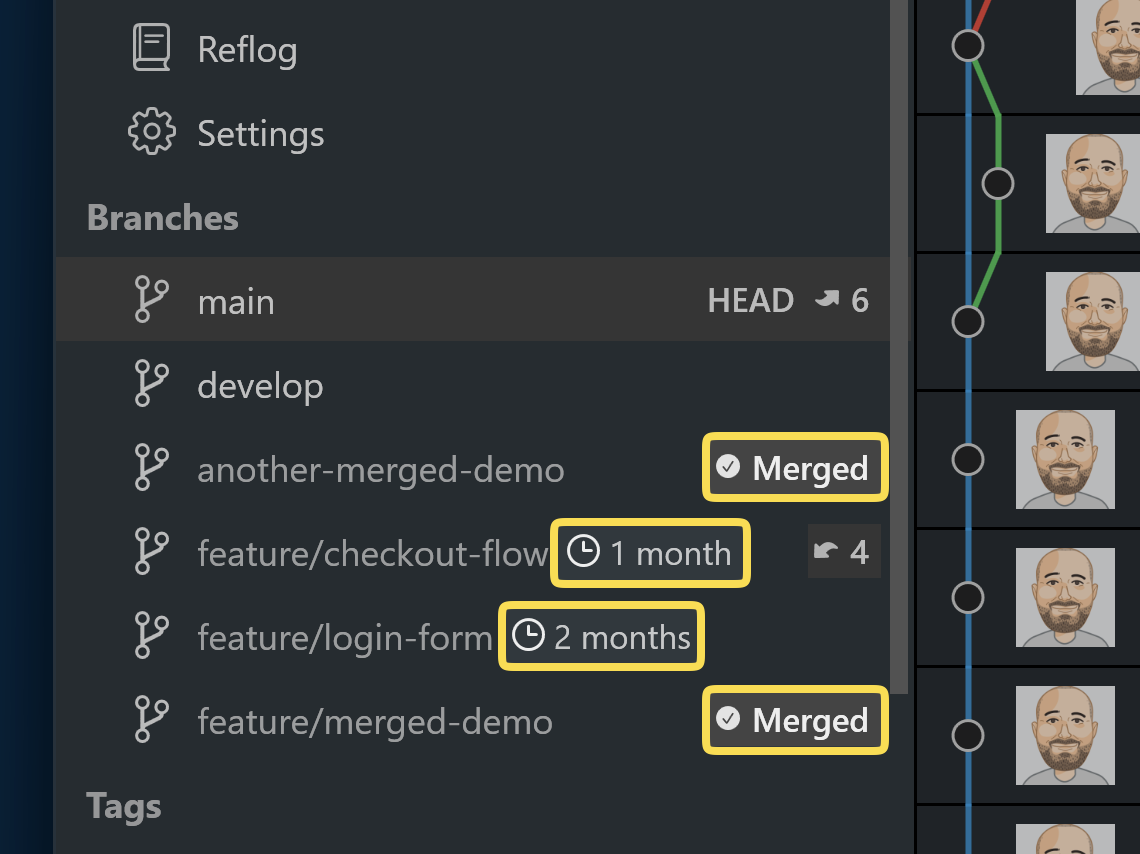
New badges next to branches indicate whether a branch is Fully Merged (all commits integrated into its parent, with the remote branch deleted) or how long it's been Stale.
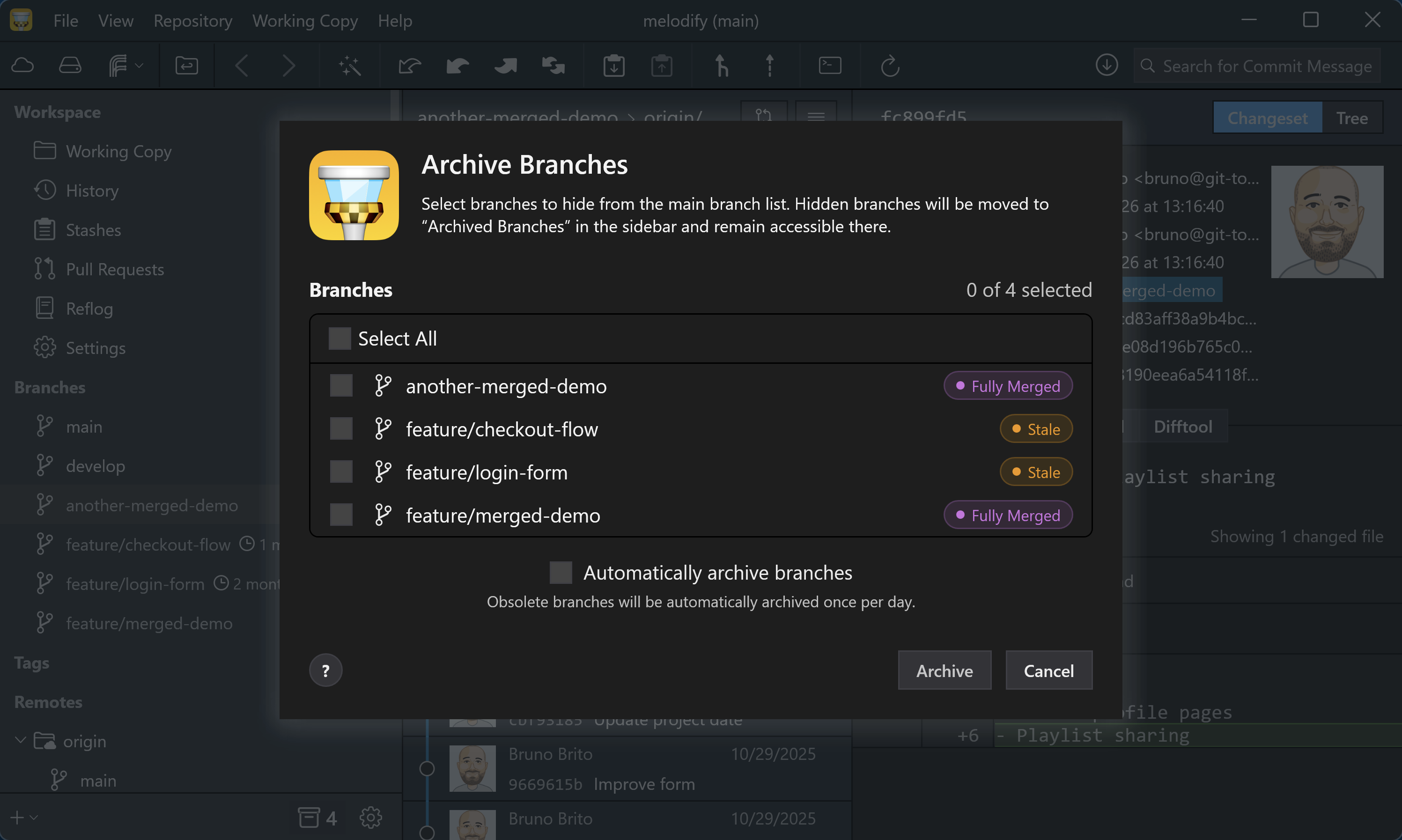
Add branches to the new "Archived Branches" view manually, or let Tower identify and archive stale or fully merged branches for you automatically.
Version 12
Tower 12 allows you to create custom Git workflows, enabling you to establish and enforce the exact workflow that meets your project's needs.
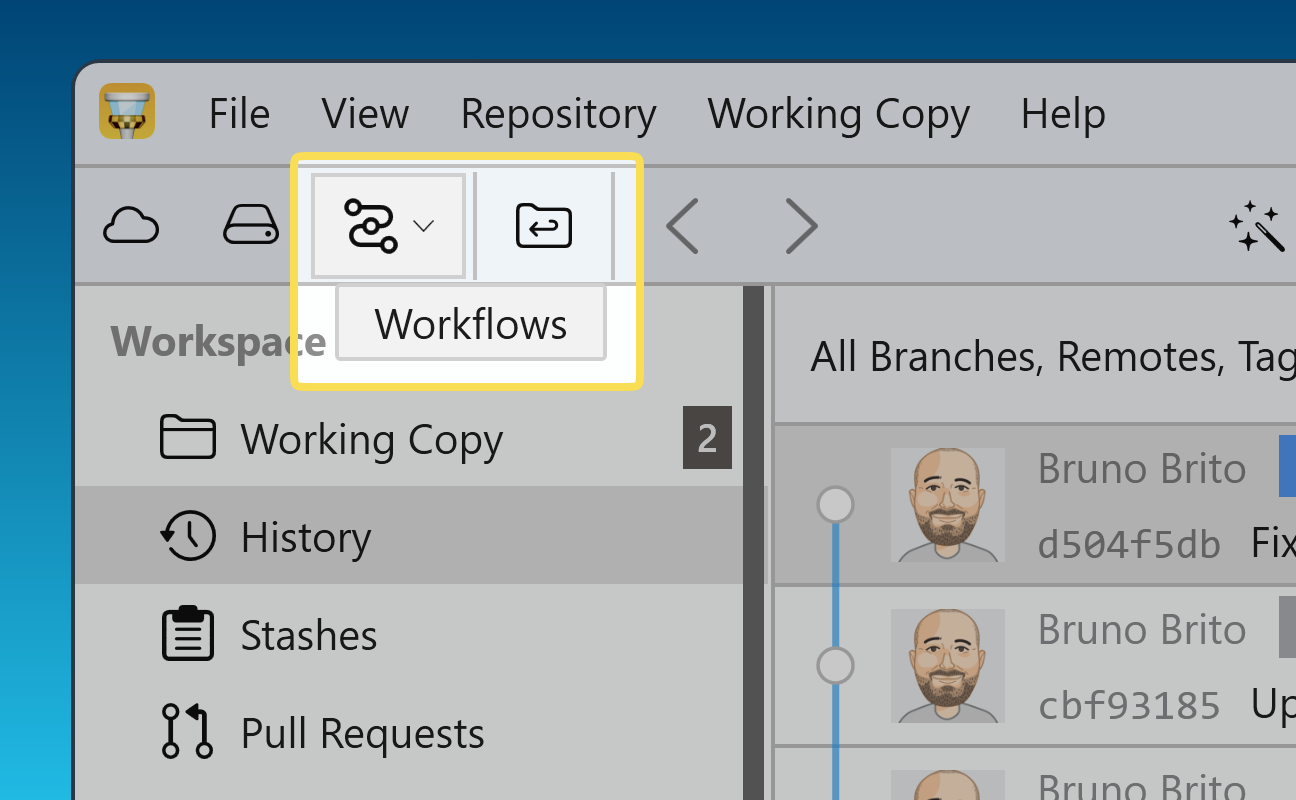
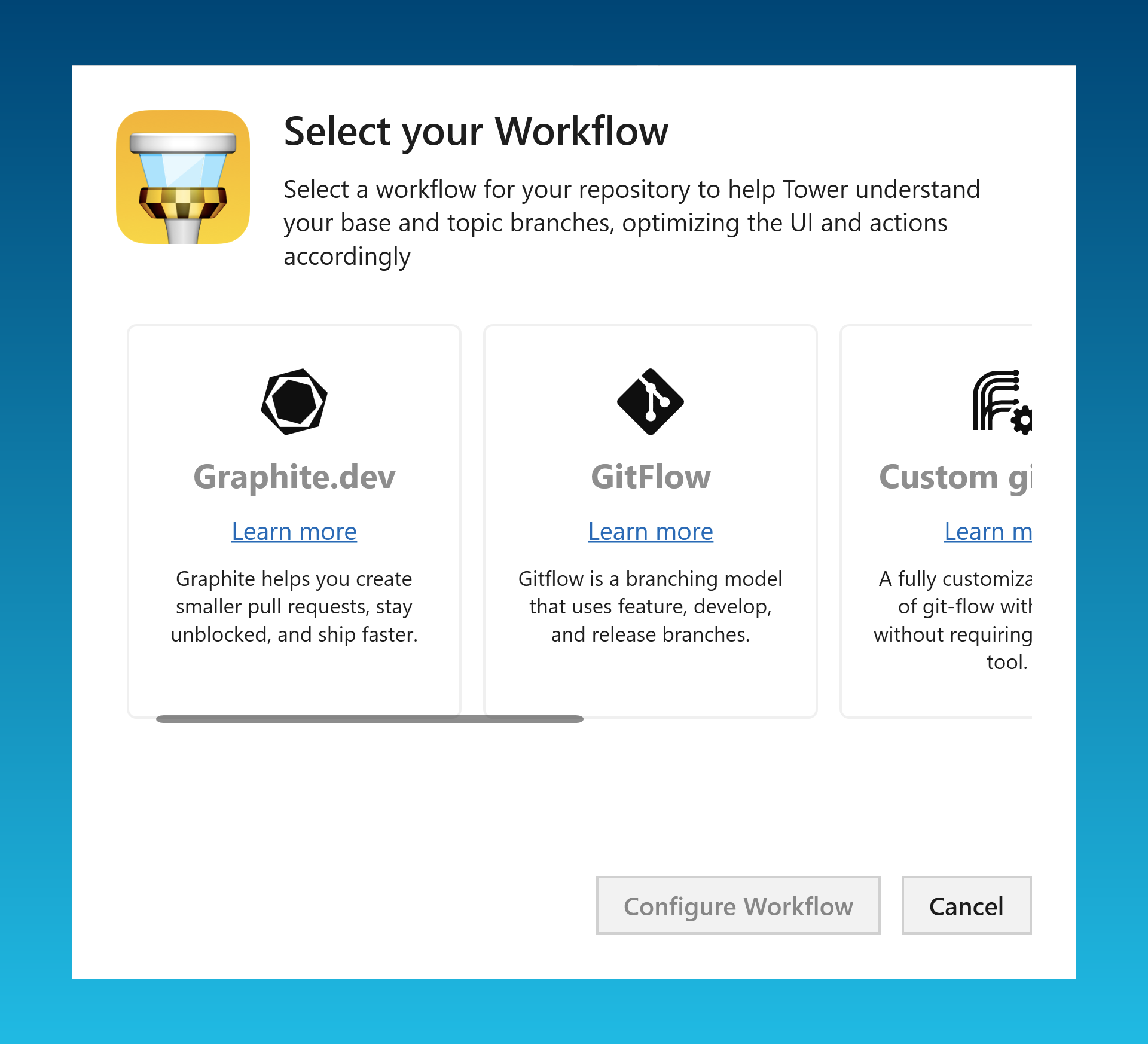
Choose from predefined options such as GitFlow or GitHub/GitLab Flow, other workflows like Graphite or GitFlow CLI, or create any custom Git workflow entirely from scratch.
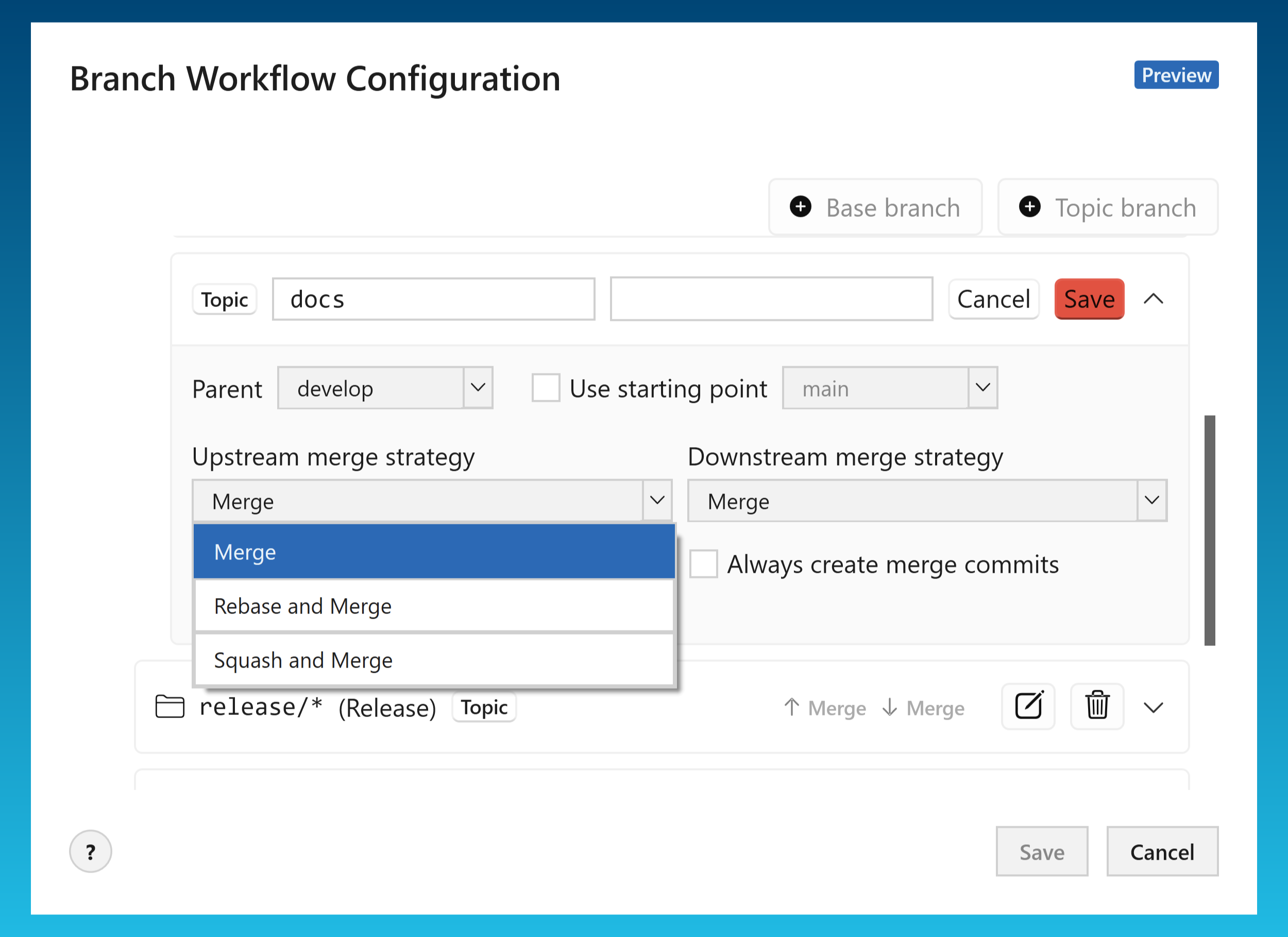
You can define trunk, base, and topic branches, as well as set upstream/downstream merge strategies and various other options.
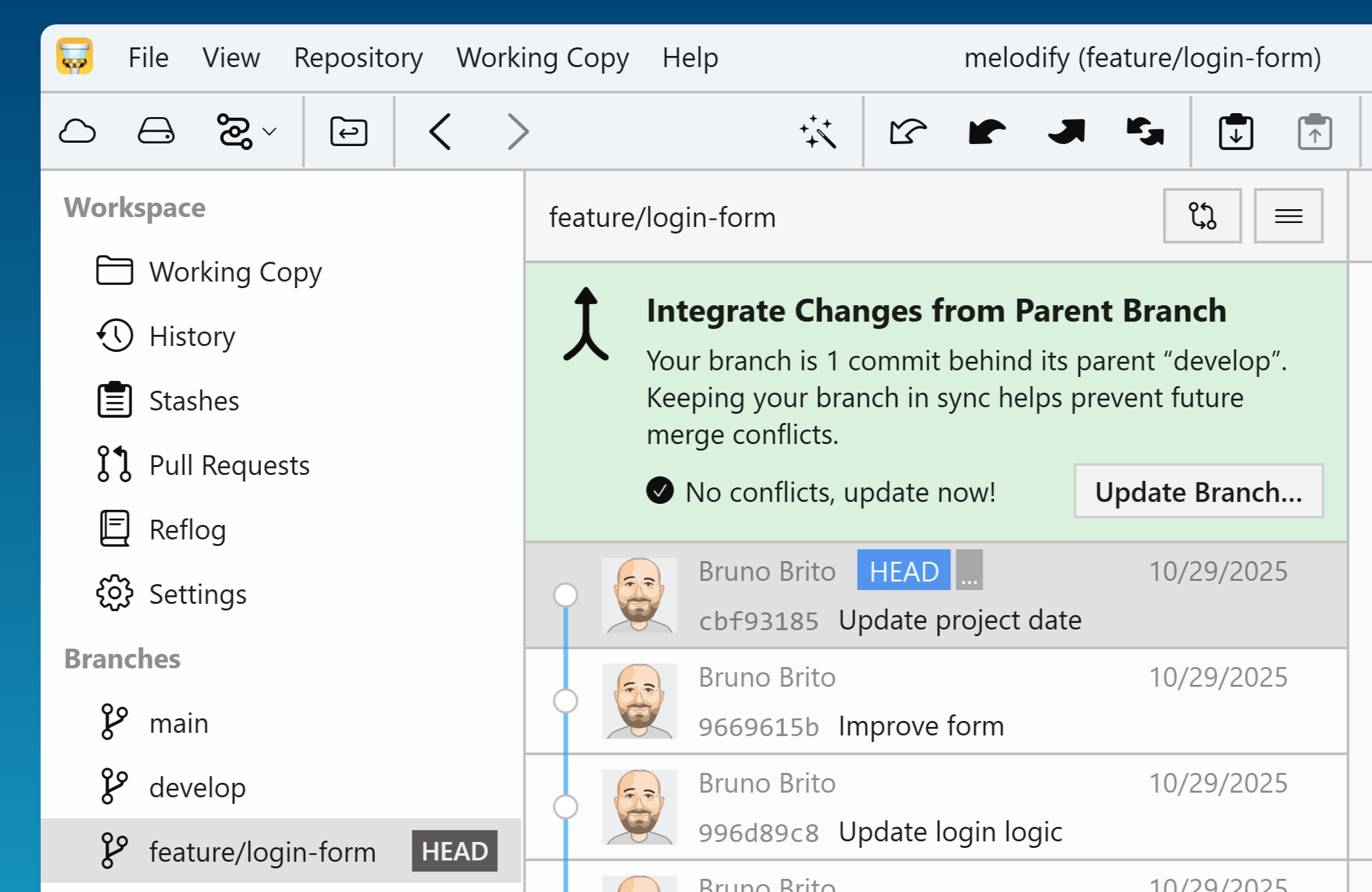
Once your workflow is configured, Tower guides you through the day-to-day: starting features, finishing branches, and keeping everything up to date.
It even warns you when a parent branch has new commits you should integrate.
Version 11
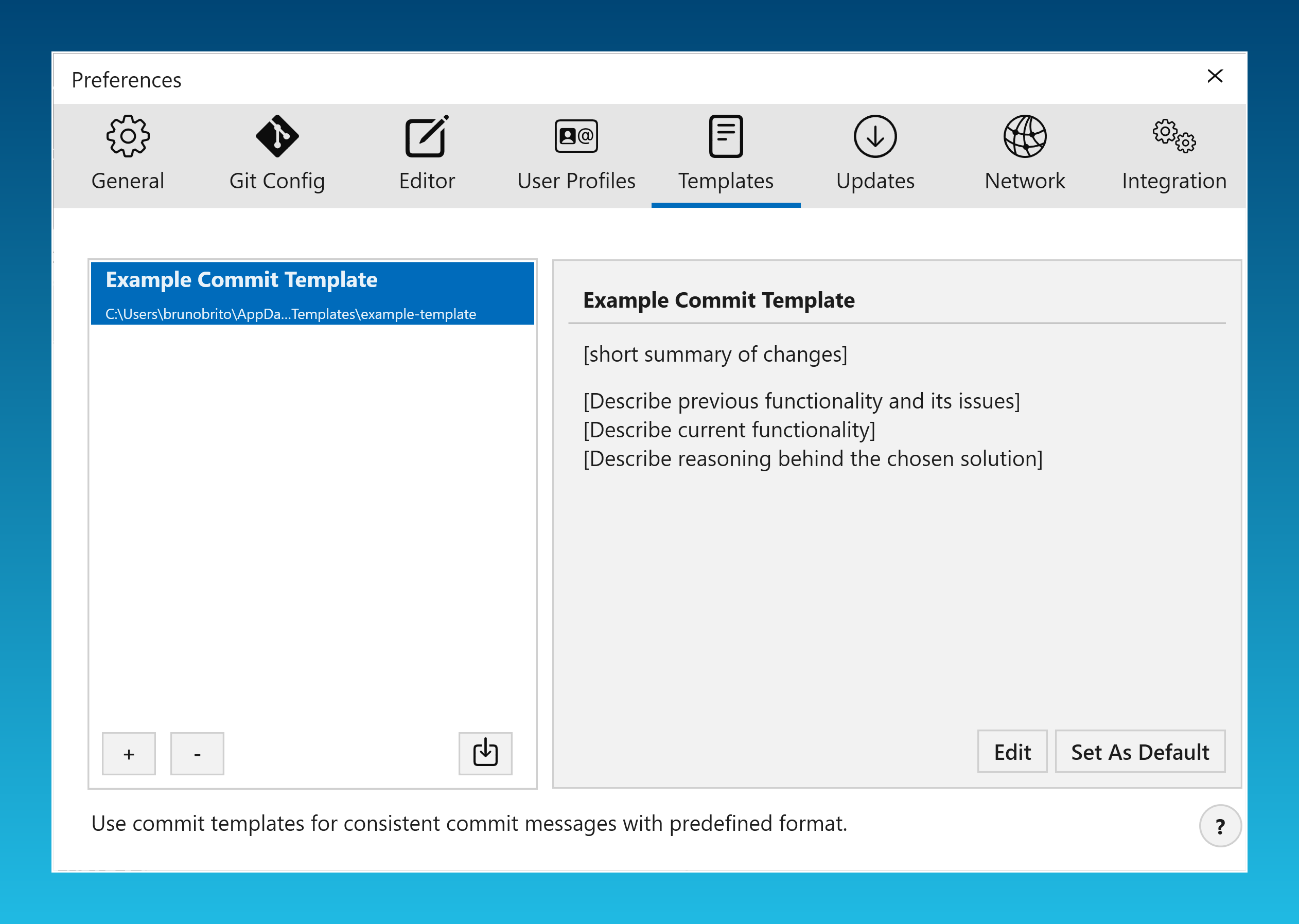
To manage your templates, go to the new "Templates" tab in the Preferences.
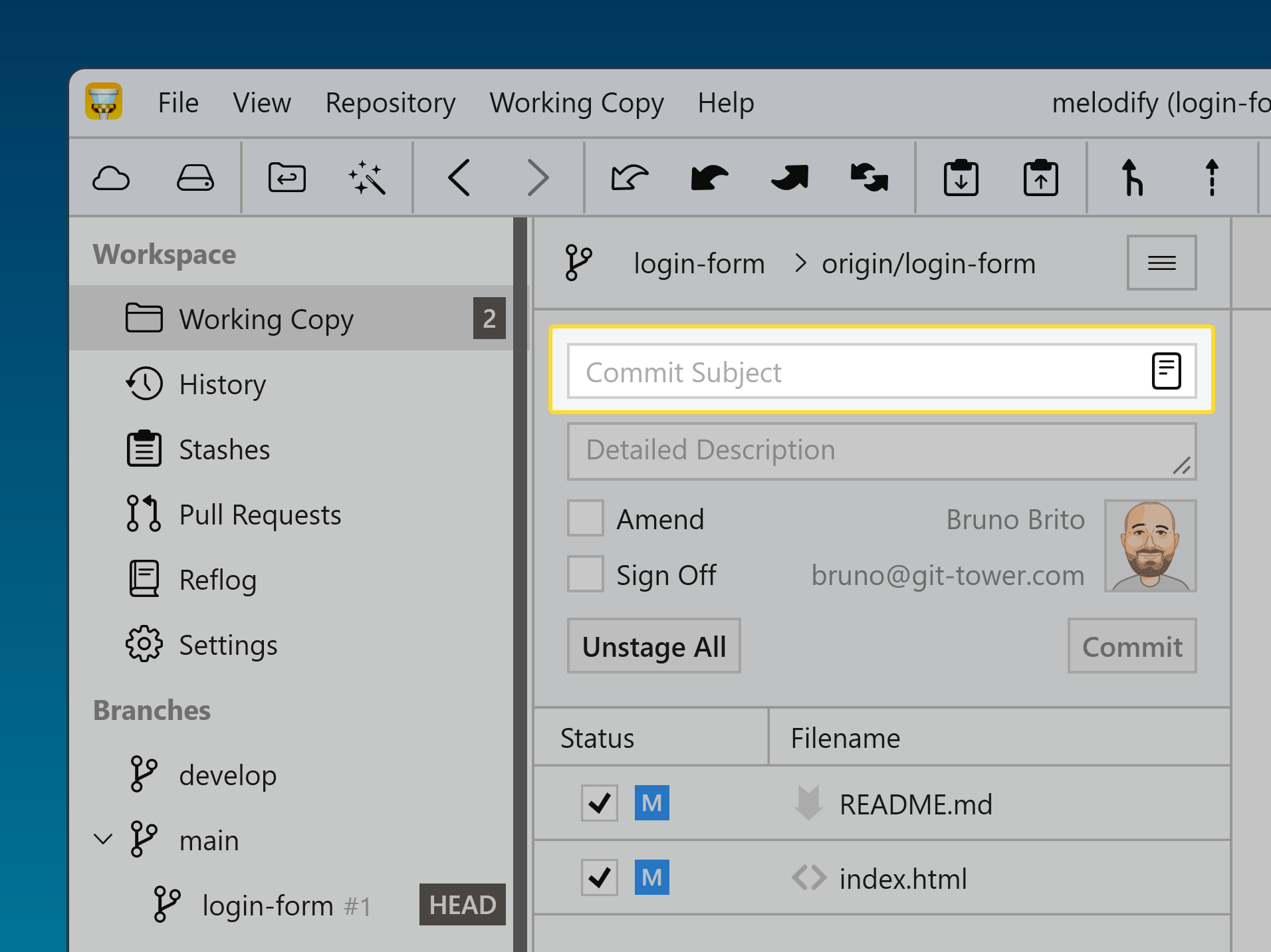
When you're ready to create a commit, use the new "Commit template" button to access all your saved templates.

If you have a Windows device equipped with an ARM processor, you can now benefit from a faster and more energy-efficient experience. This native ARM version guarantees that Tower operates at optimal performance on these devices.
Version 10
This release introduces seamless Graphite integration for all the most popular actions, allowing you to manage your stacked branches and create Pull Requests without leaving Tower.
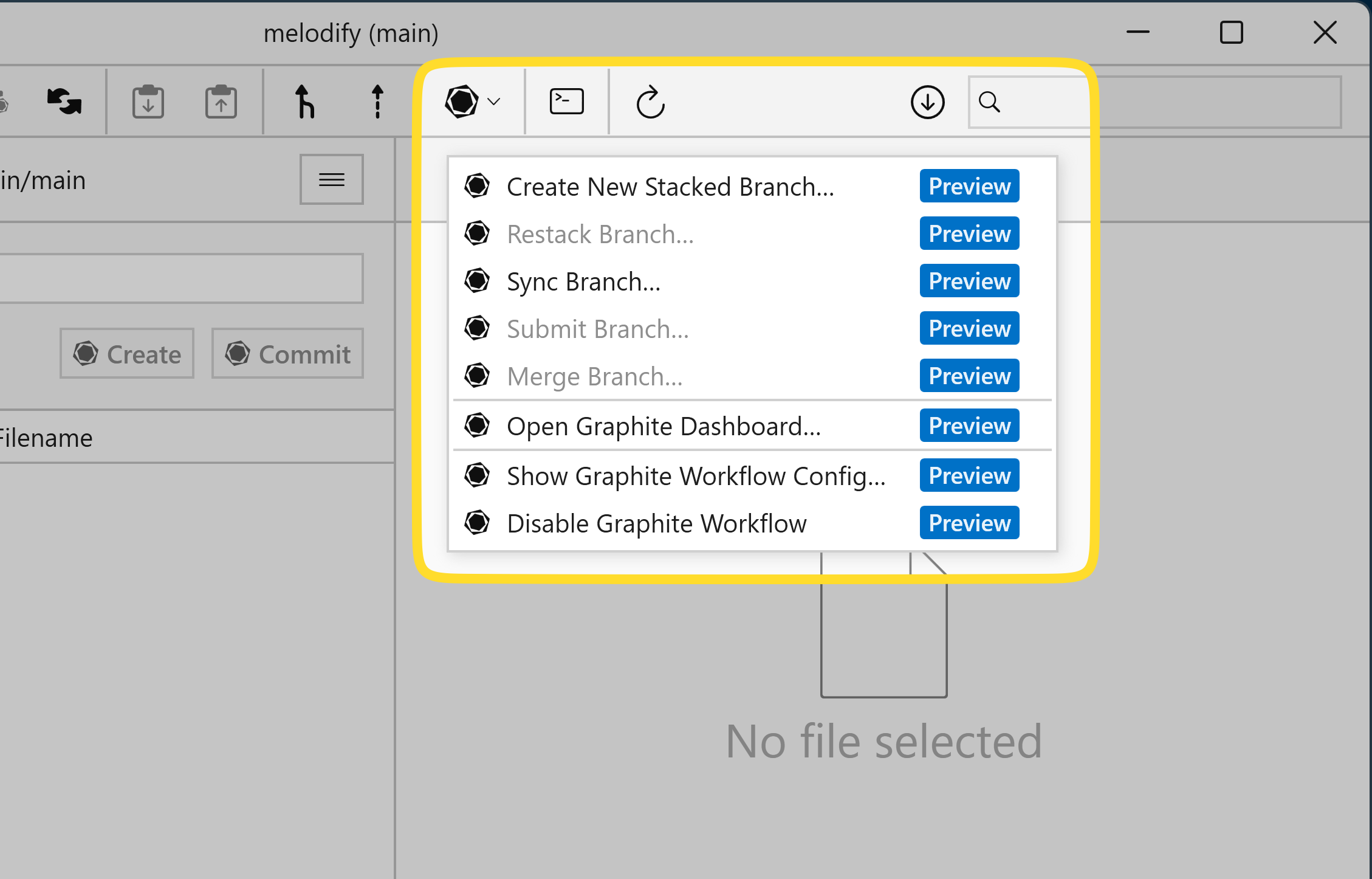
To enable the "Graphite" workflow, click the "Workflow" toolbar button and select the Graphite workflow. You will then be able to quickly access some of Graphite's most popular commands and open the Graphite dashboard in your browser.
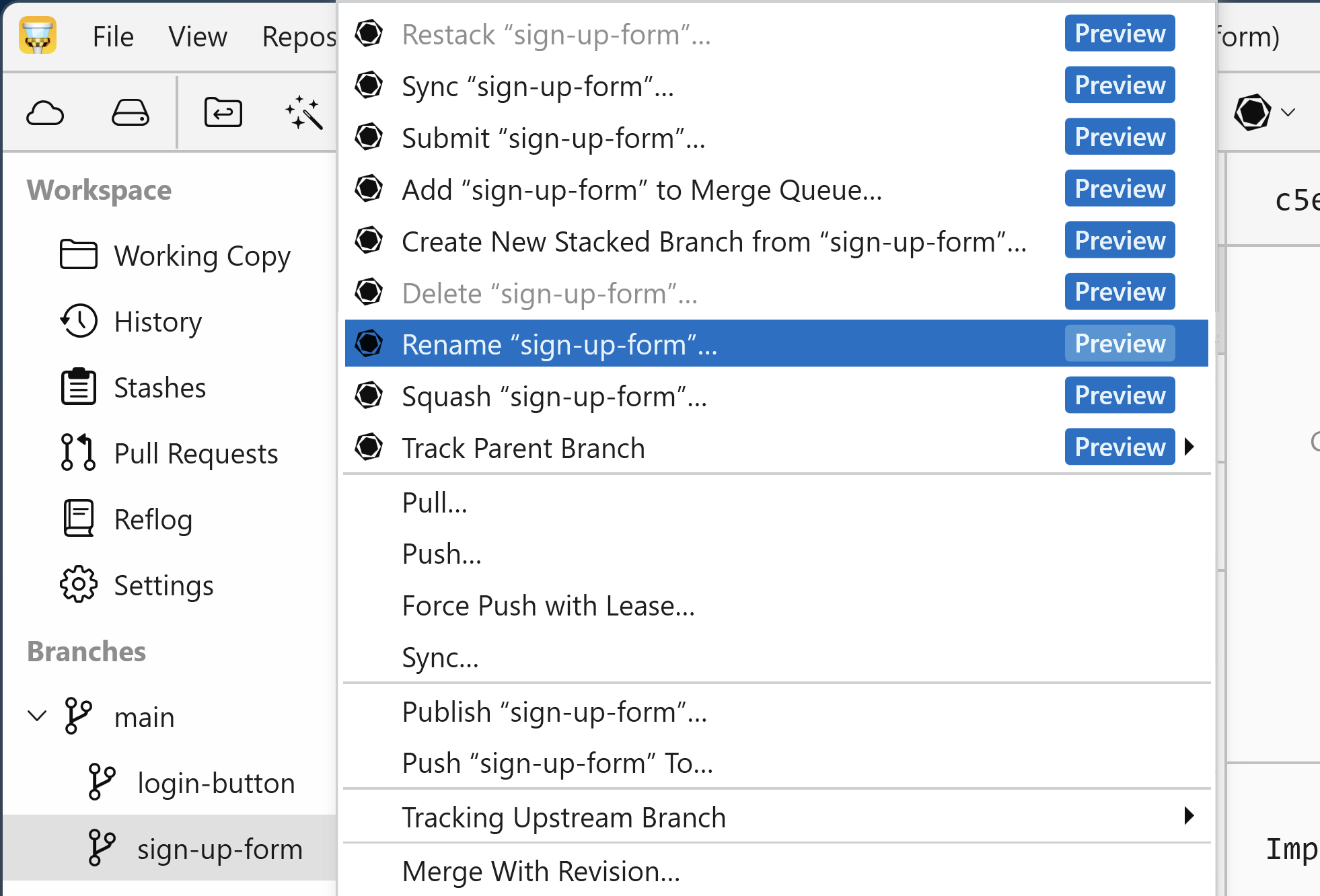
You can create a new stacked branch by right-clicking on any existing branch. You'll also find all the other essential Graphite operations right here in the context menu: renaming, merging, squashing, deleting… you name it!
Version 9
Tower 9.0 for Windows introduces full Git Worktree support, allowing you to easily create, check out, and manage Worktrees directly from the Git client.
This release also features a new compact top bar layout for a more streamlined appearance.
Version 9.1 features complete Gitea integration, enabling you to manage your repositories and pull requests, and Gitmoji support.
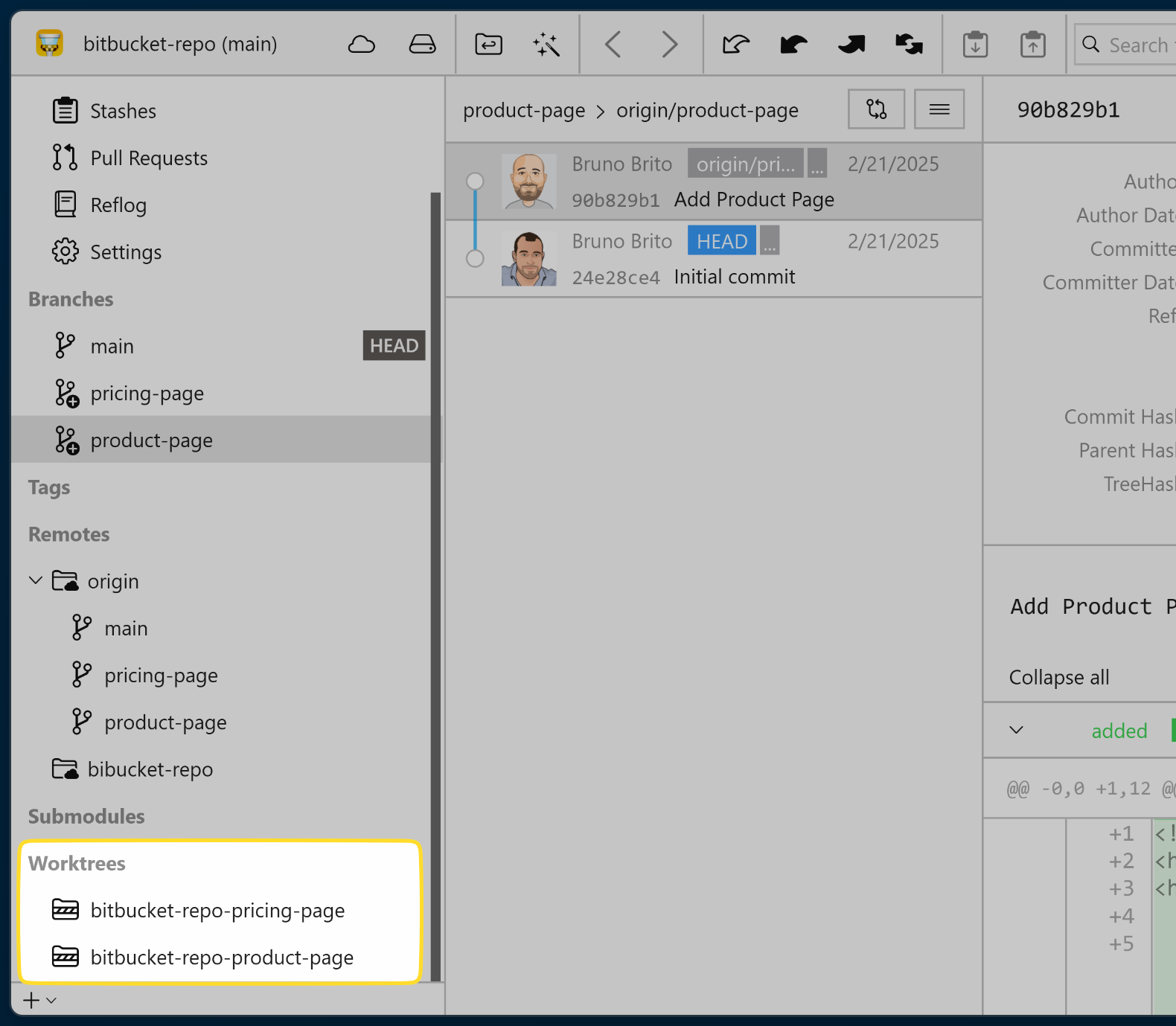
Worktrees allow you to simultaneously work on different branches without the usual conflicts and disruptions. Say goodbye to stashing and incomplete commits!
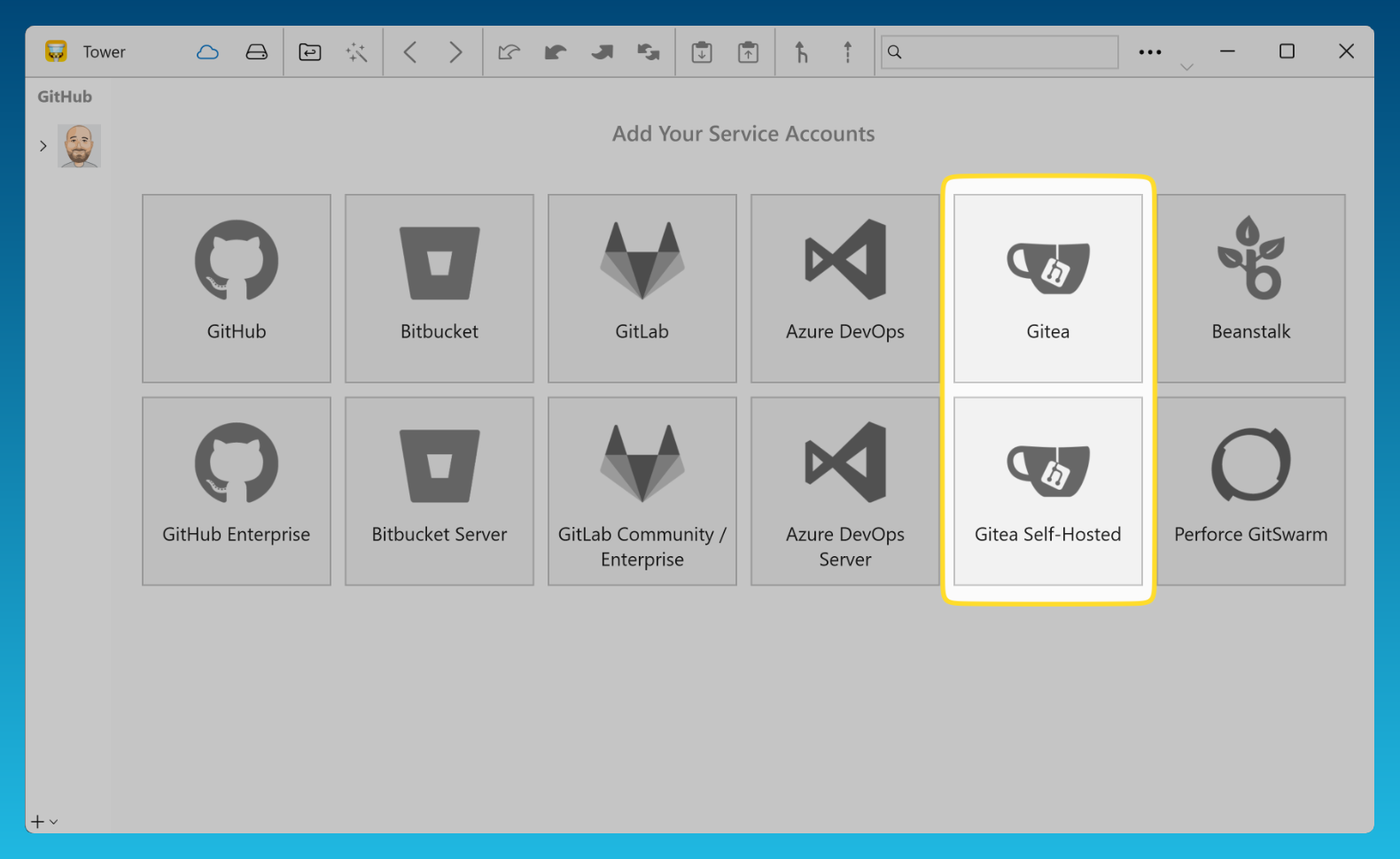
"Gitea" and "Gitea Self-Hosted" have been added to the "Services" view, allowing you to manage and clone your Gitea repositories and review Pull Requests directly from within Tower.
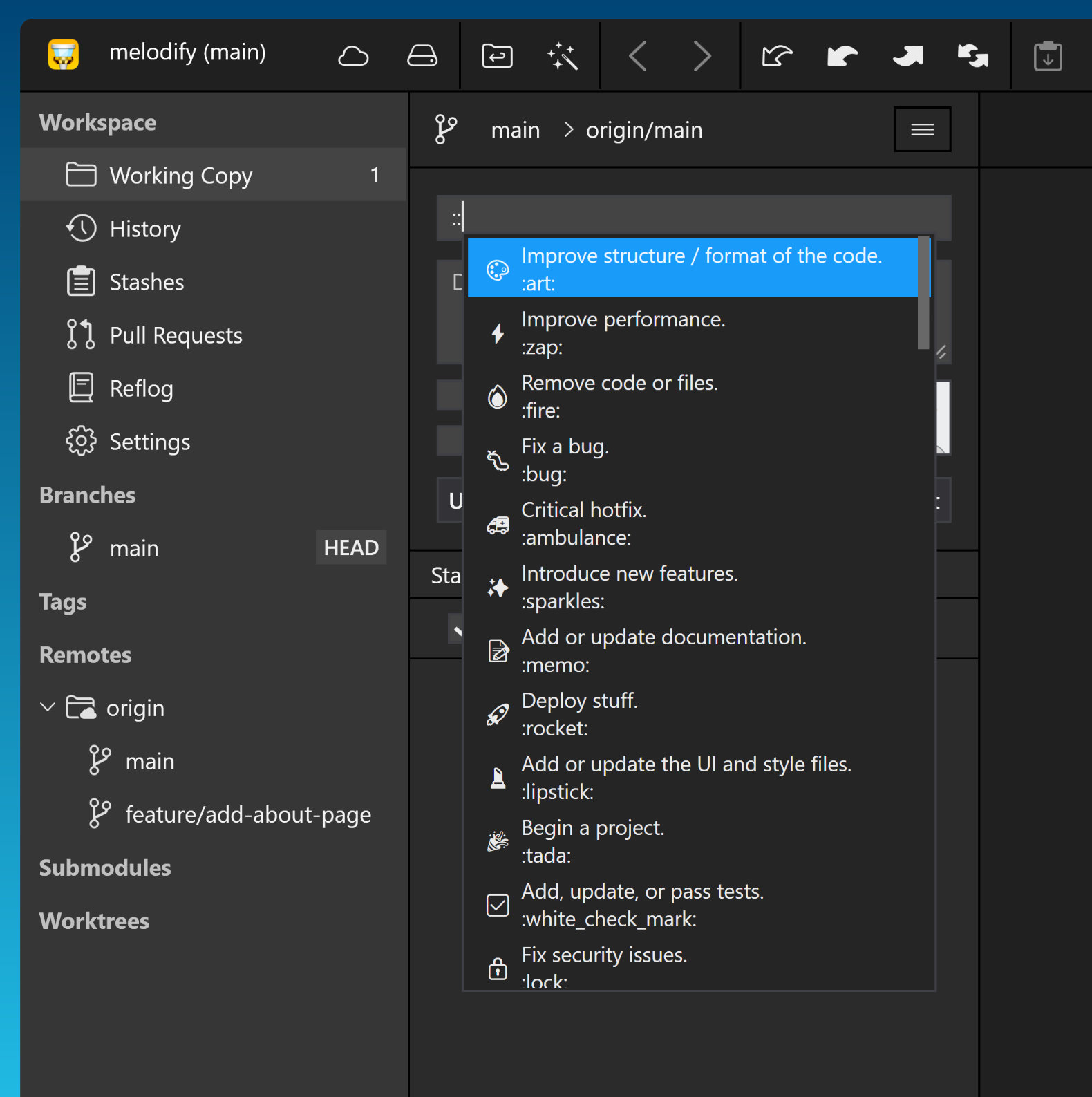
Include emojis in your commit messages by simply typing "::" in the "Commit Subject" field.
Version 8
Tower 8.0 for Windows introduces a new "Restack Branch" feature, a new "Sync" action, and several visual enhancements to the user interface.
Watch this 3-minute video to learn everything that is new in Tower 8 for Windows!
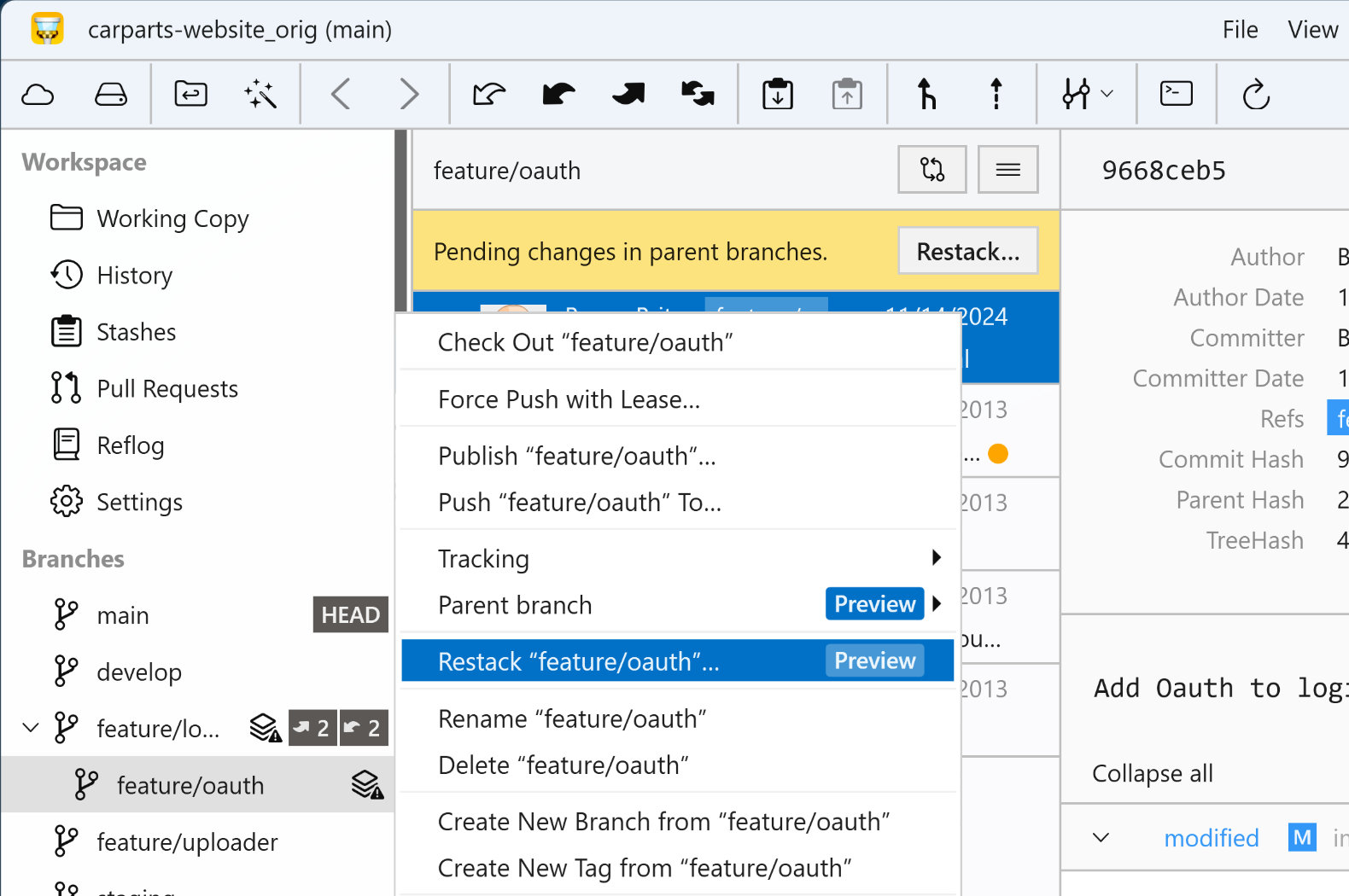
To get started with the "Stacked Branches" workflow, simply click on the corresponding option in the "Workflow" icon found in the toolbar.
When this workflow is enabled, each time the parent branch is updated, a new "restack" icon will appear next to every child branch in the sidebar. Simply right-click on the branch to access the context menu and select the appropriate action!
The yellow banner in the branch's history view will also notify you if the branch needs restacking.
The "Sync" button executes a "pull" operation, and if that is successful, it proceeds with a "push."
This feature is helpful for syncing a local branch with the latest changes from a remote repository and quickly pushing any local commits back to that remote repository.
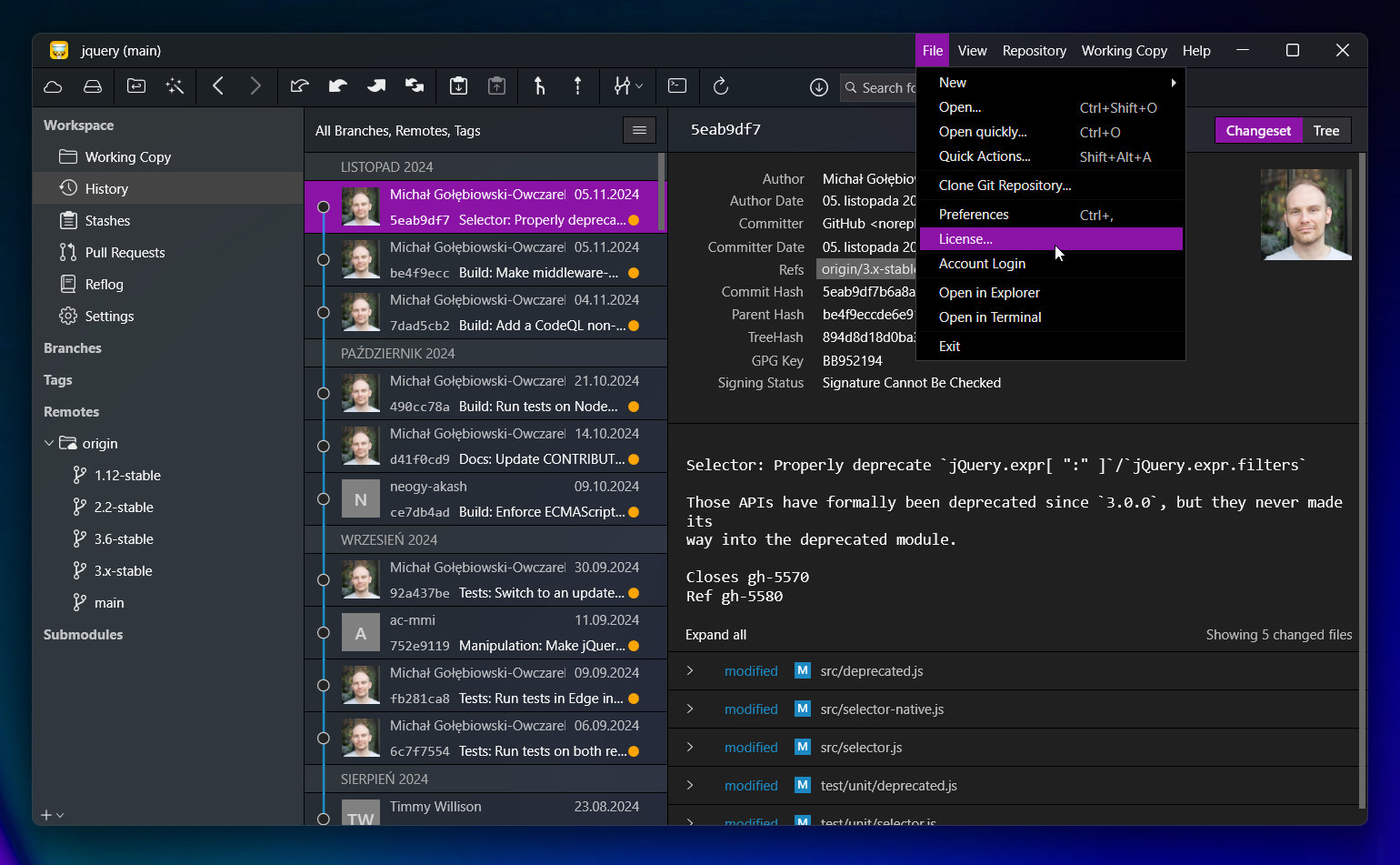
The accent color within the app is now aligned with Windows, and we've incorporated "Mica material" as a semi-transparent, gently blurred background. Additionally, we've moved the main menu of the top bar to the right and added support for window docking.
The names of the repository and branch are now also visible in the taskbar!
Version 7
Version 6
Click on the "Compare" icon to compare your current branch with a different local branch. Tower will display only the commits that have been made on the feature branch.
You can also check if a merge would cause conflicts and see if your branch is behind the base branch.
Version 5
Our latest update introduces an enhanced commit composition experience. Now, you can easily reference commits, files, and issues in your commit messages. Additionally, the editor is customizable, enabling you to define your preferred character limits and choose between soft or hard line wrappings.
Watch this 3-minute video to learn everything that is new in Tower 5 for Windows!
Simply type "/" in the subject or body field to reference files, commits, and issues.
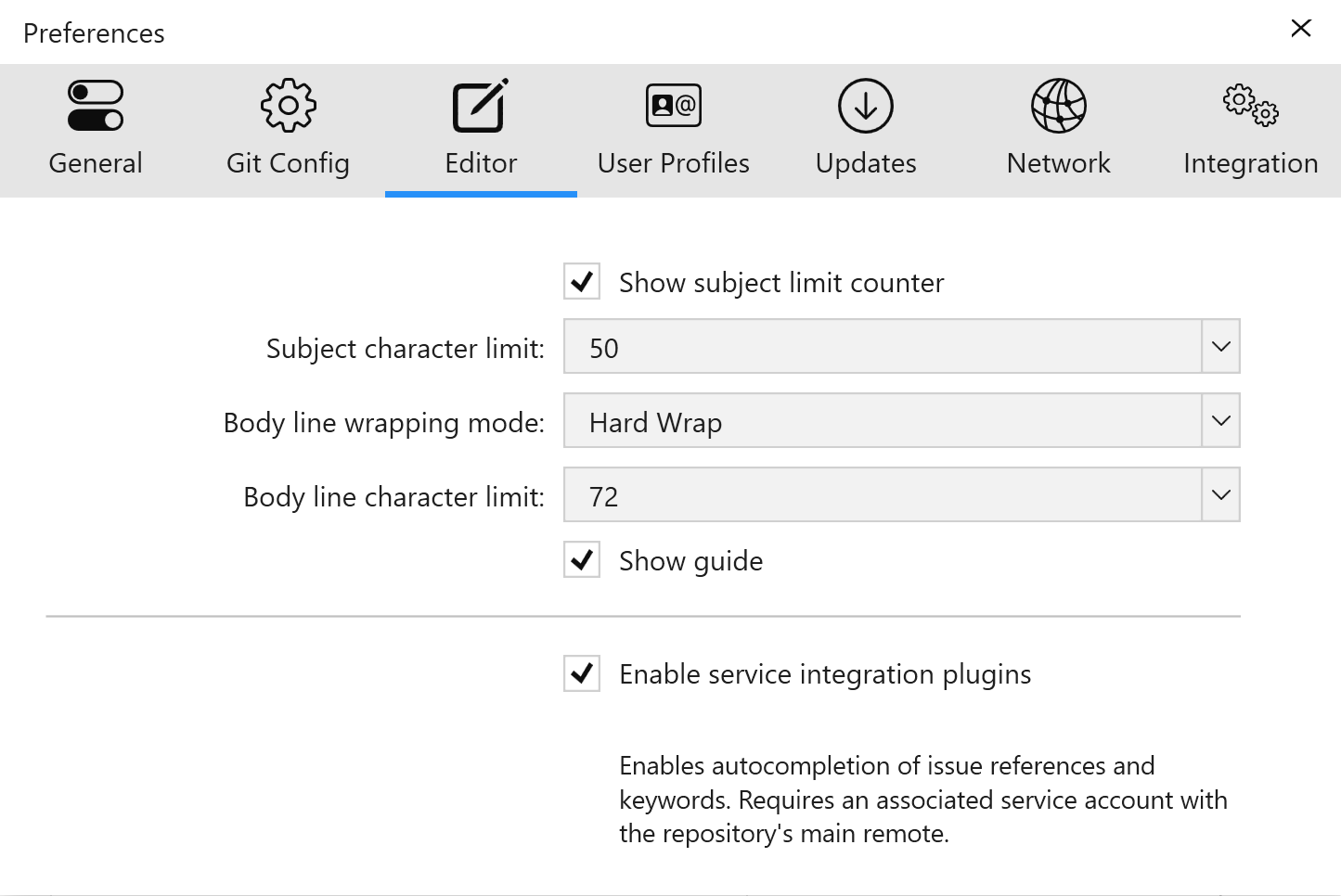
Your team's commit conventions can now be easily followed by adding a character limit and choosing between soft or hard wrapping modes.
Version 4
Actions include deleting branches and files, staging and discarding changes, rebasing & merging branches, and even publishing a branch on a remote. Correcting mistakes has never been easier!
Version 3
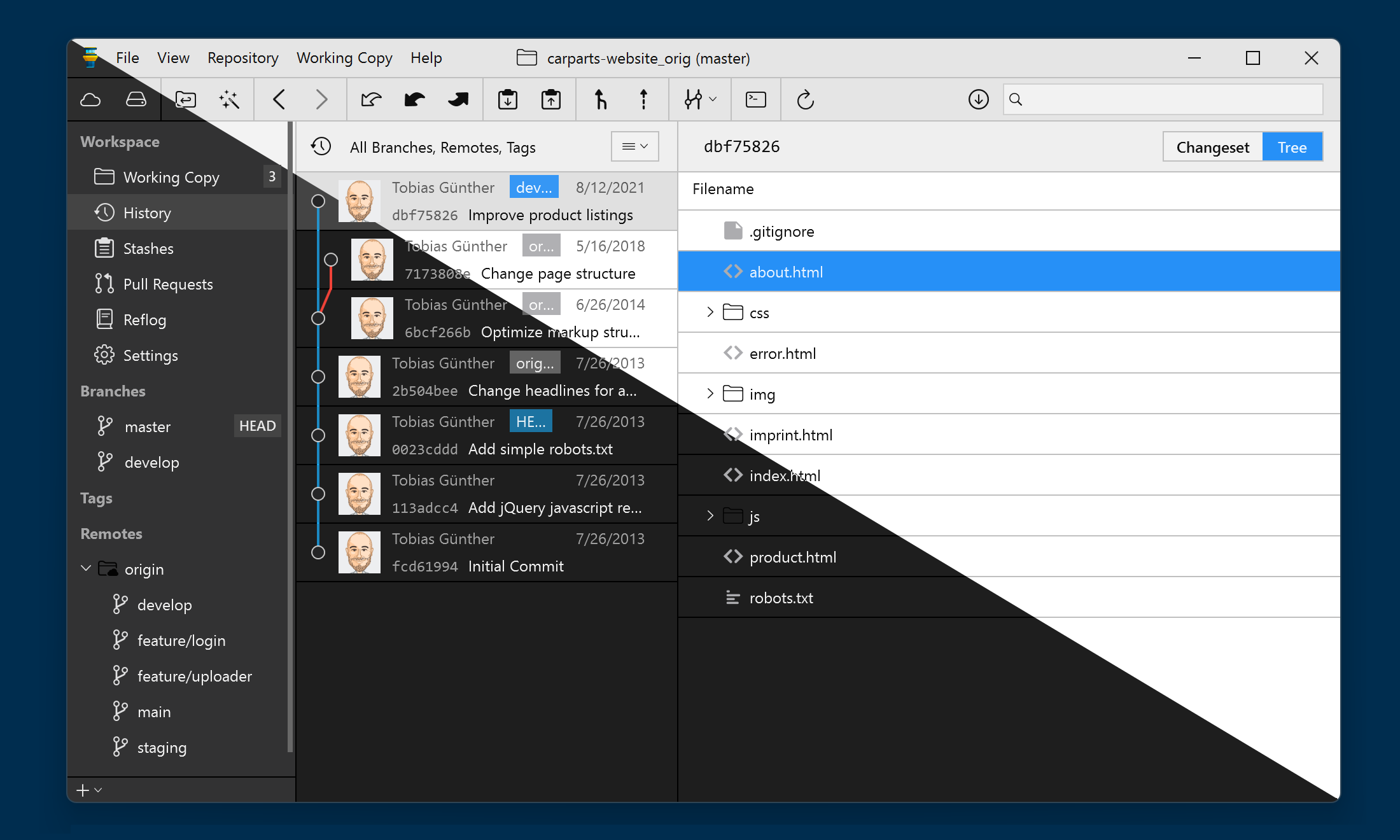
Version 3 comes with a fresh, new look and a beautiful dark mode.
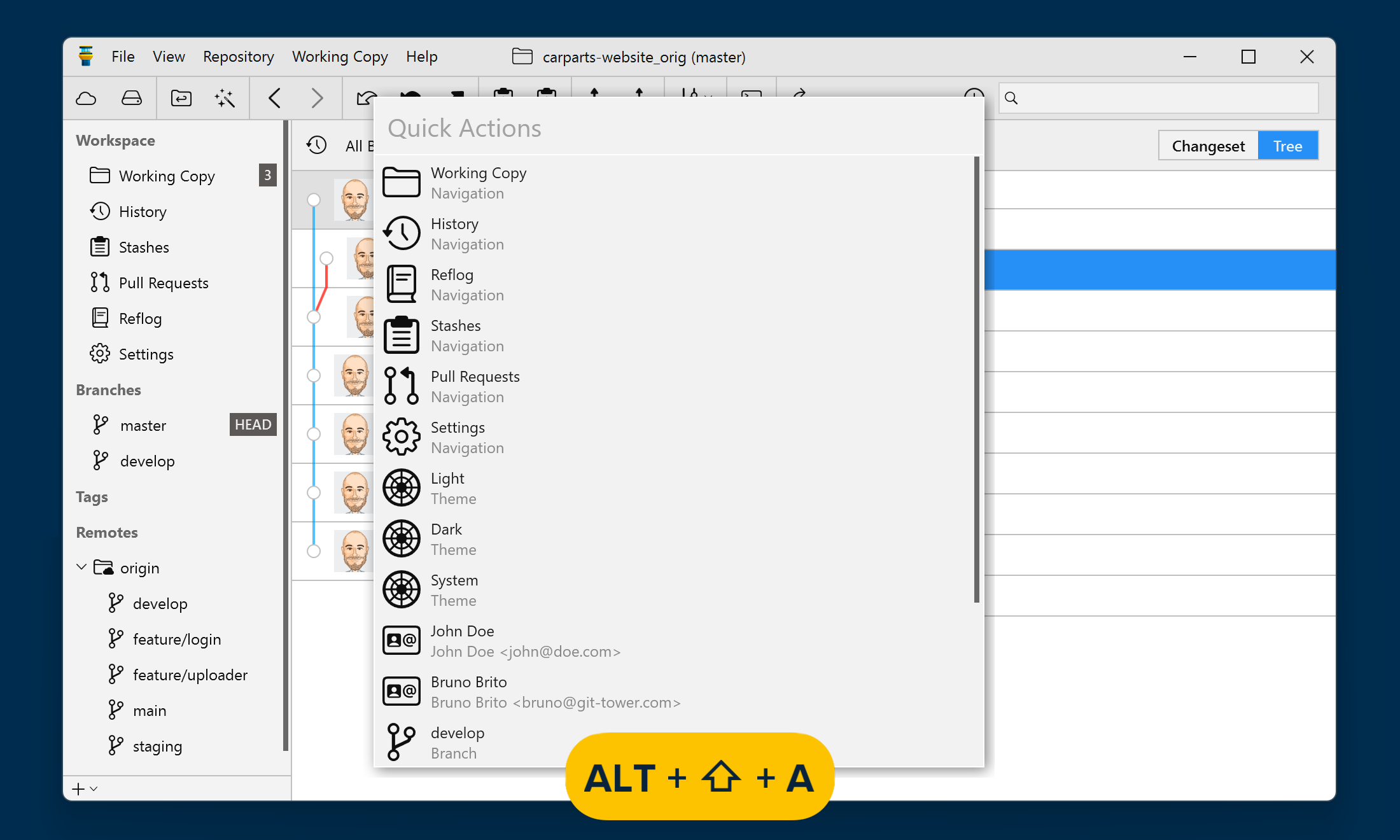
One of Tower’s most popular features is now available on Windows. Quick Actions gives you superpowers: it’s easily accessible with a simple keyboard shortcut (Alt + Shift + A) and gives you instant access to a wide range of actions.
You can filter all the relevant commits by commit message, author, and committer. You can also search for a file name to see all the commits that affected that specific file.
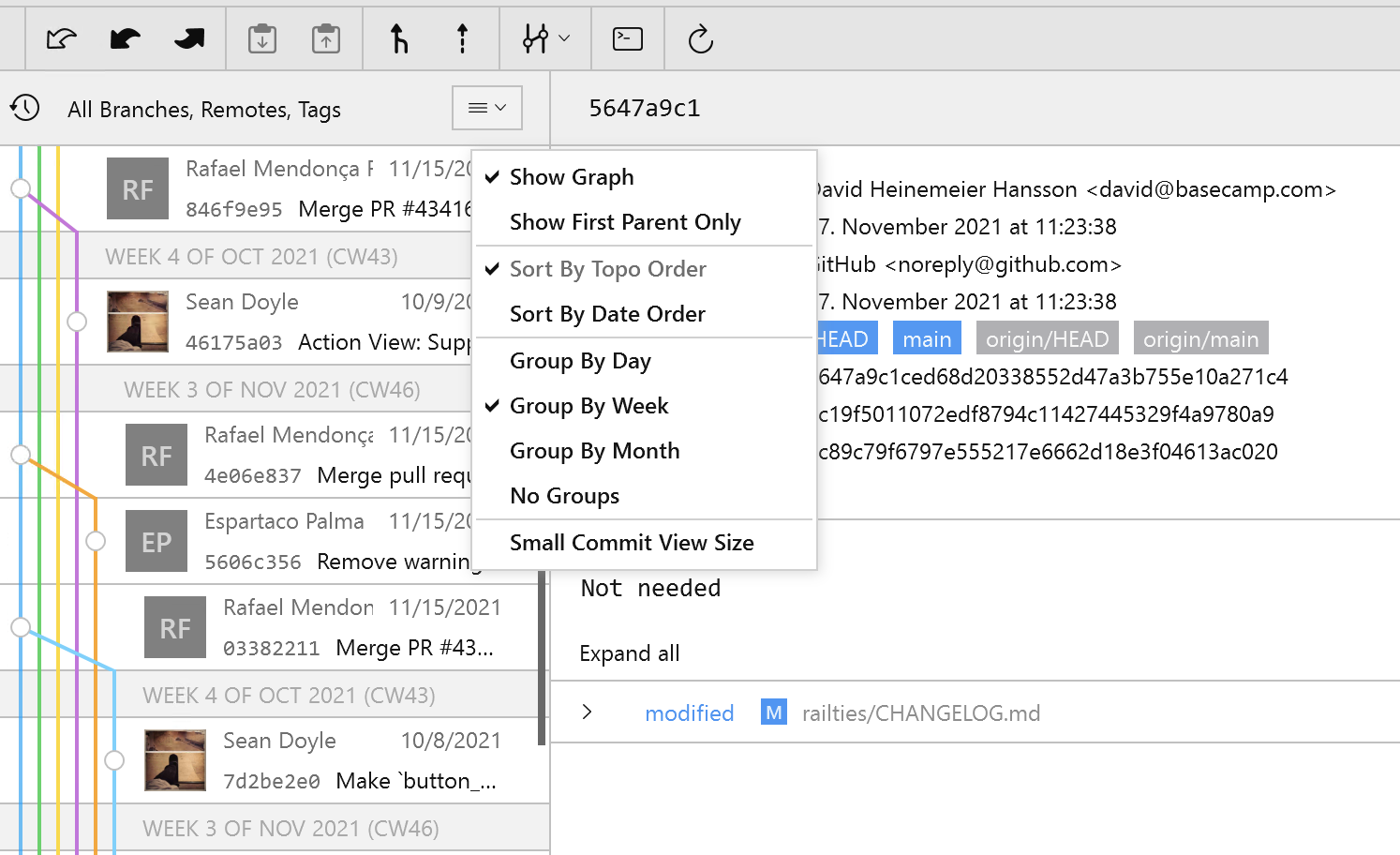
You can now group your repository's commit history by day, week, or month, to easily find the commit(s) you are looking for.

We've added the possibility to navigate back and forth between the different views available in the Workspace.
Faster, snappier, smoother - version 3 ships with significant performance improvements across the board.
Version 18
Tower 18 for Mac supercharges the Tower Command Line Tool: jump from your terminal straight to History, Blame, the Working Copy, Branches Review, and more — with a single command!
The command line tool now also stays up to date automatically with every Tower update, and our new Agent Skill lets you simply ask your AI agent to "show me this in Tower".
gittower is no longer just a way to open a repository. Open History for a branch, tag, or file, or paste a commit hash and Tower will open History with that commit already selected. Blame, Stashes, Pull Requests, and a pre-filtered Branches Review are just one command away, too.
Your AI agent has just finished its work? Type gittower working-copy (or gittower status) to review the changes in a proper diff view before anything gets committed.
gittower branch reads and writes Tower's branch information directly from the terminal. Record a branch's parent and Tower will show its Fork Point in the History view, so the commits your agent added are easy to spot. You can also read and set a branch's stacking status.
Version 17
Tower 17 for Mac makes "Fully Merged" detection dramatically smarter. Cleaning up your branches has never been this safe and easy!
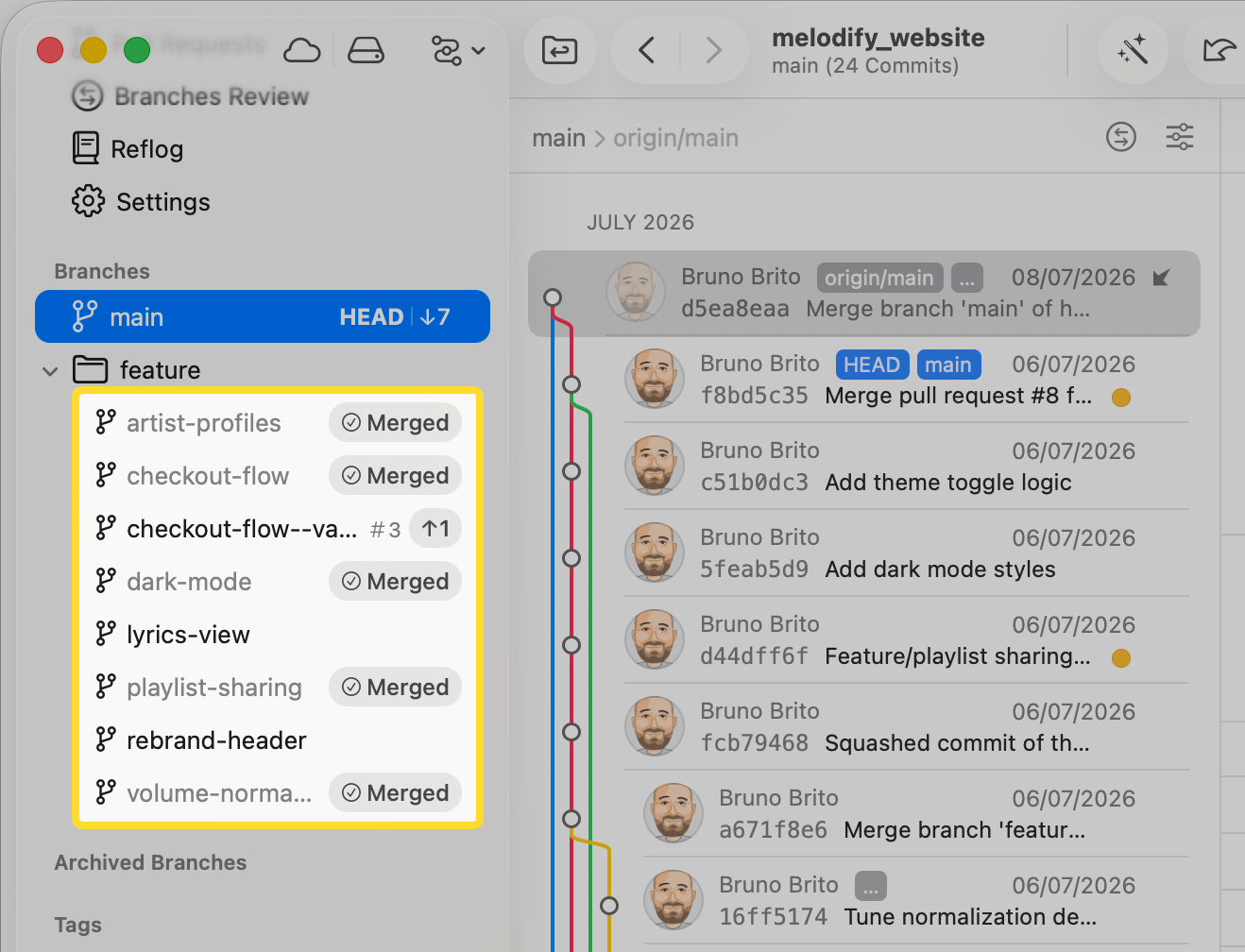
Tower now matches your local branches against merged pull requests from your hosting service, such as GitHub or GitLab. If a Pull Request based on your branch was merged, Tower will know — and the branch will proudly receive its "Fully Merged" badge, even after squash or rebase merges.
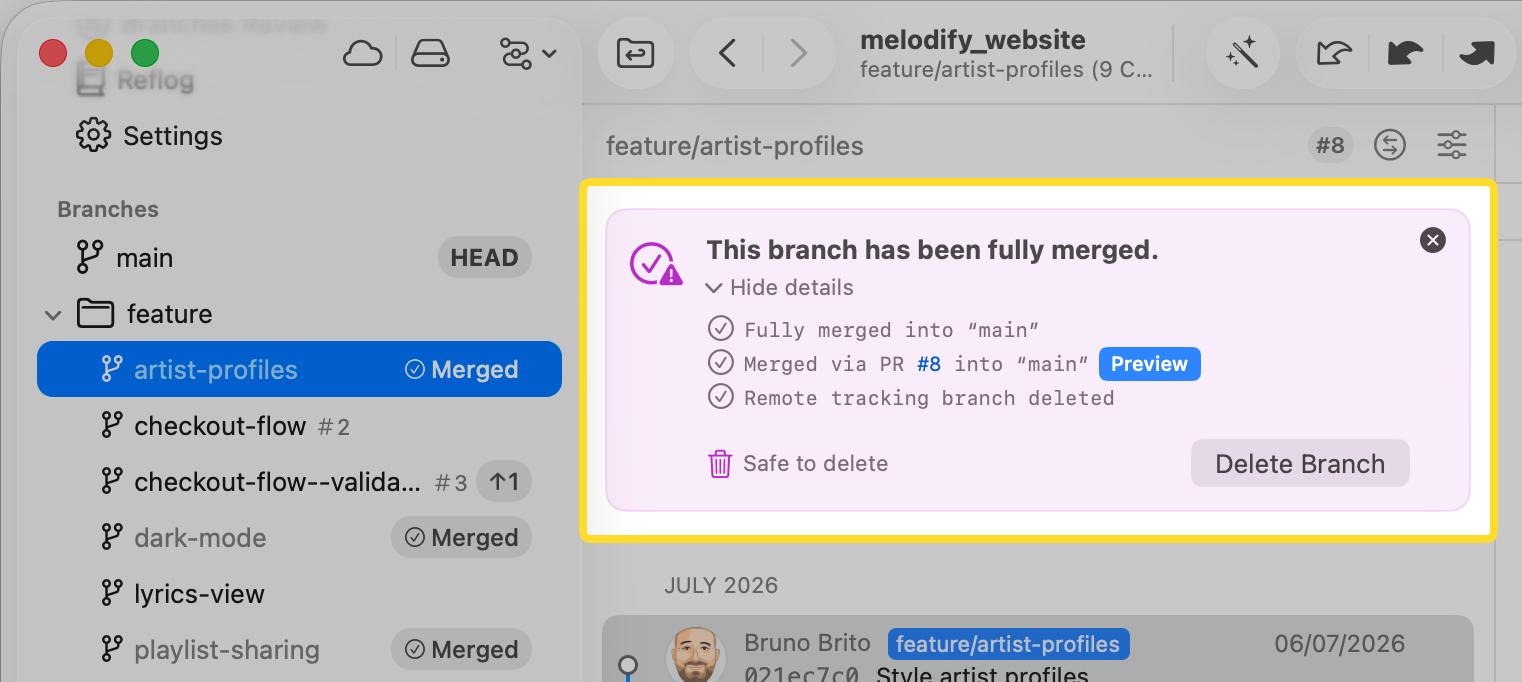
Tower now runs a series of independent checks to determine if a branch is fully merged. The redesigned "Fully Merged" hint view shows you exactly which checks matched — and includes direct links to the merge commit or the merged pull request, so you can verify everything with a single click before hitting delete.
Version 16
Tower 16 for Mac introduces AI Commits, allowing you to generate commit messages and descriptions with the help of AI.
Watch this 3-minute video to learn all about this release!
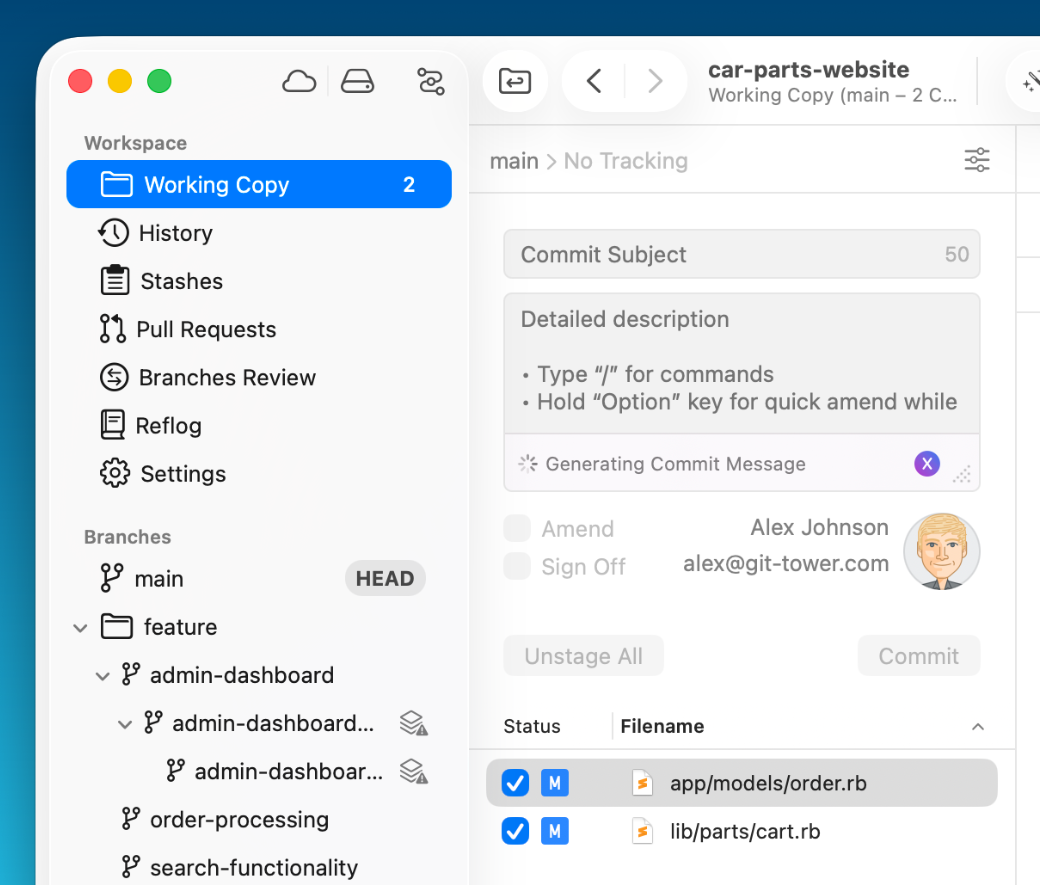
Simply stage your changes, click the new "✨ Generate" button in the Working Copy view, and Tower will craft a commit message for you in seconds.
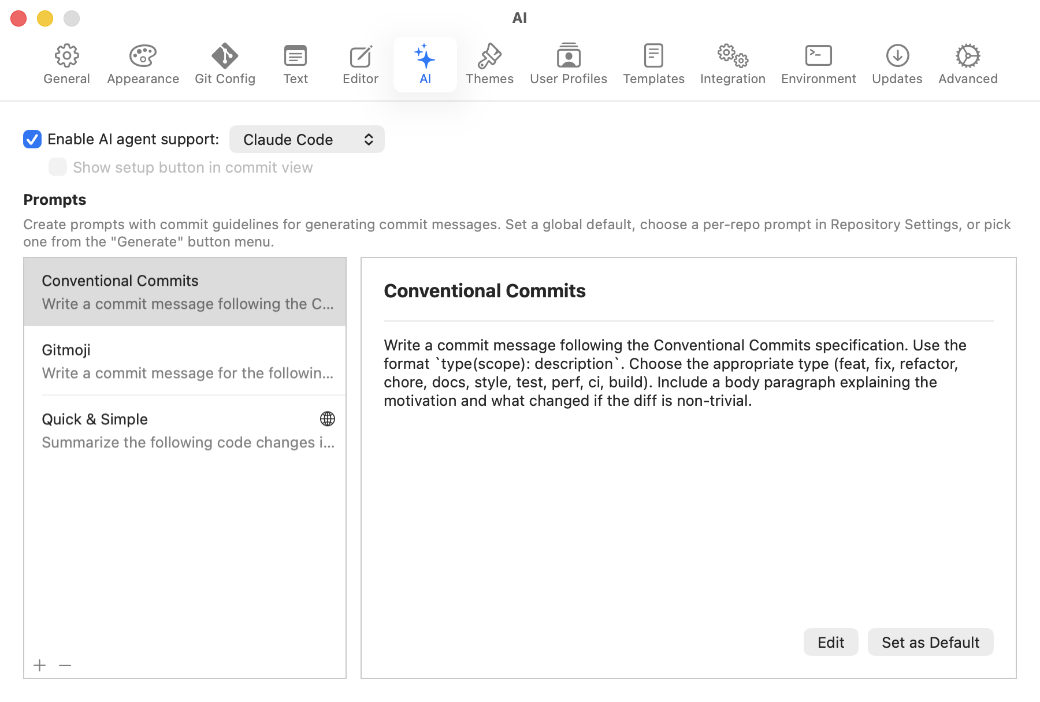
A preset prompt dropdown allows you to switch between styles on the fly, and you can create custom prompts to align with your team's conventions. You can configure everything in the new "AI" tab in Settings, including the choice between Claude Code and Codex as your AI provider.
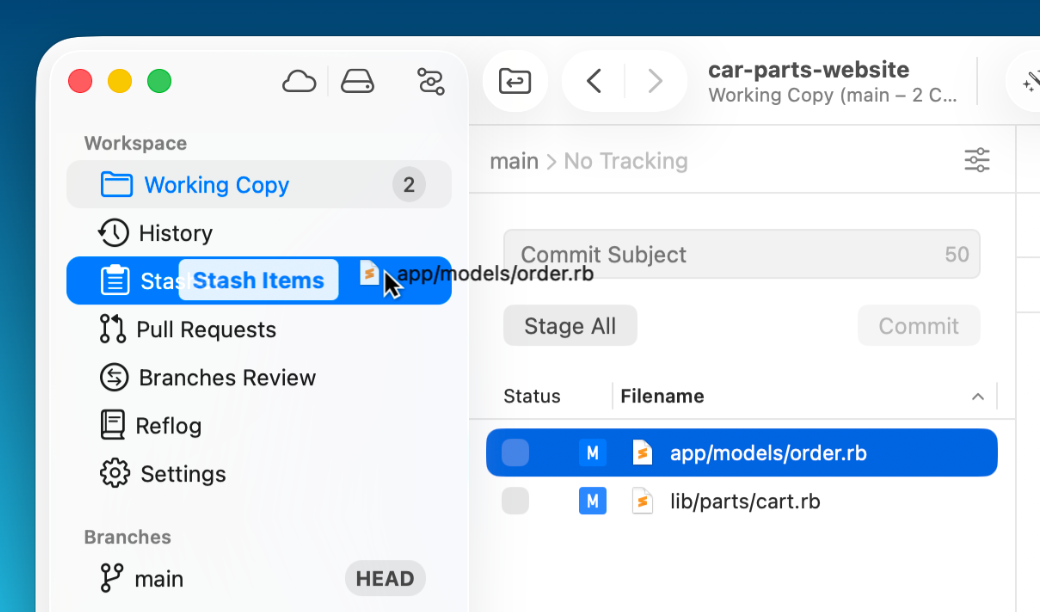
You can now drag individual files from the Working Copy onto Stashes to create a partial stash — including untracked files.
Version 15
This release introduces Automatic Branch Management, making it easy to archive or clean up fully merged or stale branches, ensuring that your repository remains tidy and uncluttered.
We've also added a new "Fork Point" feature, allowing you to easily see which commits were introduced by a branch relative to its parent branch.
Tower 15 for Mac is also fully compatible with macOS 26 Tahoe. Watch this 3-minute video to learn all about this release!
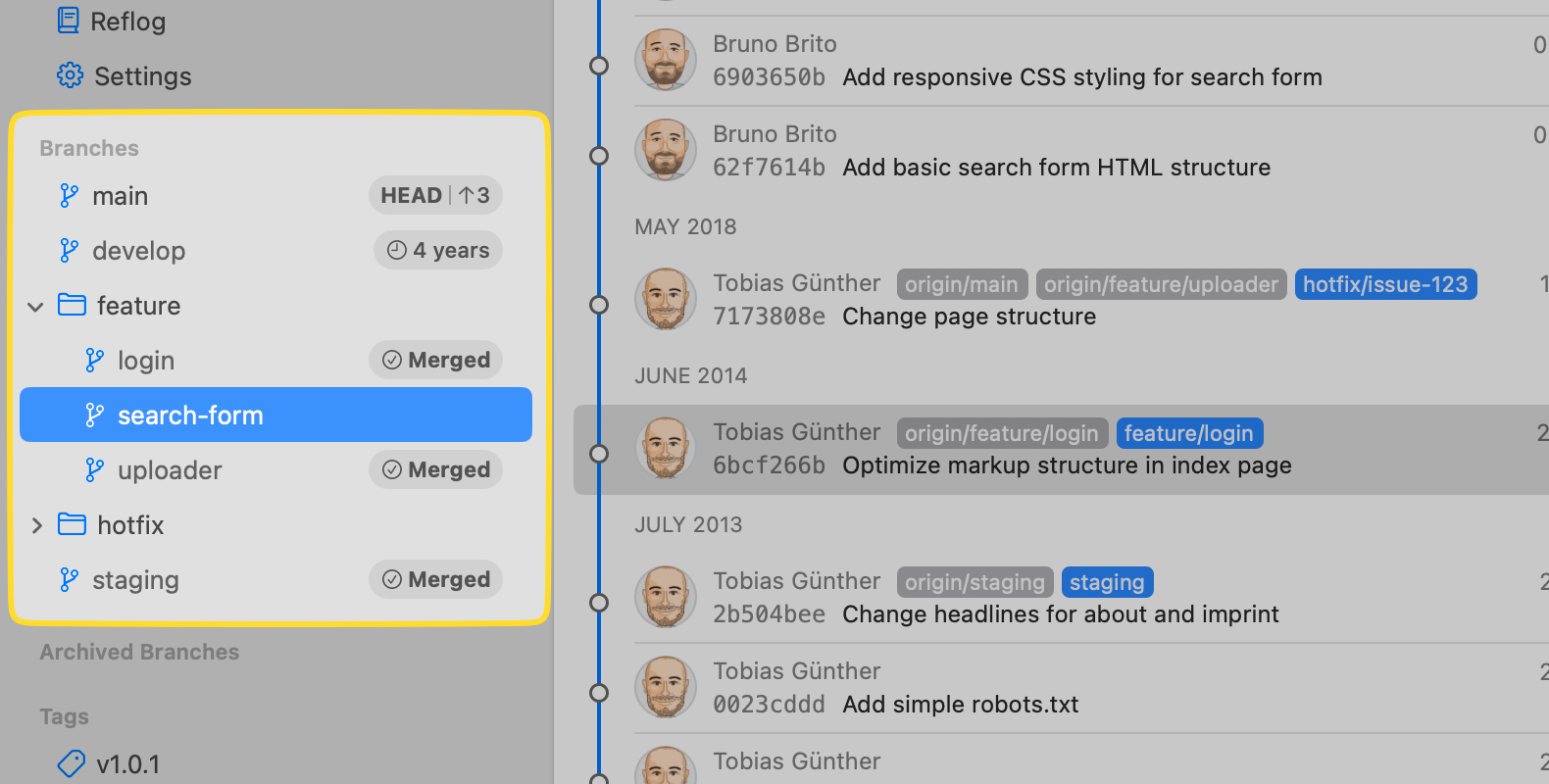
You will see new badges next to branches indicating if they are Fully Merged (meaning all their commits have been integrated into a primary branch) or the time they were last updated when they became Stale (meaning they haven't seen any activity for a while).
Click on the notification number in the footer to access the new Automatic Branch Management dialog.
This feature allows you to select and archive multiple branches, which will then be moved to the new "Archived Branches" section in the sidebar.
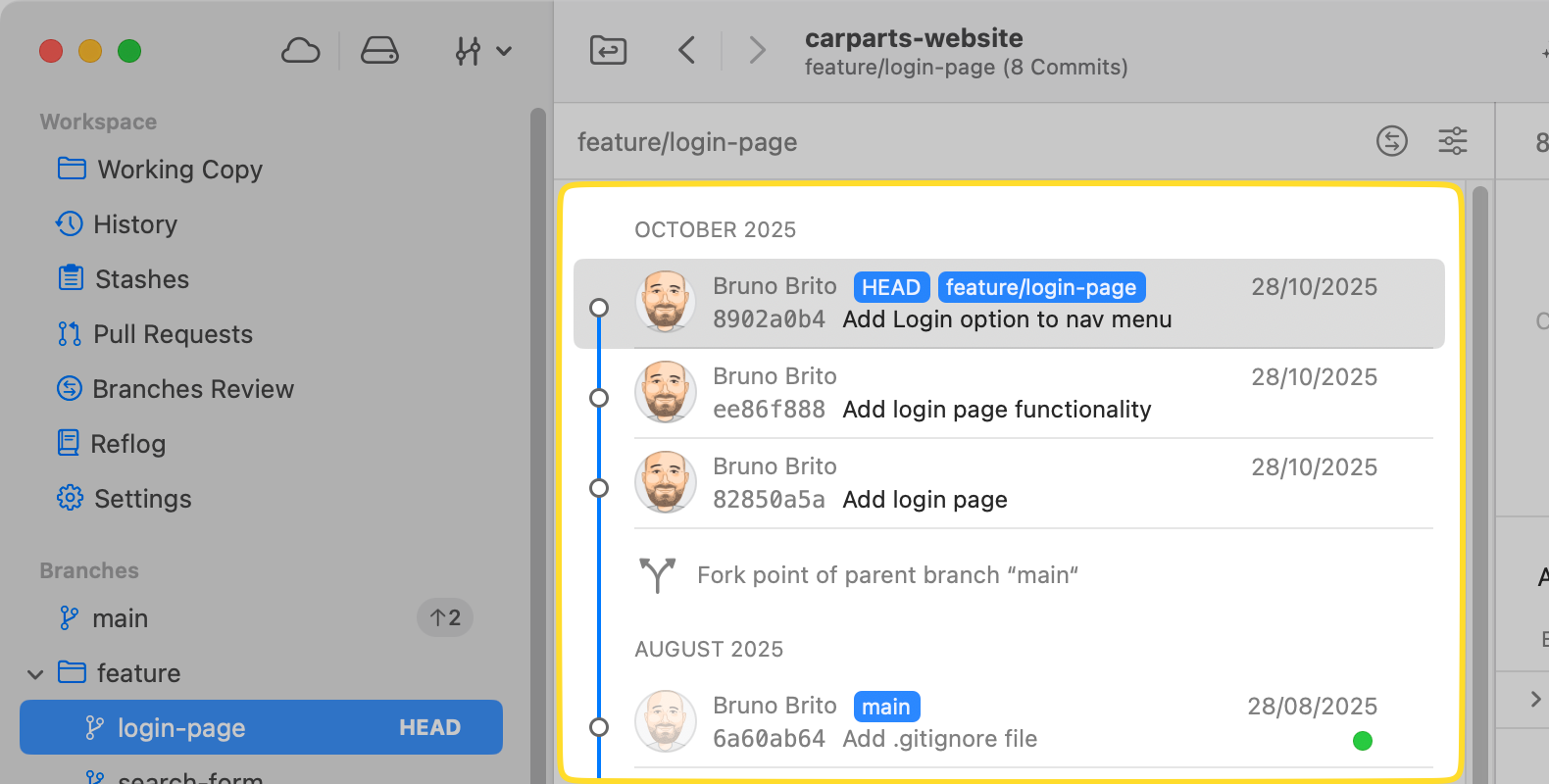
The "History" view now clearly shows the Fork Point, which is the exact commit where a branch diverged from its parent. Commits prior to this divergence will be shown grayed out.
This improvement makes it much clearer to see exactly which commits were added by the branch you are currently examining.
Version 14
Tower 14 allows you to create custom Git workflows, enabling you to establish and enforce the exact workflow that meets your project's needs.
Watch this 5-minute video to learn all about this release!
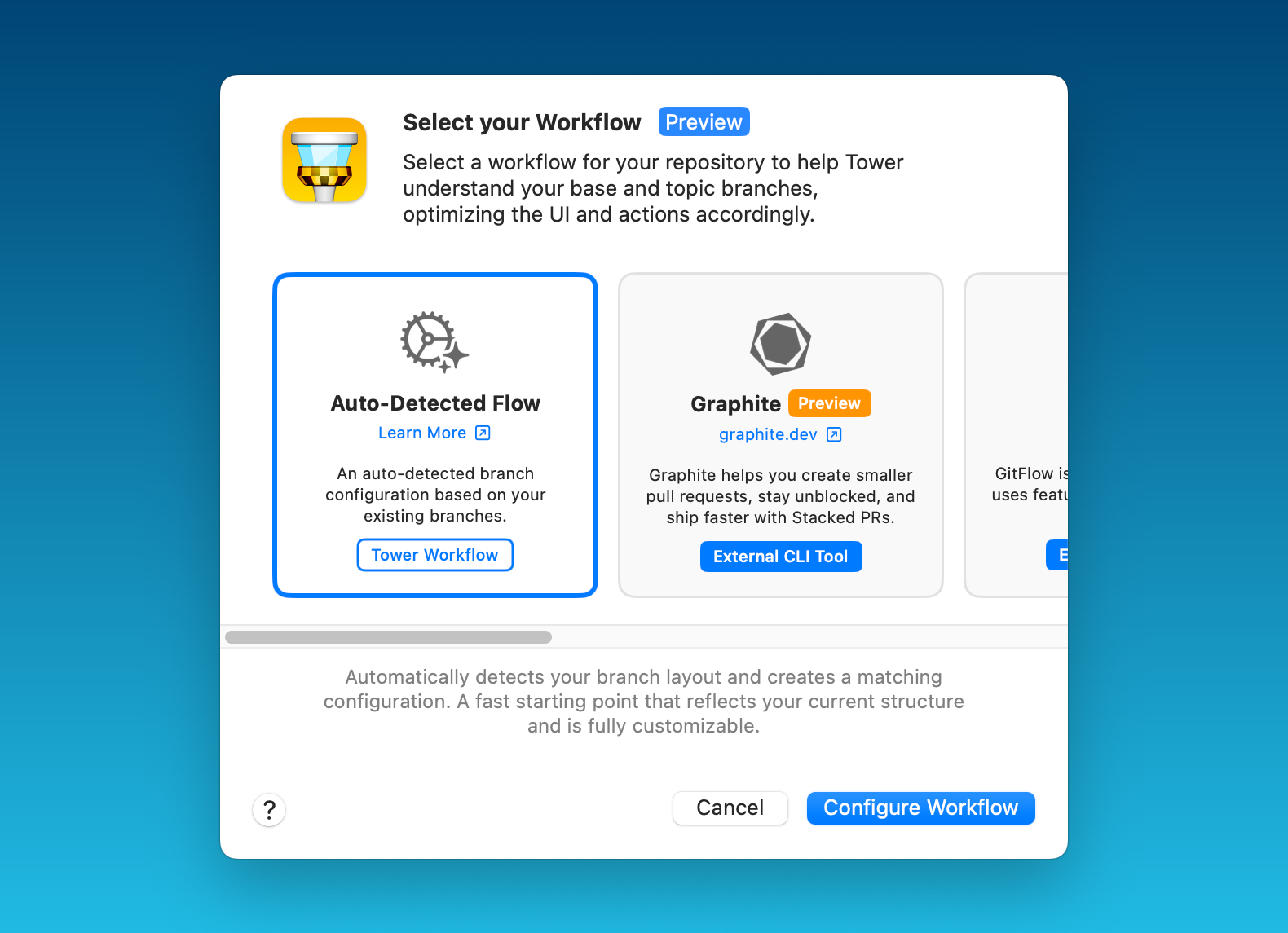
Choose from predefined options such as git-flow or GitHub/GitLab Flow, other workflows like Graphite or GitFlow CLI, or create any custom Git workflow entirely from scratch.
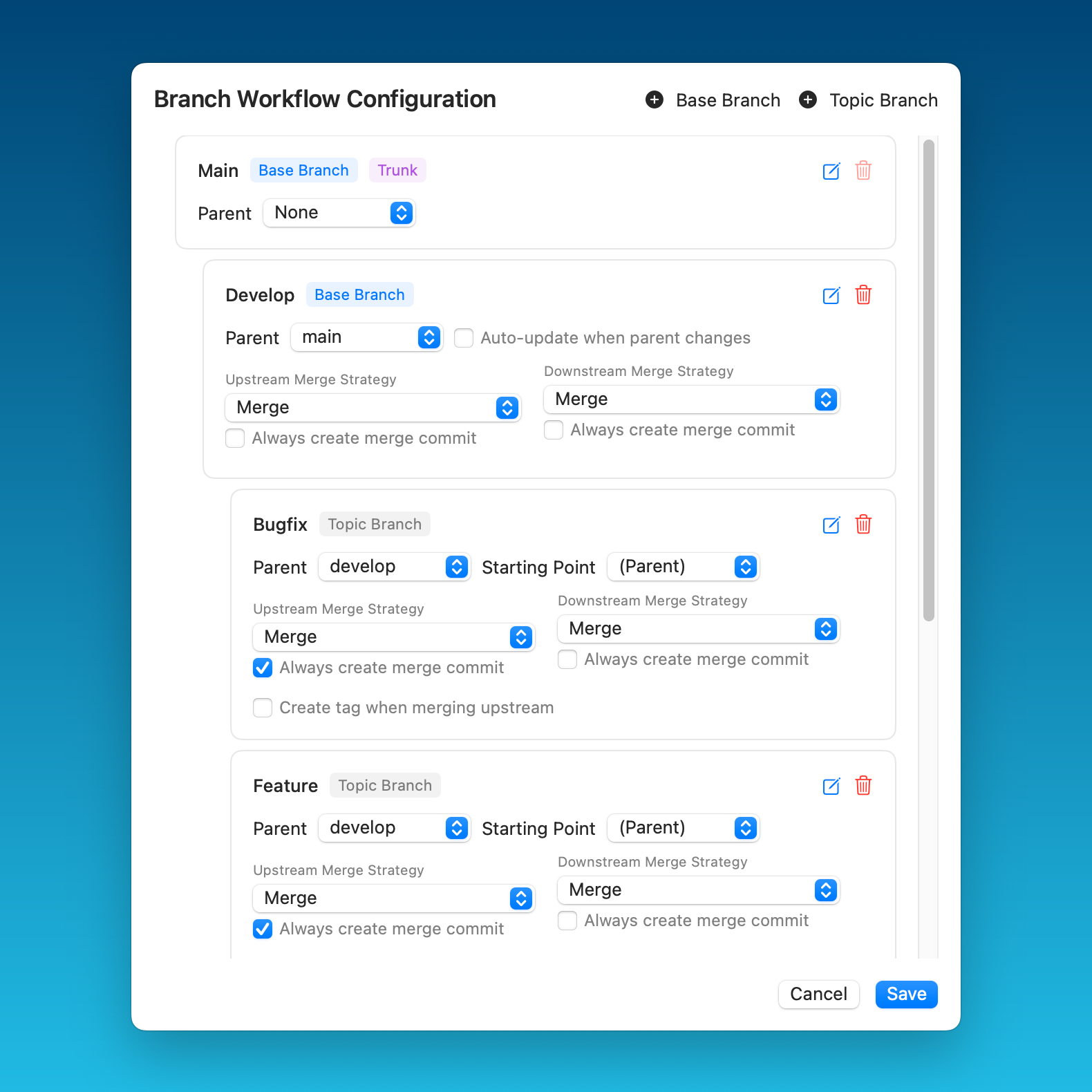
You can define trunk, base, and topic branches, as well as set upstream/downstream merge strategies and various other options.
Version 13
Tower 13 is all about Graphite support!
This update introduces seamless Graphite integration for all the most popular actions, allowing you to manage your stacked branches and create Pull Requests without leaving Tower.
Watch this 5-minute video to discover everything you can do!
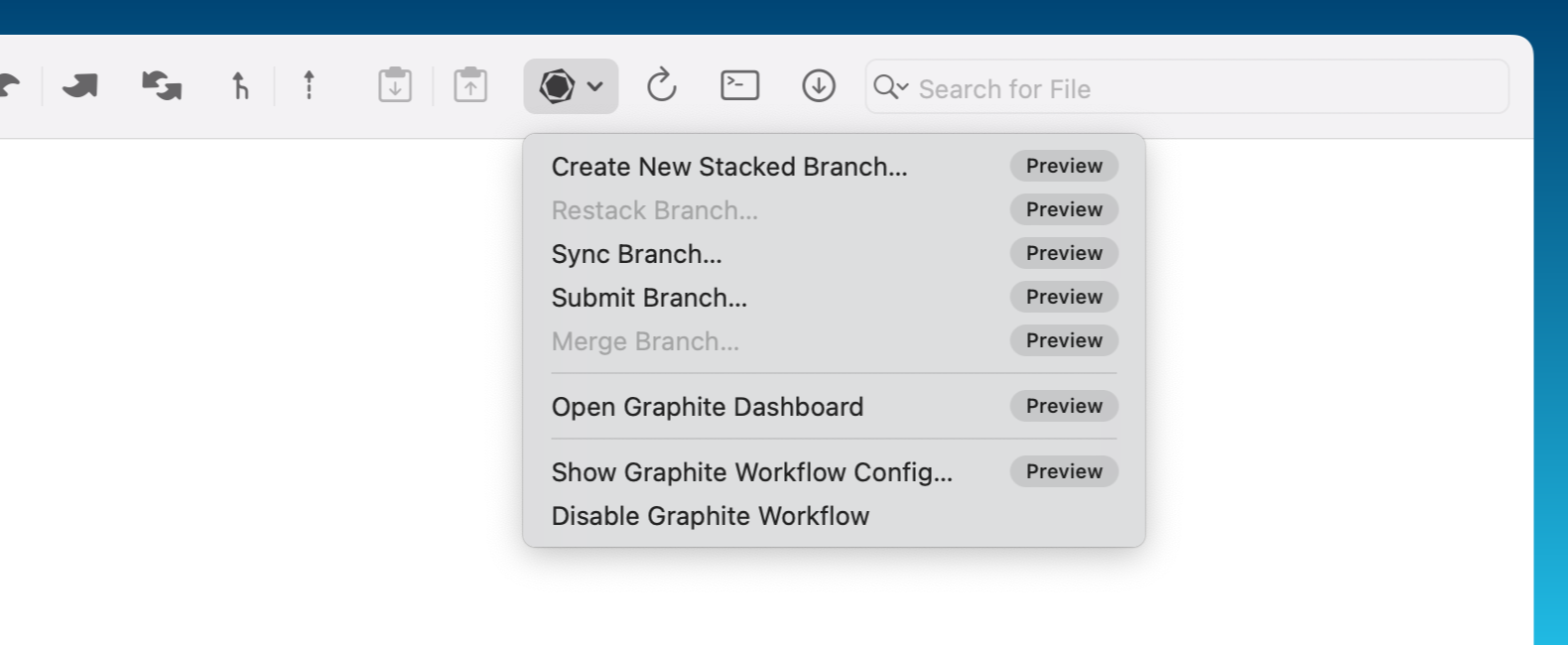
To enable the "Graphite" workflow, click the "Workflow" toolbar button and select the Graphite workflow. You will then be able to quickly access some of Graphite's most popular commands and open the Graphite dashboard in your browser.
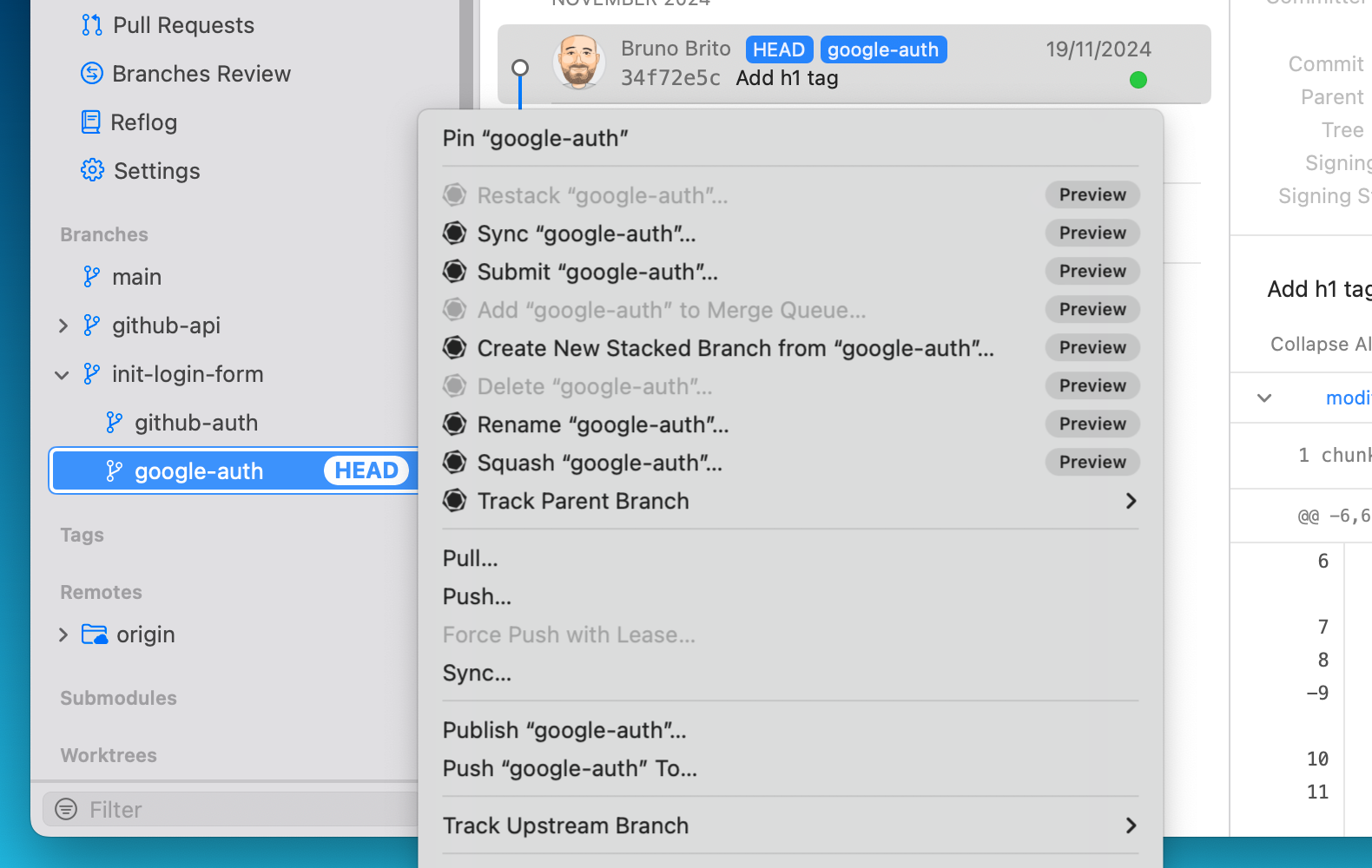
You can create a new stacked branch by right-clicking on any existing branch. You'll also find all the other essential Graphite operations right here in the context menu: renaming, merging, squashing, deleting… you name it!
Version 12
Tower 12 marks the beginning of our ambitious Tower Workflows project by introducing Branch Dependency functionalities and the new Restack feature!
By incorporating Branch Dependencies, Tower can now easily track all the parent branches of a branch and provide the ability to restack the branch, along with all its parent branches, back to the "trunk" branch. This eliminates the cumbersome process of manually rebasing multiple branches.
Watch this 5-minute video to learn what's new!

To enable the "Stacked Branches" workflow, click the "Workflow" toolbar button and select your trunk branch (typically "main").
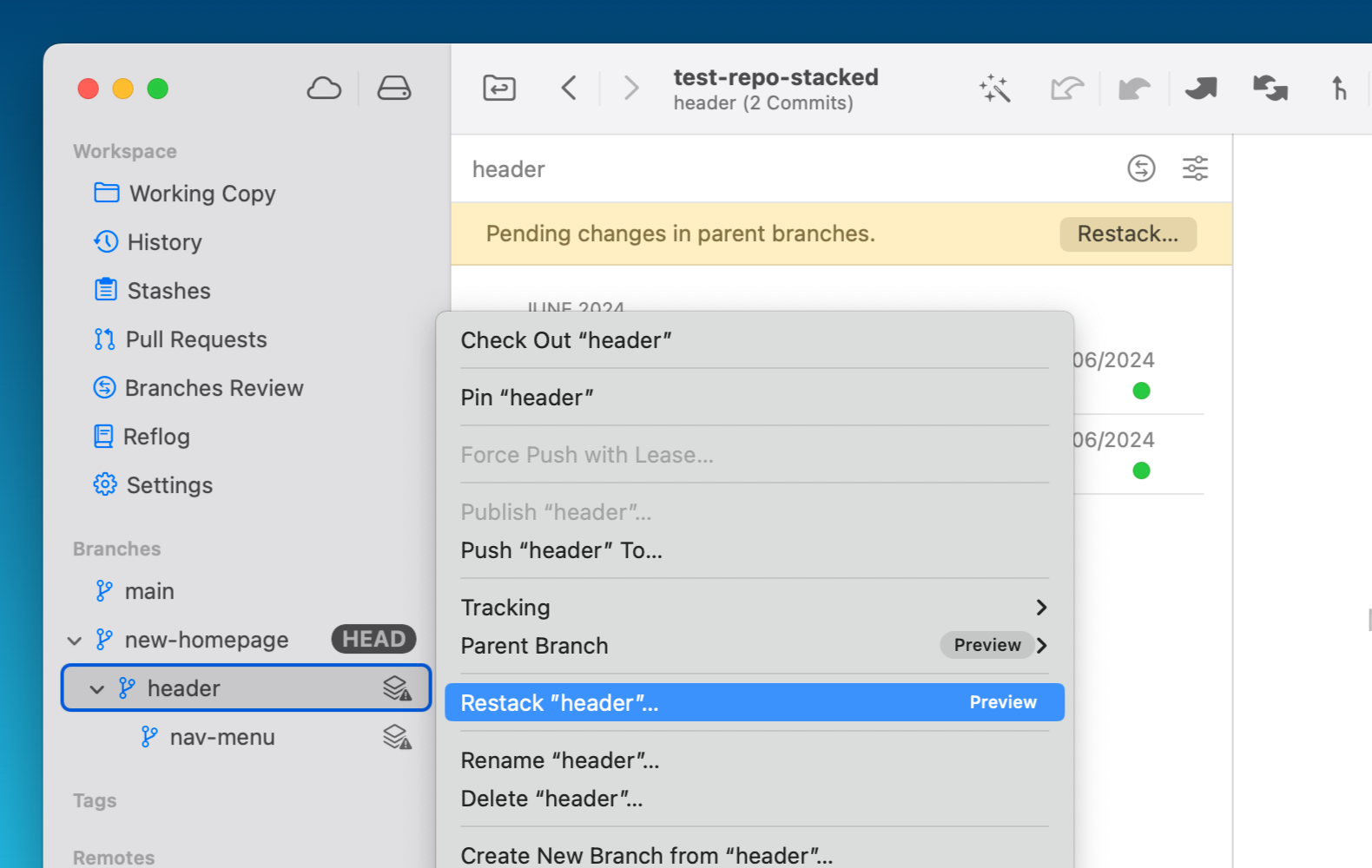
Whenever the parent branch has an update, you will notice a new "restack" icon appearing next to each child branch in the sidebar. Tower will also display a yellow banner in the branch's history view to indicate that you should restack that branch.
Version 11
You can now use Commit Templates when writing a commit message! To manage your templates, go to the new "Templates" tab in the Settings.
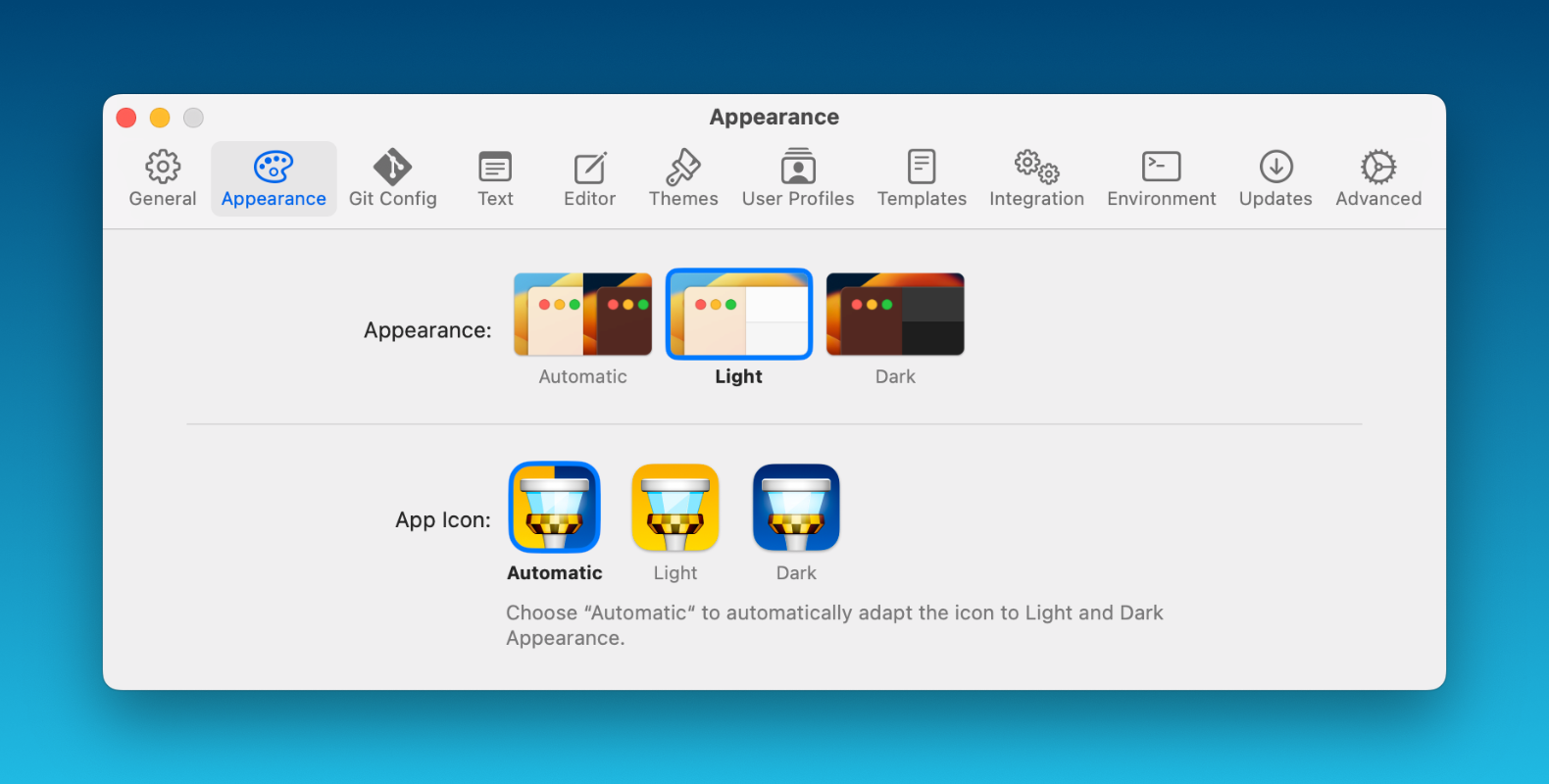
We have two brand-new Tower App icons available! They will automatically switch based on your current appearance, but you can customize this behavior under "Appearance".
Version 10
We're excited to introduce Syntax Coloring to your diff, raw, and blame views, providing support for nearly 200 languages. To enable this feature, simply navigate to the new "Text" dialog located in the Settings.
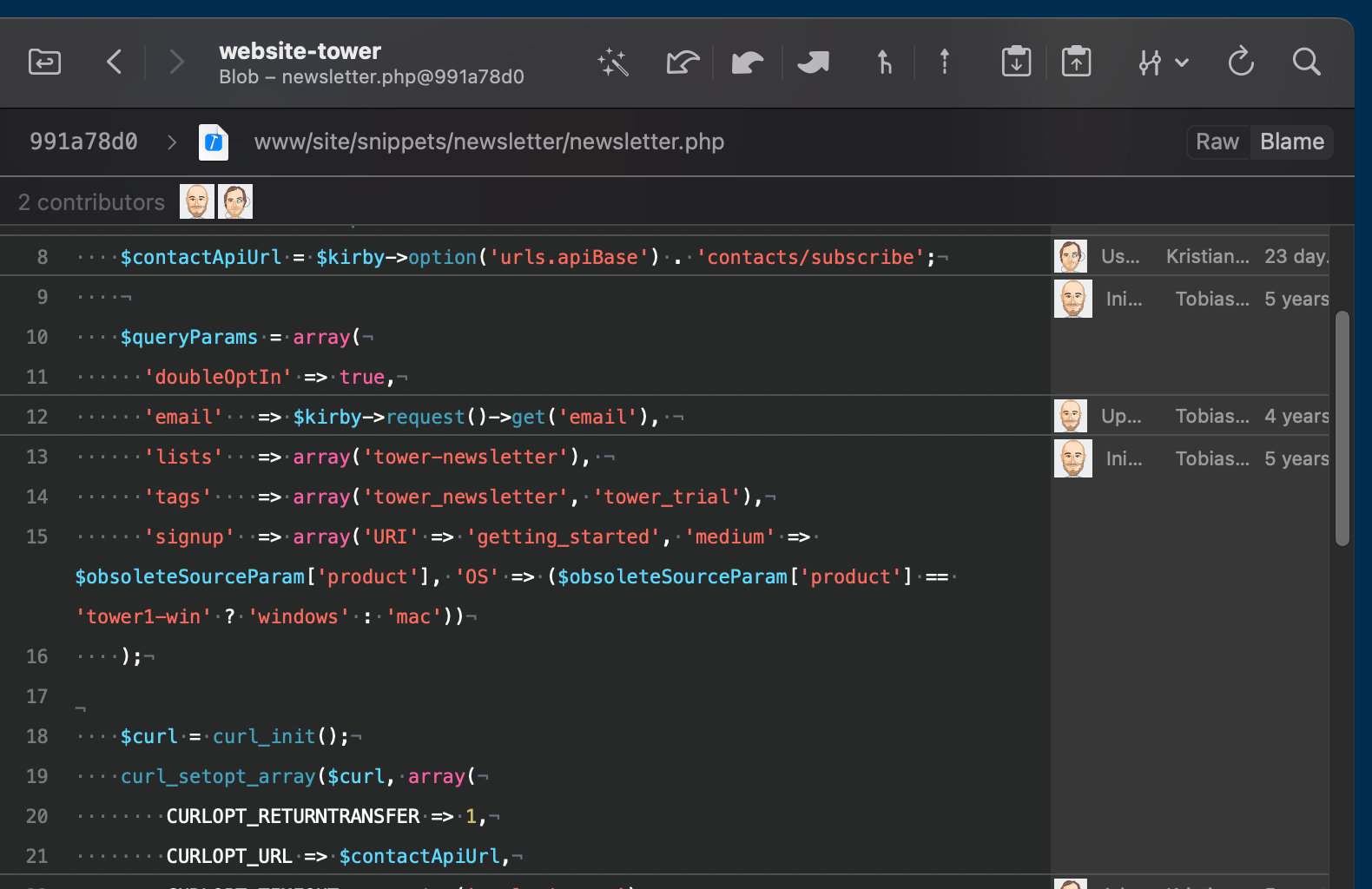
This update also offers you the option to customize the tab width, along with the flexibility to show or hide invisible characters according to your preferences.
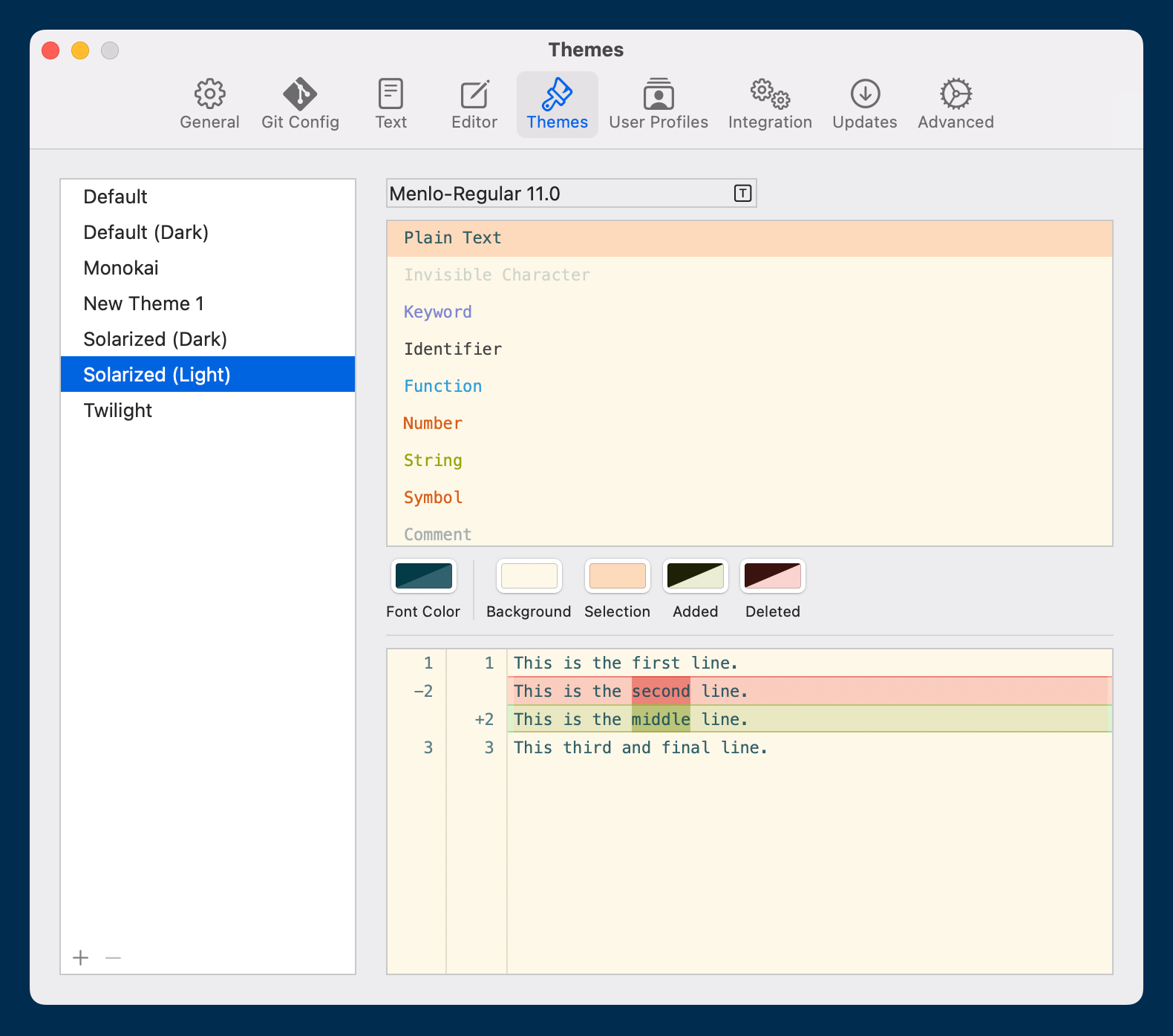
The "Themes" dialog in the Settings now presents more customization options. We've updated every pre-existing theme to support the Syntax Coloring feature, but you can also adjust them to your liking or create your own!
Version 9
Our latest update brings a completely redesigned merge experience, starting with our brand-new Merge UI! We also implemented some of the most requested features from our community, such as diffing improvements.
Watch this 4-minute video to learn everything that is new in Tower 9 for Mac!
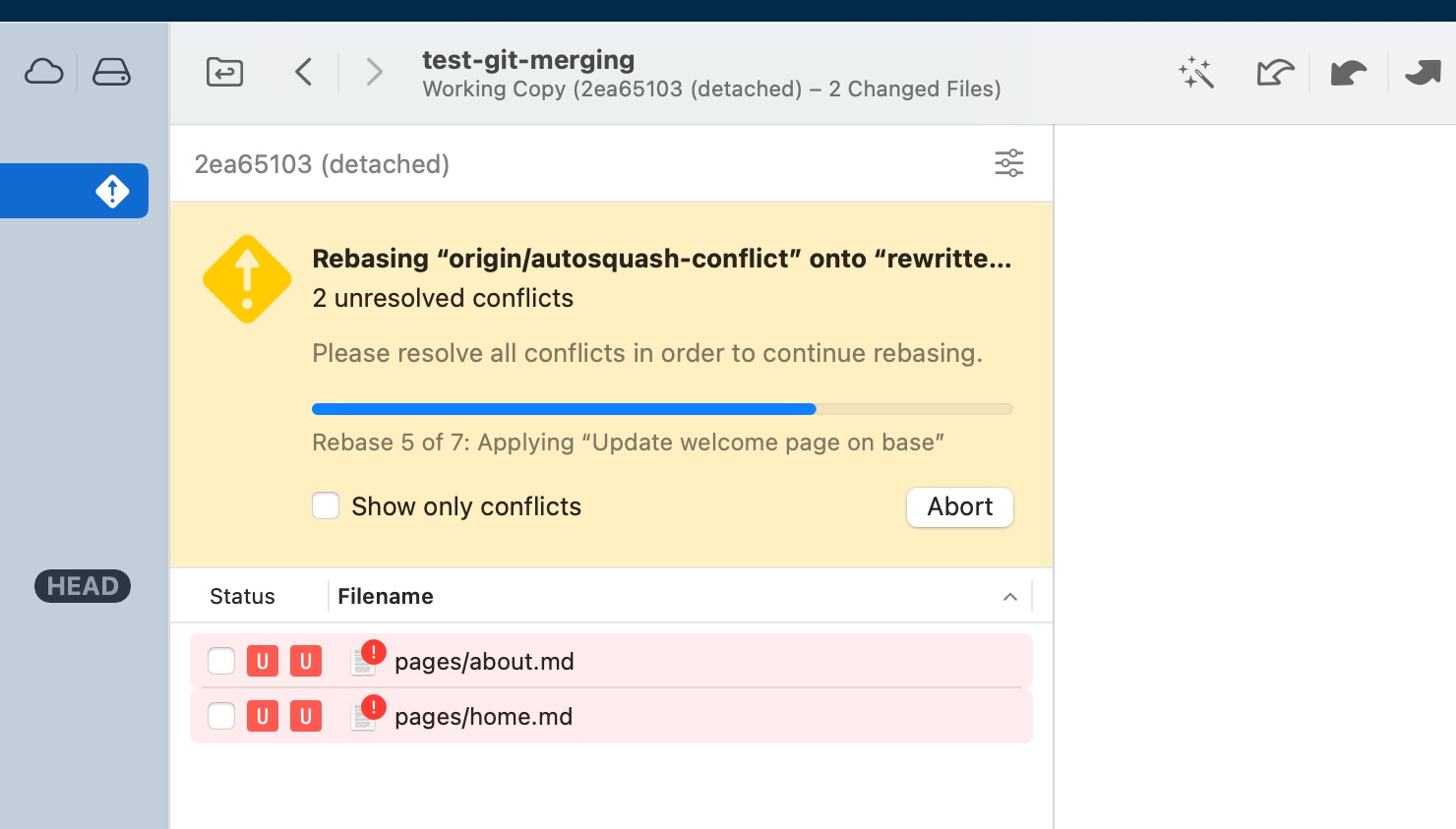
Our new Merge UI will come in handy when you need to understand the status of merge conflicts. It will show you the number of conflicts left to resolve and the corresponding files. In case of a rebase, you will also know which step you're currently in.
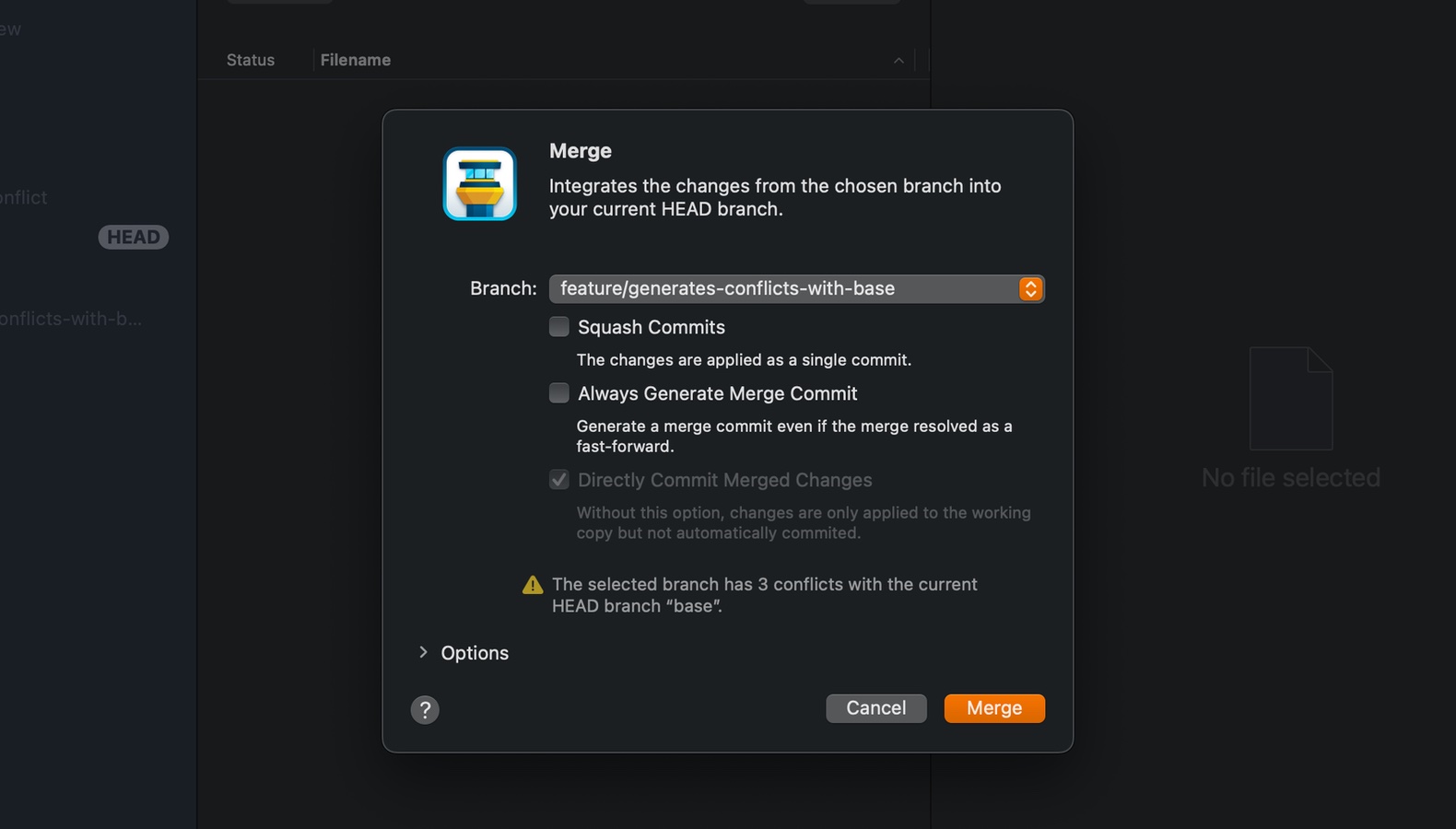
When merging another branch or revision (by merging, rebasing, or pulling), the dialog will instantly let you know if conflicts will occur.
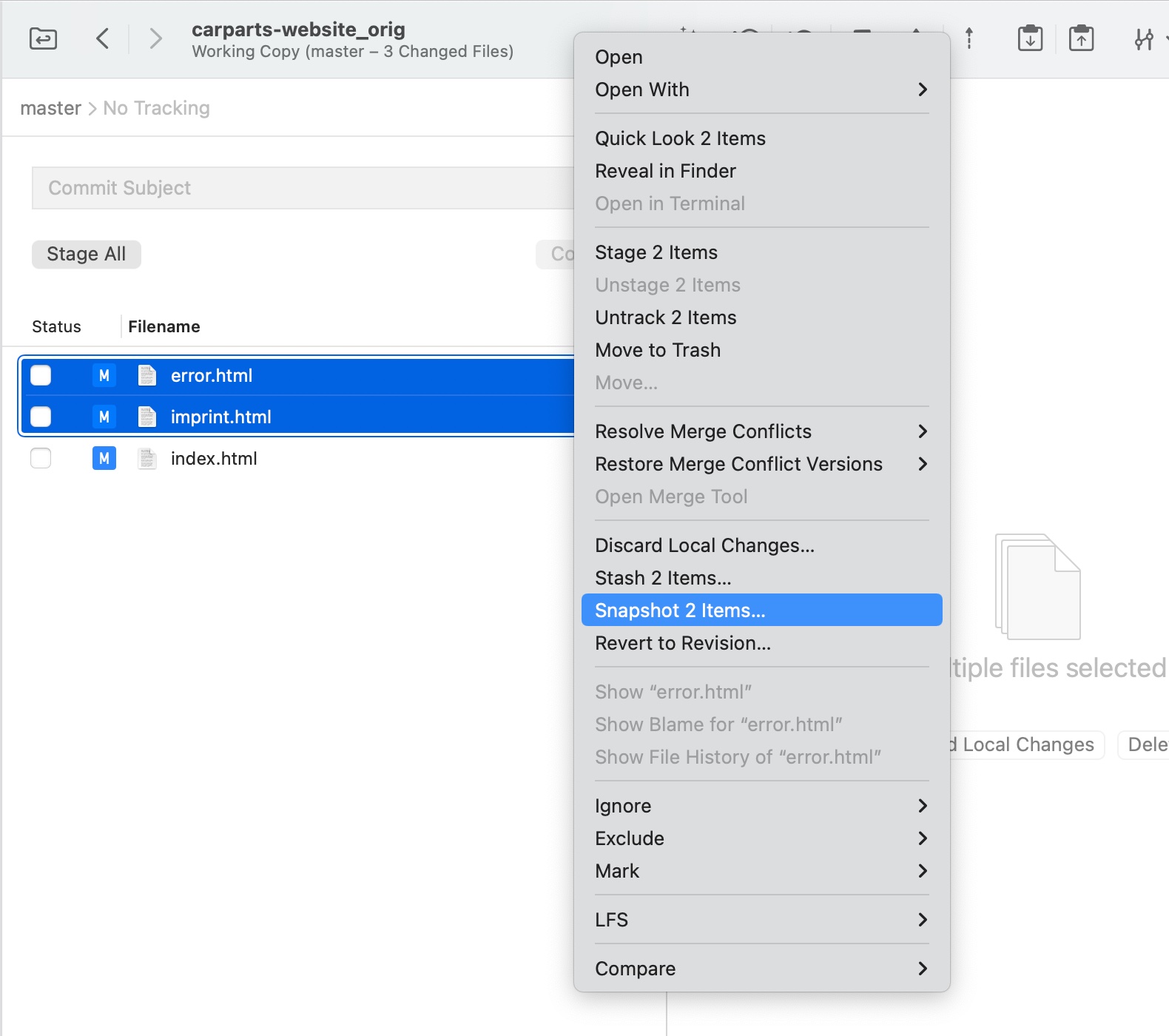
Snapshots are essentially stashes that are automatically re-applied to the working copy — which can be useful to quickly try out ideas.
You can create snapshots of your entire working copy or capture just a number of modified files. Your work can be retrieved later by accessing the “Stashes” view.
Tower can now automatically expand diffs in changesets.
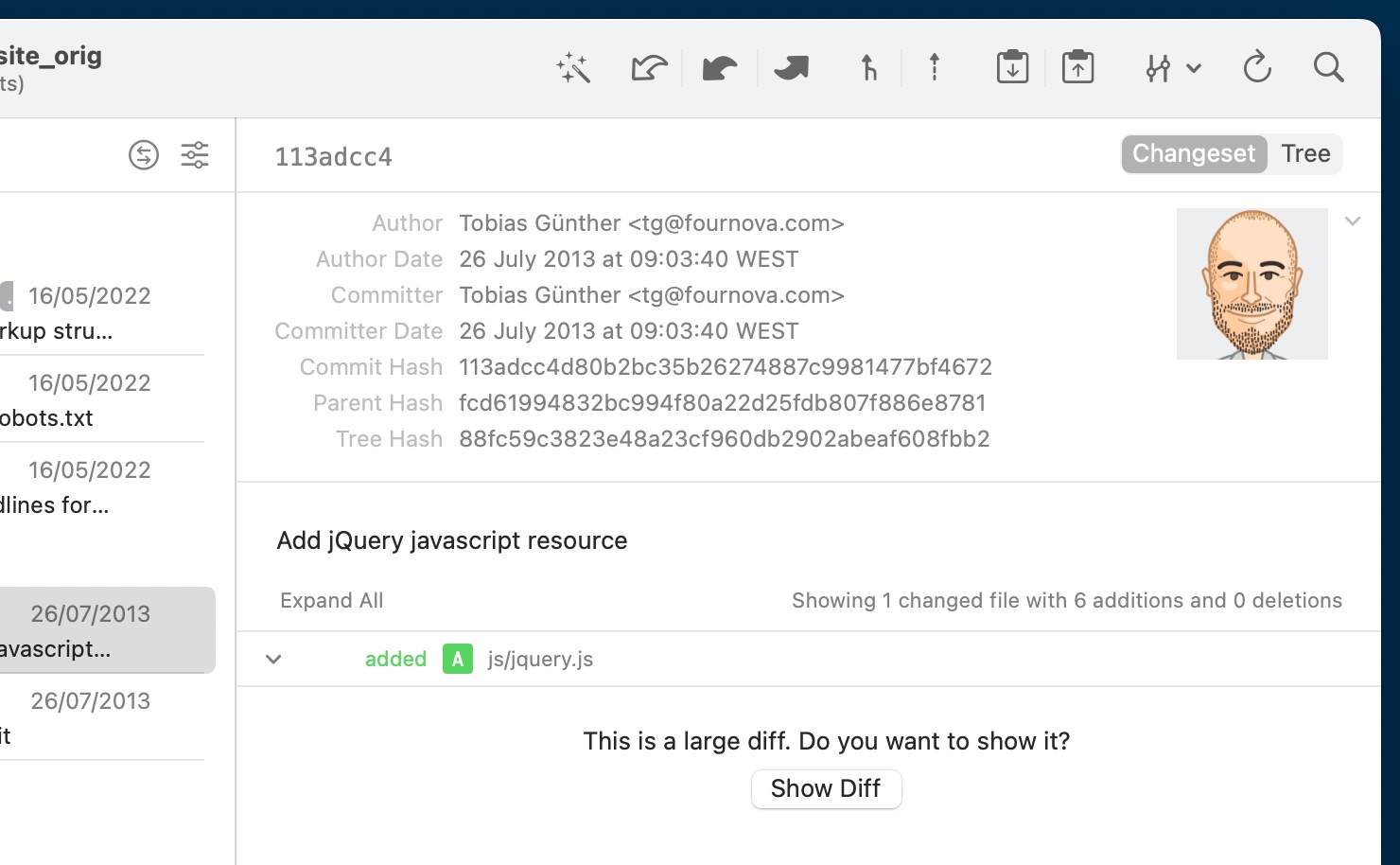
You will now see a "Show Large Diff" prompt before Tower attempts to display it. You can adjust the threshold in the "Preferences" window.
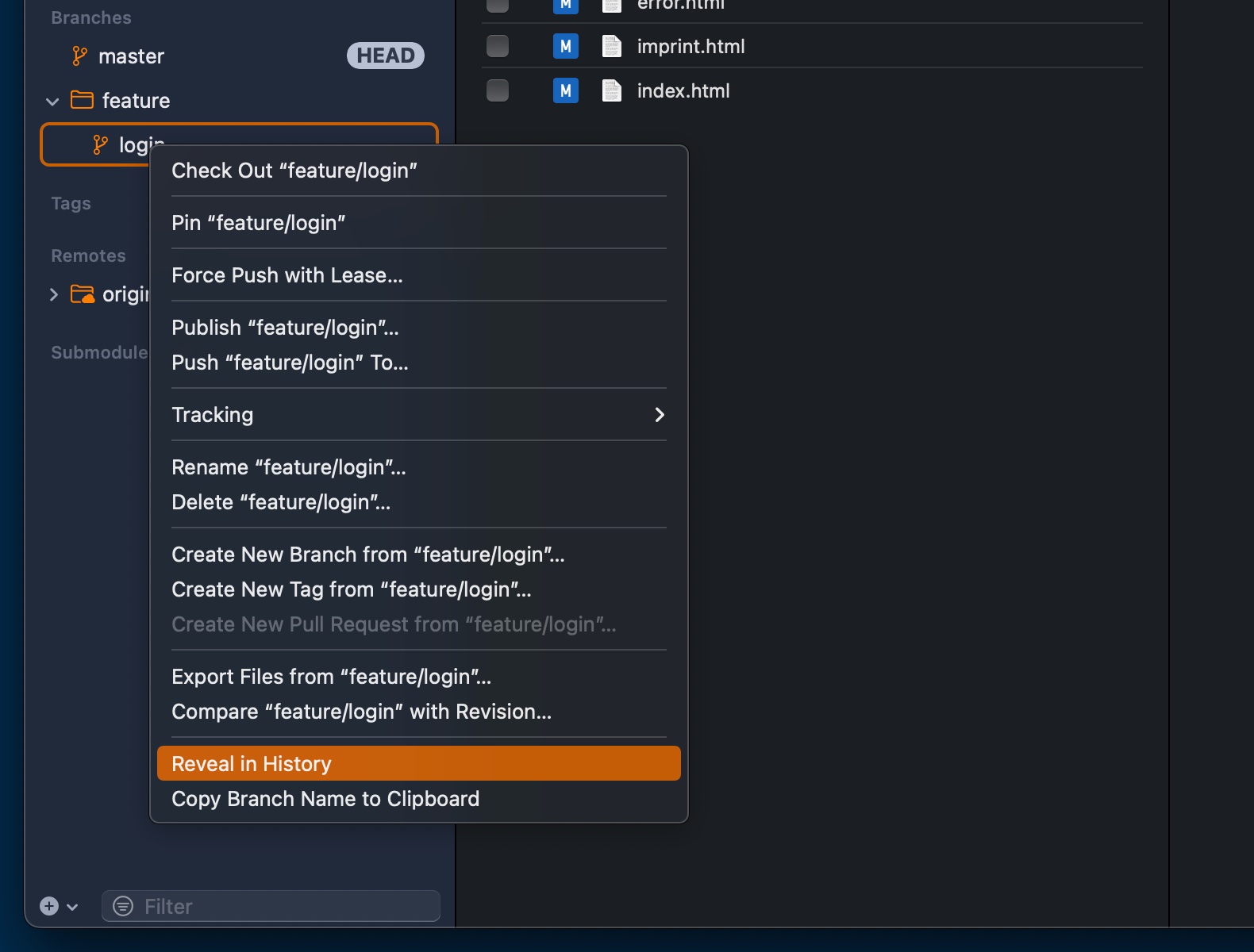
You can now locate any commit, branch, or tag in Tower's History view.
Version 8
Version 8 is all about easier branch management. Say hello to a whole new set of tools to review, pin, compare, and filter branches!
The highlights are presented below, but you can also watch this 3-minute video for more information about each new feature:
You can now compare a branch against a different local branch to quickly review all the changes that were introduced.
If merging will lead to merge conflicts, a warning sign will be displayed, which you can click to access the conflicting files' file paths.
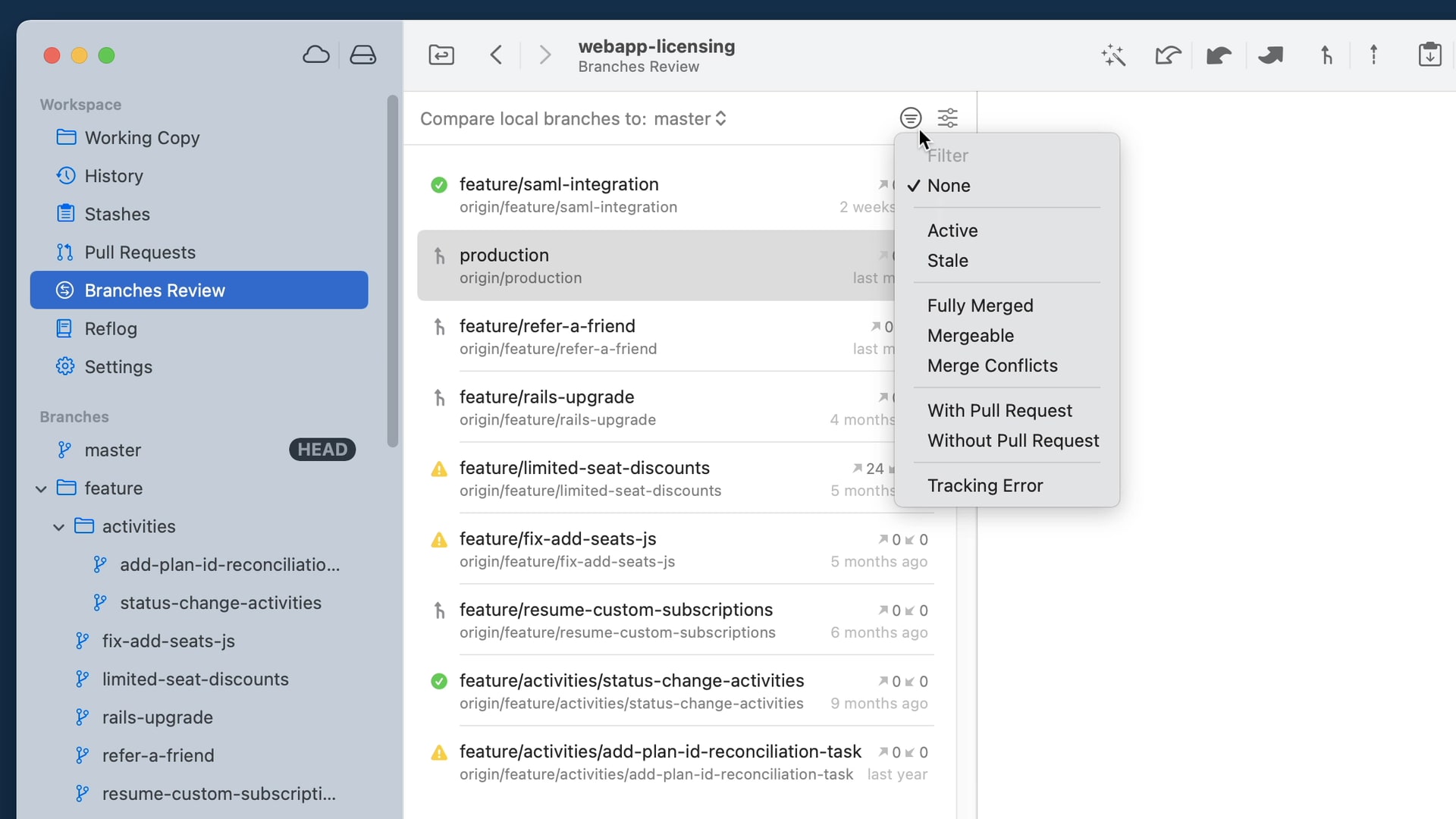
A new view in the Workspace with several filtering options that allows to quickly pinpoint which branches have been stale/obsolete or can be safely deleted.
You can now pin any branch so that it is always there when you need it. Pinned branches will appear in a new "Pinned" section in the sidebar.
Use the input field at the bottom of the sidebar to quickly filter branches, tags, and submodules as you type.
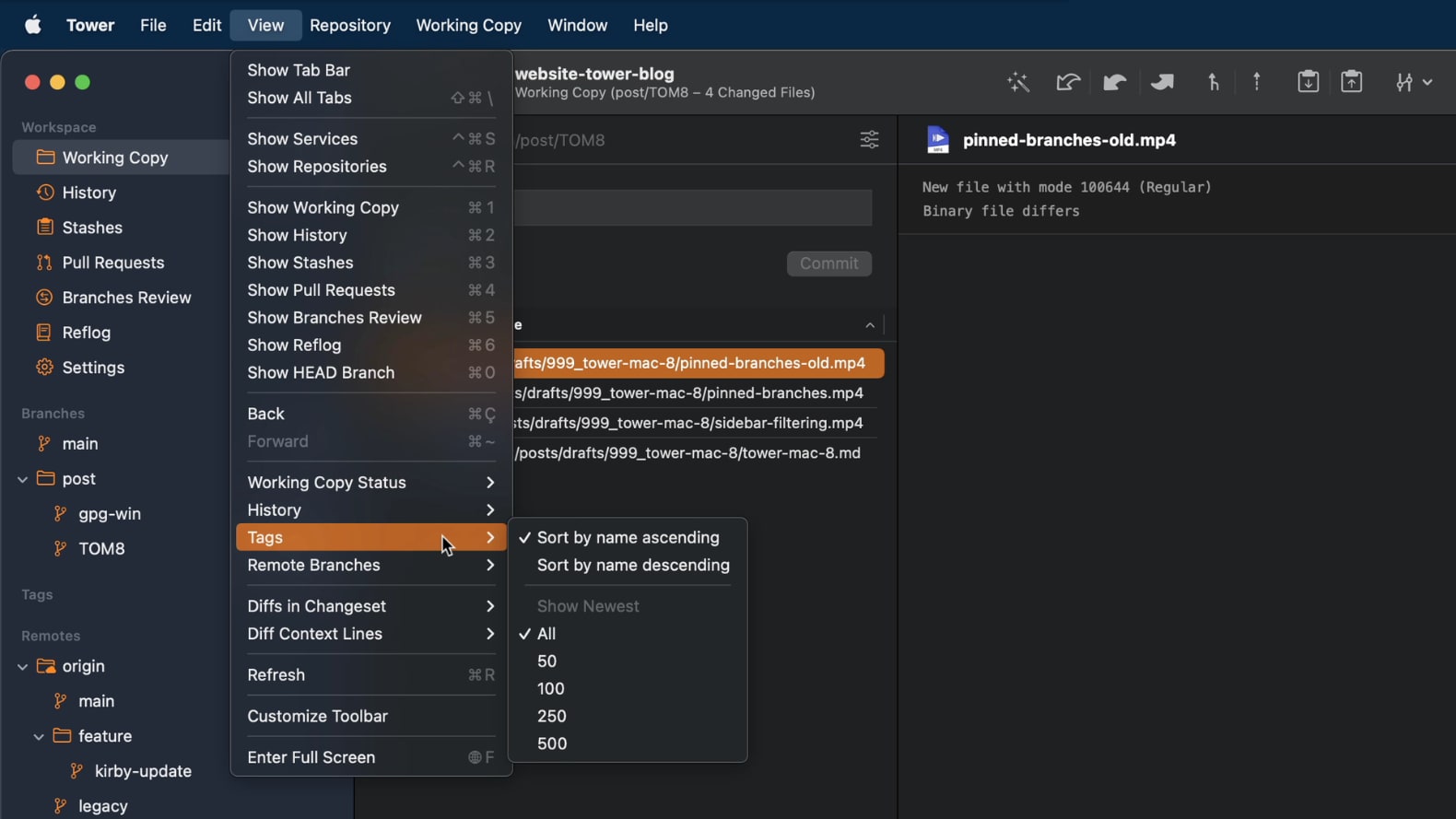
In the "View" menu, you now have the option to see only the newest 50/100/250/500 tags or remote branches.
Version 7
At the same time, the editor itself is now customizable: set your own character limits and choose if you want to have soft or hard line wrappings.
Finally, a powerful new way to work with Git's "fixup" and "squash" actions has been implemented: try starting your commit subject with the "fixup!" or "squash!" prefixes and see for yourself!
Version 6
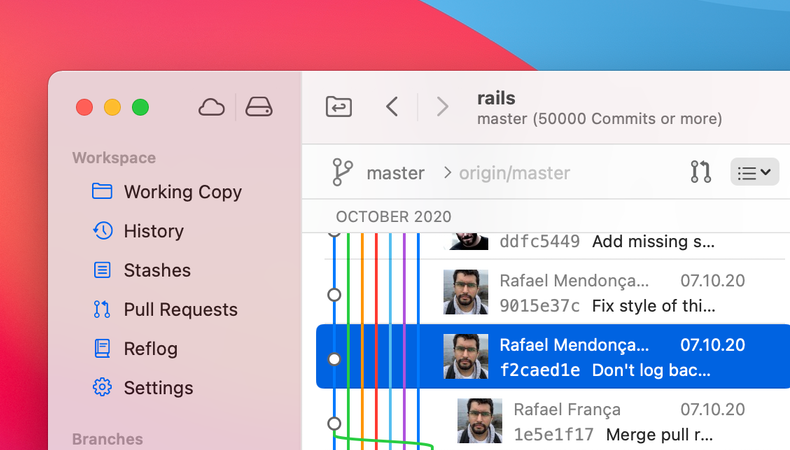
From new and redesigned icons all the way to a full-height sidebar and a streamlined toolbar, Tower’s new design feels right at home on Big Sur.
In addition, Tower is now compiled and optimized for the new Apple Silicon architecture, resulting in better performance and battery life.
Version 5
Highlight Inline Changes
Especially when a longer line of code is changed, it might be hard to spot what exactly has been changed. Tower can now highlight the exact change that occurred in a certain line, so you can spot changes at first glance.
Show/Hide Whitespace Changes
Depending on your use case and preferences, you might want to either explicitly hide or show changes that are made up of only whitespace. This much requested feature is now available in Tower's diff viewer.
Diff Themes
Customize Tower’s diff view to your liking - change the font type, size, and color. You can either select one of our beautiful, pre-installed themes or simply create your own by customizing the font, the background color, and even the color used to highlight added and deleted lines. You can even share your themes with others.
Diffs for Untracked Files
Tower can now display the diffs of new/untracked files. And it even allows you to stage/unstage/discard parts of their changes - even though they are still untracked!
Version 4
Deleting branches and files, staging changes, rebasing & merging branches, or even publishing a branch on a remote: many Git actions can now be undone in Tower, simply by using the keyboard shortcut CMD+Z. Correcting mistakes has never been easier!
Version 3
GPG support has now come to Tower: you can connect GPG keys with your User Profiles in Tower, sign commits automatically and see which commits have been signed - and by who. All of that right from within Tower!

If you're often working with big repositories (i.e. thousands of remote branches, tags, etc.), then this update might be for you: opening such a repository, displaying the working copy, loading changesets, and many other actions are now up to 5x faster than before!
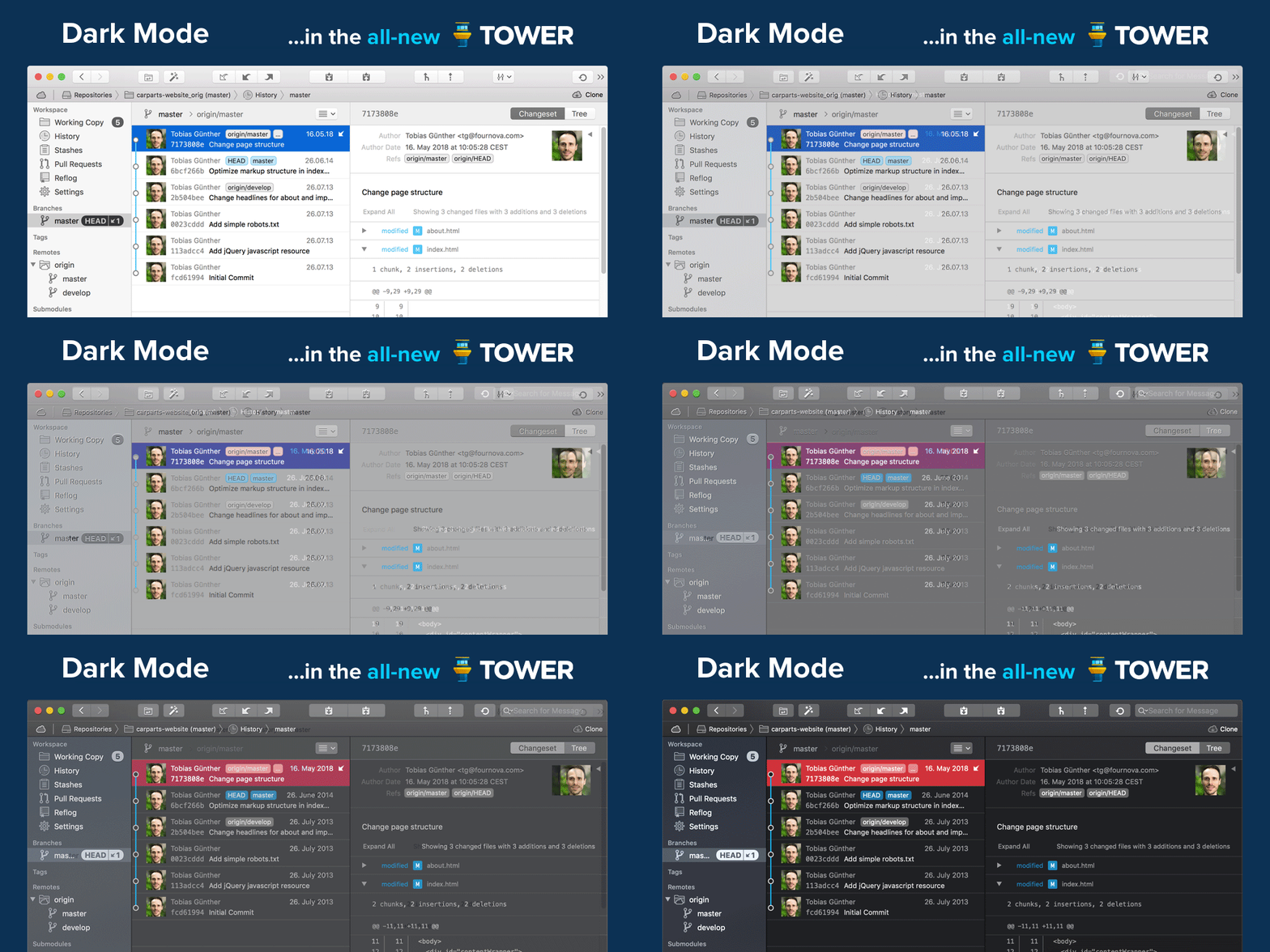
Along with Apple's introduction of a "Dark Mode" in macOS 10.14, we implemented a dark theme in Tower, too.
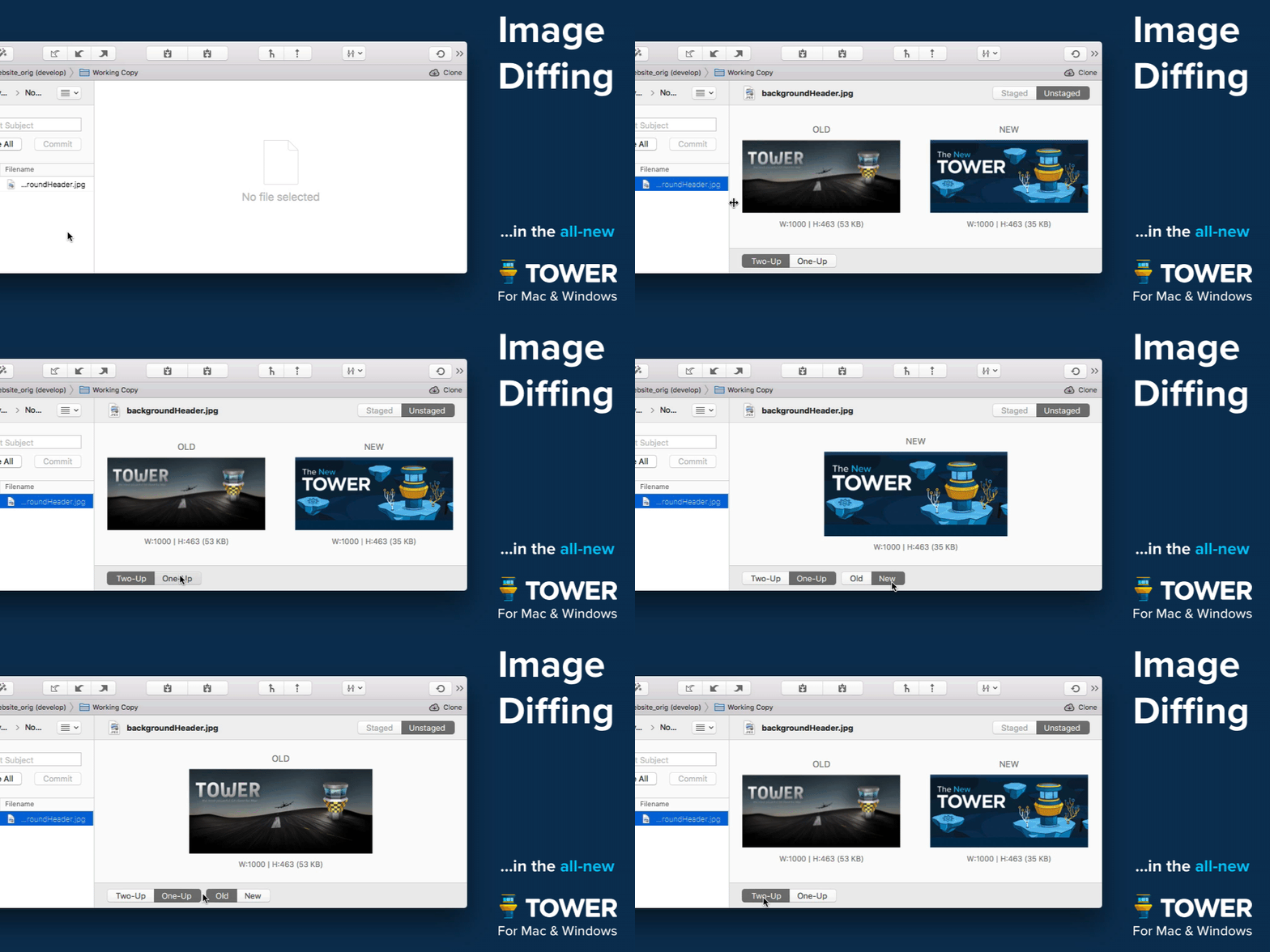
Tower now supports image diffs for a variety of formats (PNG, JPG, GIF, BMP, TIFF, JPEG2000, HEIC), in both the Working Copy and various history / changeset views. In future updates, we will further extend and improve this feature.
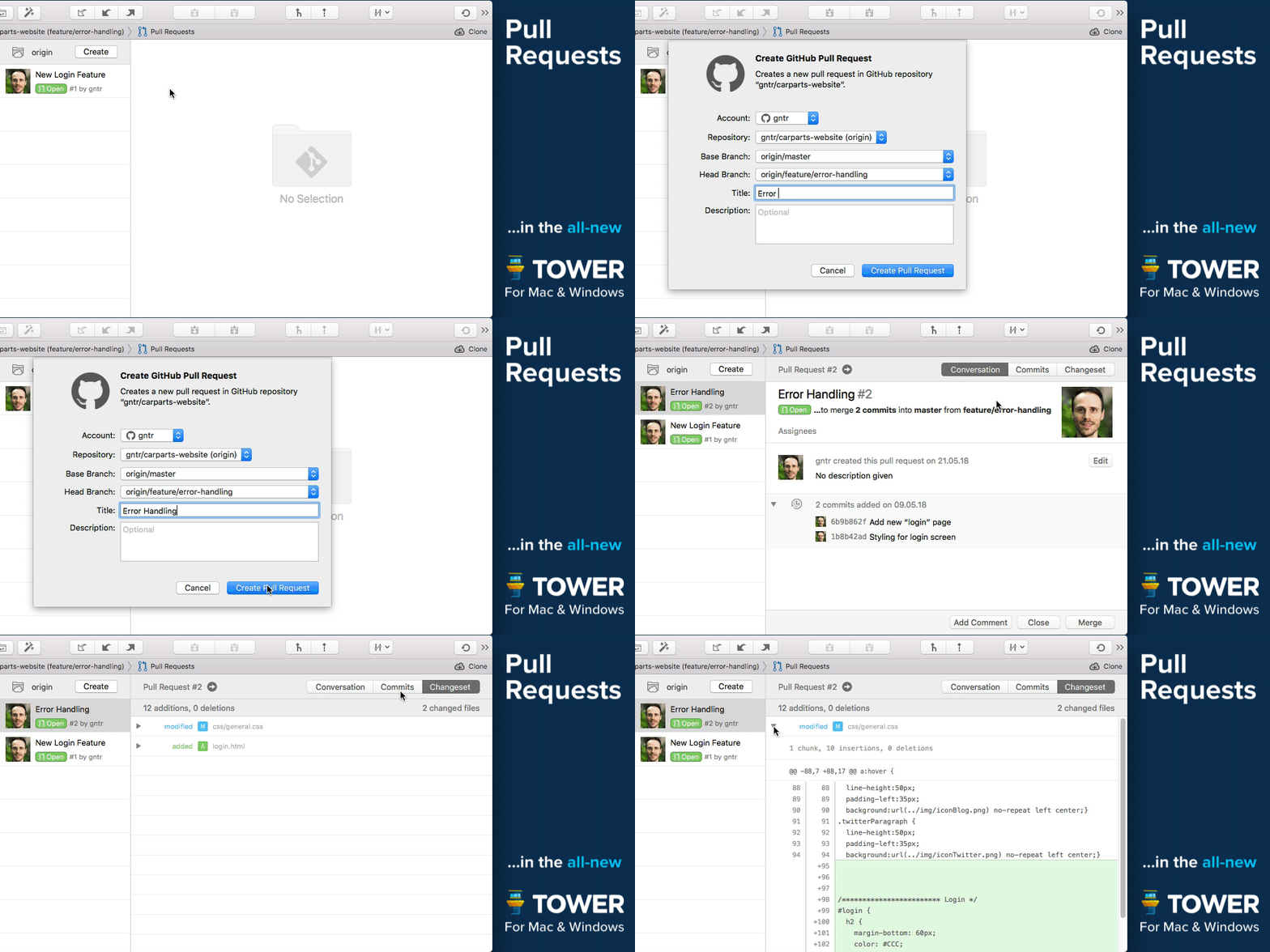
Create, merge, close, comment and inspect Pull Requests right from within Tower! Integrated into our clear, responsive, and powerful desktop interface, Pull Requests become so much more useful.
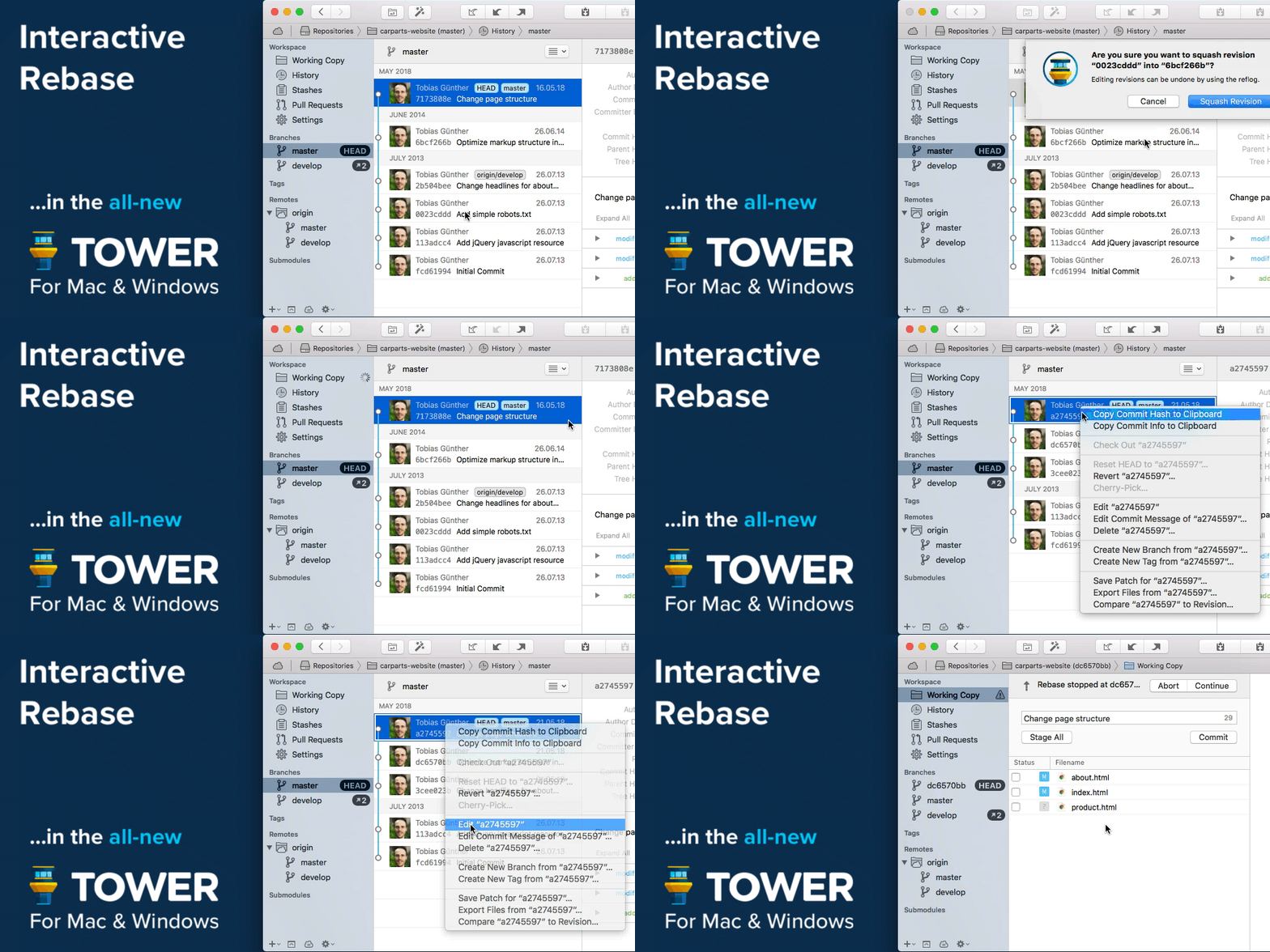
Interactive Rebase is an incredibly powerful tool - but also quite awkward to use on the command line. But now, in Tower, it has become as easy as drag and drop!
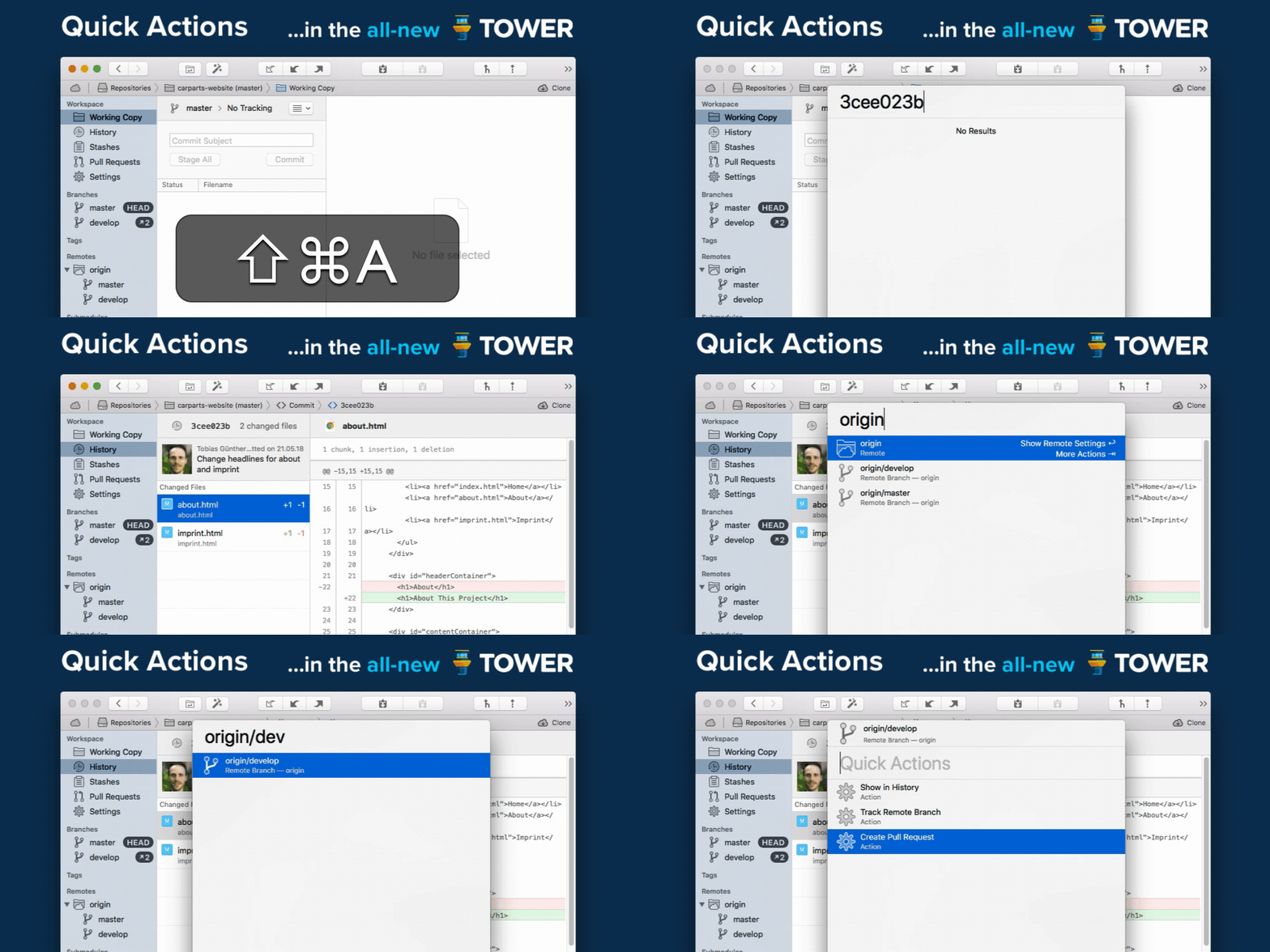
The brand new Quick Actions dialog gives you superpowers: Give it a branch name and it will offer a checkout. Give it a file name and it will present the file's history. Give it a commit hash and it will show it in the commit history. Fast as lightning, easy as pie.
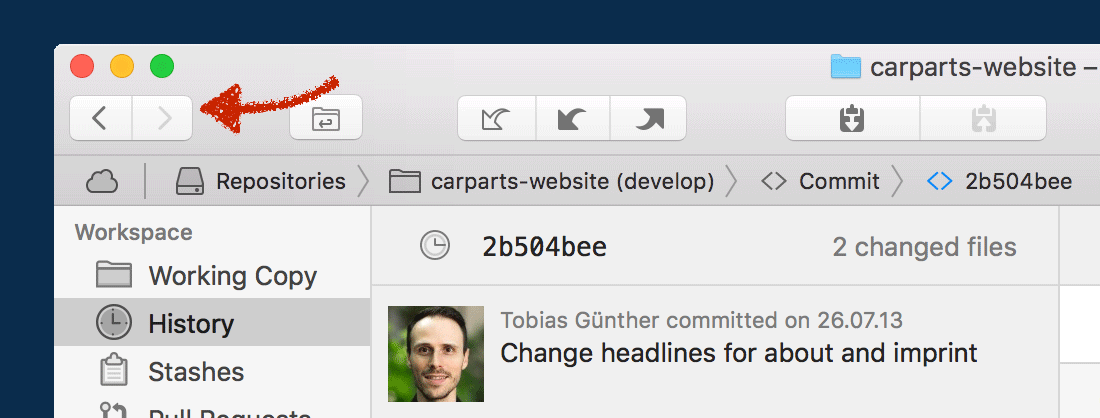
We've added so many new levels of detail in the new Tower. And at the same time, navigating Tower is now as simple as browsing the web: with the new "back" and "forth" buttons and the improved "Navigation Bar".
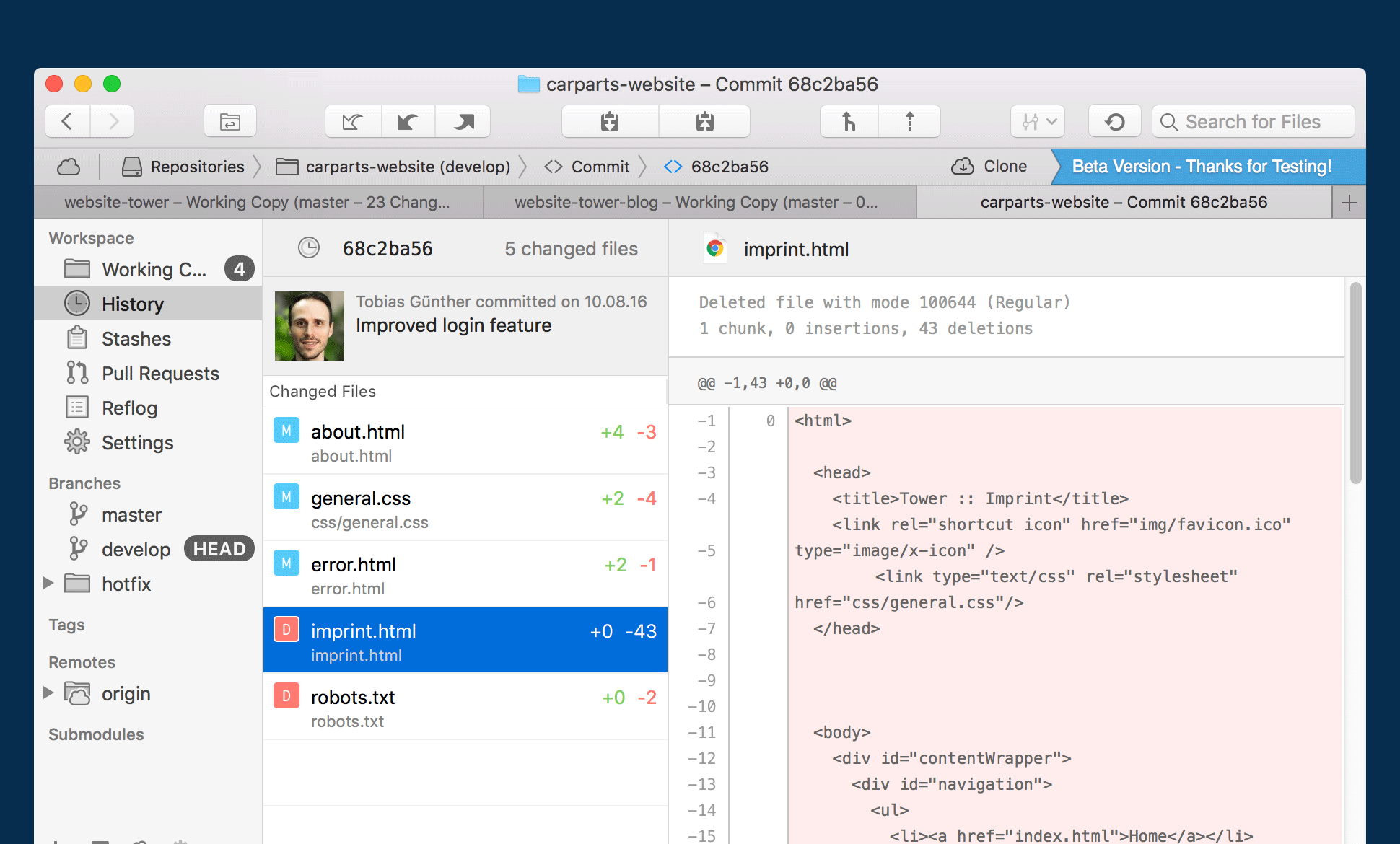
We've reworked countless areas in the new Tower. Let's take the brand new "Commit Details" view as an example: with the changeset on the left and lots of space for the diff on the right, you can inspect and review a commit in a more focused manner.
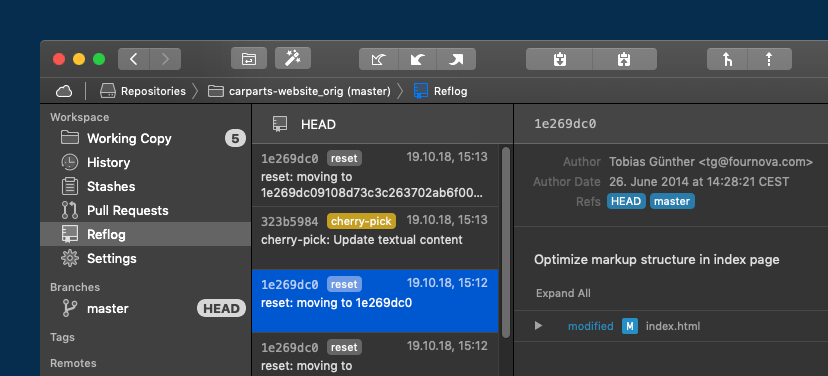
A little-known feature, but one with enormous power: Reflog can restore lost commits or branches, move back to a rolled back state, undo a cherry-pick or commit... and is now available in Tower!
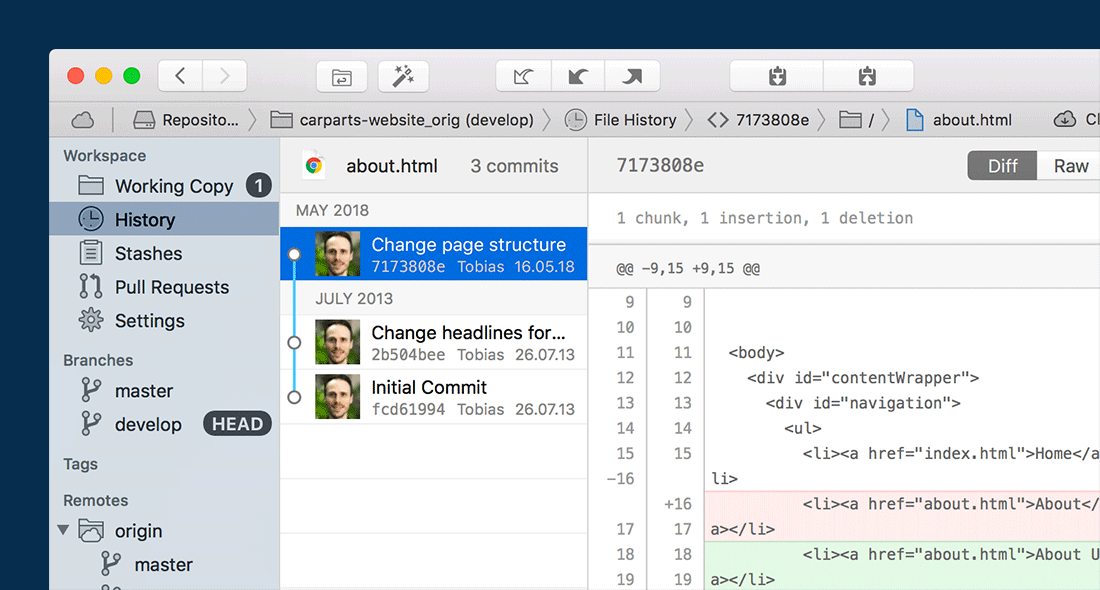
We have redesigned both the "File History" and "Blame" views from scratch. They have become much more useful and informative.
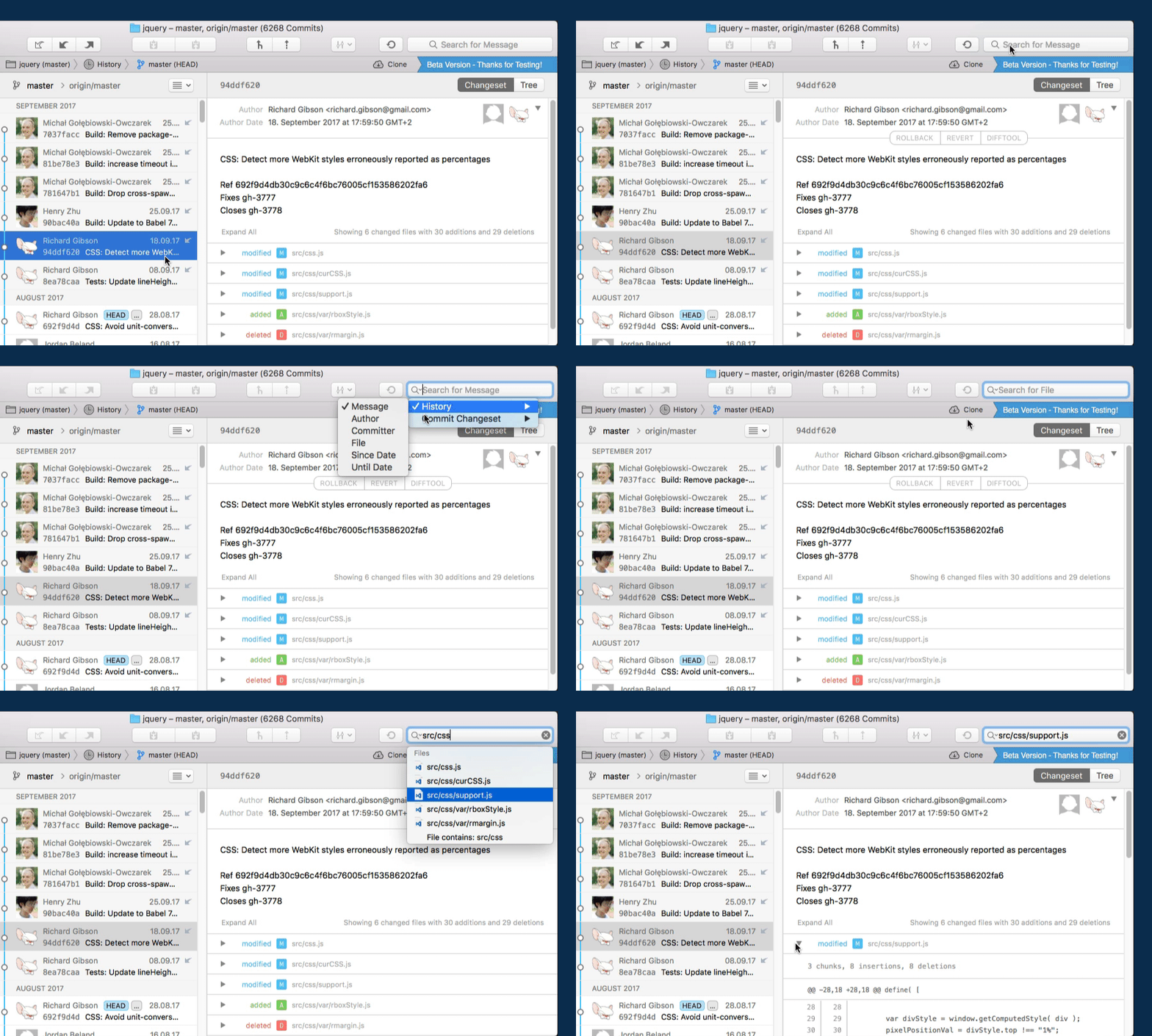
Search functionality in the new Tower has become much more powerful. You can now search for files almost anywhere: in the Working Copy, in a historic file tree, or even inside the changeset of a commit!
Version 2
No further updates, last release in 05/2018
Version 1
No further updates, last release in 06/2014
Version 2
No further updates, last release in 11/2021
Version 1
No further updates, last release in 05/2018